
What you will learn
On this pageContentsCloseOpen
A merchant selling custom-engraved goods, event tickets, supplements, or anything with a no-refund clause eventually asks the same question: how do I make customers agree to my terms before they pay? On Shopify the answer has three layers, and most guides only describe the first one.
The first layer is that Shopify has no native checkbox. The second is that the checkbox you add — via theme code or any App Store app — lives on the cart page and is bypassed by the accelerated checkout buttons Shopify itself encourages you to turn on. The third is that putting a checkbox inside checkout, where it can't be skipped, is a Shopify Plus feature, and even there the client-side way of blocking the buyer is now deprecated.
This article walks through those layers from primary sources, then compares six apps on the axes that actually differ: what happens on Buy it now, where consent is recorded, and what the paid tiers really buy.
What Shopify does natively: links, not consent
Shopify's Adding store policies page describes the entire native mechanism. You write or generate a Return policy, Privacy policy, Terms of service, Shipping policy, Legal notice and Subscription policy under Settings → Policies, and "after you add your store policies, they're automatically linked in the footer of your checkout pages." A return policy link also appears on the order review page. That is it. There is no acceptance step, no checkbox, and no record that a particular buyer saw the terms.
The checkout settings hub has no terms option either. Shopify's free themes don't fill the gap: the en.default.schema.json files for both Dawn and Horizon contain no "terms" or "agree" setting anywhere. Some paid theme vendors add one — Out of the Sandbox documents an "Agree to Terms" cart-page toggle in most of its themes — but the same help article carries the warning that defines this whole category: "if the dynamic checkout button is enabled, customers will be able to bypass these terms."
In US contract terms, a footer link is a browsewrap. A required, unchecked-by-default box the buyer must tick is a clickwrap. Law-firm summaries of the Ninth Circuit's 2022 Berman v. Freedom Financial Network decision note that courts "have routinely found clickwrap agreements enforceable," while browsewrap is enforced only where notice is reasonably conspicuous and the user takes an unambiguous action. That is why merchants who care about chargebacks and disputes want the box, not the link. (This is background, not legal advice — check with counsel for your situation.)
Why every cart checkbox is bypassable by design
Whether you paste a snippet into main-cart-footer.liquid or install an app, a cart-page terms checkbox is one of two things: a plain form checkbox gated by JavaScript, or a cart attribute — a custom form field whose value is submitted with the cart and shows up in the order's Additional details section in the admin. Only the second leaves a record. Shopify's own community tutorial for an agree-to-terms checkbox notes that it "can be added only to the cart page" and that additional checkout buttons such as Pay with Amazon let customers "check out without agreeing to your term and conditions," and its companion cart-attributes tutorial adds that "cart attributes can be added only to a cart page, and are not compatible with cart drawers, or cart popups."
Then read Shopify's Accelerated checkout buttons compatibility page:
Accelerated checkout buttons don't support cart attributes. Cart attributes are custom form fields that you can use to collect additional information from your customers on the cart page. Examples of cart attributes include the following additions to the cart page: terms and conditions checkboxes, gift-wrapping options, delivery date pickers. If you rely on cart attributes, then accelerated checkout buttons aren't suitable for your online store.
The Accelerated checkout buttons overview explains the mechanics. The unbranded Buy it now button on a product page means customers "skip the cart and go to the Shopify Checkout." Branded buttons — Shop Pay, Apple Pay, Google Pay, PayPal, Amazon Pay, Venmo — complete payment with that method directly. Either way the buyer never sees your cart page, so the checkbox never renders and no attribute is written.
Shopify's position is consistent: if the checkbox matters, turn the buttons off. Apps that promise "Buy it now support" are working around this by intercepting the product-page click with JavaScript and showing a modal, which is a fundamentally different mechanism from a cart attribute, and one of the vendors below is candid about what that costs you.
Inside checkout: Plus only, and the blocking API just changed
The place a checkbox can't be skipped is inside checkout itself. The Checkout UI extensions reference states that extensions "for the information, shipping, and payment steps are available only to stores on a Shopify Plus plan." Non-Plus stores can only place extensions on the Thank you and Order status pages, which is after the sale. Shopify's own Checkout Blocks app follows the same line: on Basic and above you get static and dynamic content blocks on the Thank you and Order status pages, and "all other features of Checkout Blocks are available only to Shopify Plus." A merchant on the Shopify Community in September 2025 asking for two mandatory checkboxes at checkout was told it needs Plus, and answered that Plus was "definitely not an option" for a startup.
Even on Plus, the way an extension blocks progress has changed. The Checkbox web component is documented with the terms use case — <s-checkbox label="I agree to the terms of service" required> — but the required attribute "doesn't trigger automatic validation." Blocking used useBuyerJourneyIntercept with the block_progress capability, which merchants can also switch off in the checkout editor. The current Buyer Journey API page now carries a deprecation notice: the intercept "is deprecated. Use a cart and checkout validation function instead."
That points to the one mechanism that is genuinely bypass-proof. The Cart and Checkout Validation Function API runs on Shopify's servers, can read a cart attribute, and "includes express checkouts, such as Shop Pay, PayPal, Google Pay, and Apple Pay." The compatibility table lists Storefront Accelerated Checkout as supported. The documentation states no Plus requirement — the only gated capability is the Fetch target for Enterprise custom apps — and validations are activated under Settings → Checkout → Checkout Rules, up to 25 per store. The catch is that a validation function ships inside an app: you need a developer or a public app that exposes one. None of the six cart-checkbox apps below describes a validation function in its plan features, although TnC lists "Checkout Rules" under Works with and both TnC and RA use "checkout rules" in their listing titles — ask the vendor what that covers before assuming server-side enforcement.
One related date has already passed for non-Plus stores: script tags on the Thank you and Order status pages were "sunset for non-Plus stores on August 26, 2026," per the Apps in checkout page, so any older checkbox app that injected scripts there is no longer running.
Six apps, compared on what differs
The App Store's Legal category lists 463 apps under the "Terms and conditions" filter, and Cart customization lists 528 under "Terms checkbox," most of them general cart apps. Two names still cited in older guides are gone: Termzy ‑ I Agree To Terms and AgreeBox: Terms at Checkout both show "not currently available" today. The six below are the dedicated apps with a live listing and a review history worth reading. All prices are USD, from the en-US App Store on September 7, 2026.
| App | Developer | Built for Shopify | Rating (reviews) | Price | Buy it now / express | Consent record |
|---|---|---|---|---|---|---|
| TnC: Terms and Conditions Box | Effective Apps | Yes | 4.9 (550) | $7.99, $12.99, $14.99/month | Modal on Buy It Now; PayPal, Apple Pay named | Order Additional Details, Advanced+; not for Buy It Now orders |
| RA Term and Condition Checkbox | Relentless Apps | Yes | 5.0 (198) | Free; Premium $4.99/month | Premium only; PayPal, Apple Pay, Shop Pay named | Cart attribute → order details, Premium |
| RT: Terms and Conditions Box | RoarTheme | Yes | 4.5 (382) | Free | Lists Amazon Pay, Apple Pay, Google Pay, PayPal, Shop Pay, Venmo | Order Additional Details |
| TC Term and Condition Checkbox | Gm infotech inc | No | 4.8 (123) | Free | Claims Buy it Now blocked; PayPal, Apple, Shop | Not stated on listing; reviews conflict |
| Terms and Conditions Check Box | CMG INFOTECH PVT LTD | No | 4.9 (41) | $3.99/month | "Supports Buy It Now buttons" | "Logs the consent date in order's details"; location not stated |
| Terms and Conditions checkbox | Shop Sappers | Yes | 4.9 (21) | $4.99/month | "Dynamic Checkout protection" for Buy It Now, Shop Pay, Apple Pay, Google Pay, PayPal | Order additional details / custom attributes with timestamp |
None of them places a checkbox inside the information, shipping or payment steps on a non-Plus store — that isn't an app decision, it's the platform rule above.
TnC: Terms and Conditions Box
Source: Shopify App Store (TnC: Terms and Conditions Box), retrieved September 7, 2026
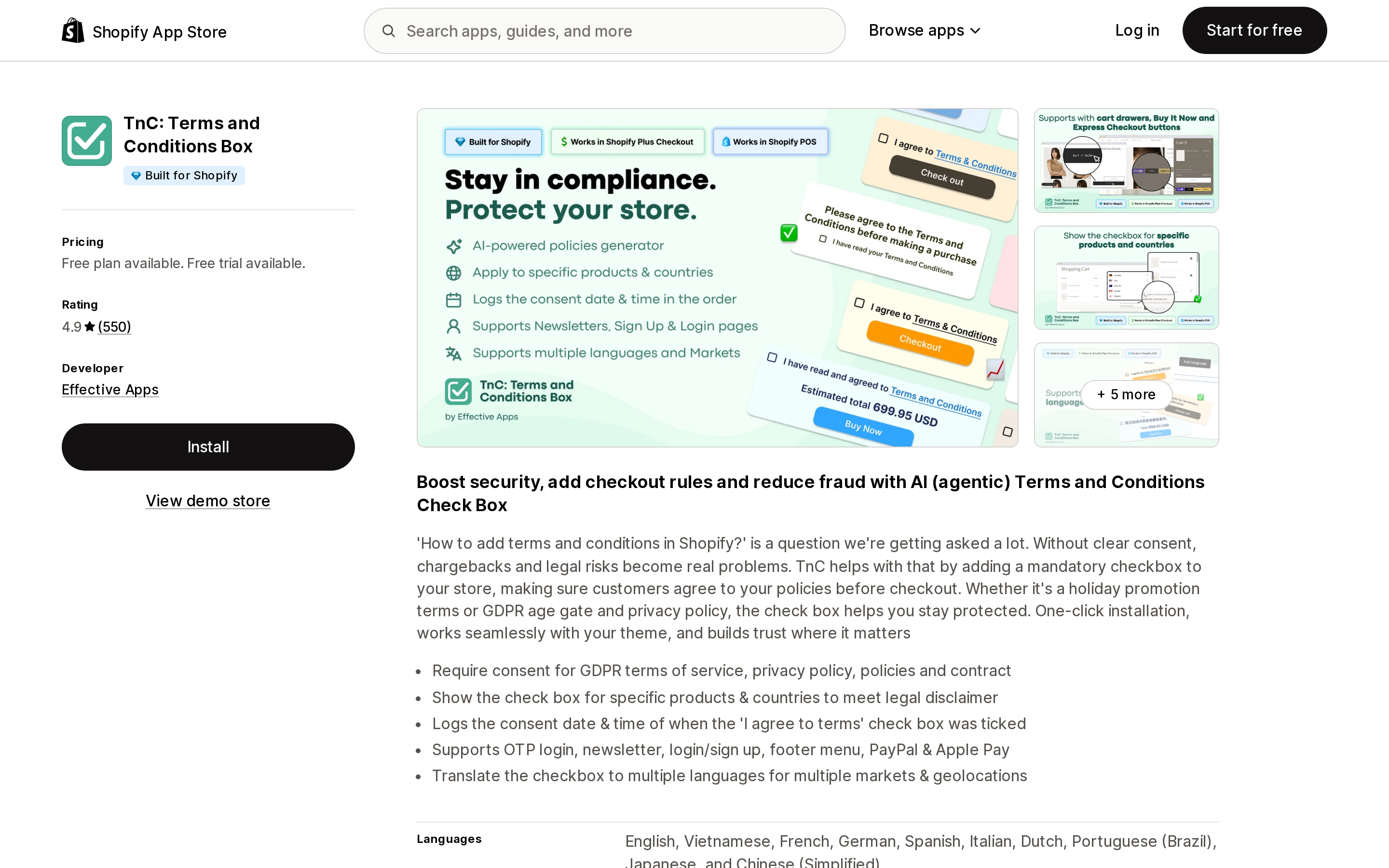
Effective Apps' TnC is the largest listing in the category, with 550 reviews since its December 2, 2019 launch and a Built for Shopify badge. It is also the only one here whose help center answers the Buy it now question honestly. The "Buy It Now Button Behaviour" article explains that the app opens a pop-up modal requiring agreement before the buyer continues. A separate help article on where to find the consent date and time then states: "Due to programmatic restrictions, the consent date and time cannot be recorded for orders placed via the Buy It Now button. If this affects your workflow, you can contact our support team to hide the Buy It Now button." In other words, the modal stops the click, but the order created through the accelerated path carries no consent stamp — exactly what Shopify's cart-attribute note predicts.
Source: Shopify App Store (TnC: Terms and Conditions Box), retrieved September 7, 2026
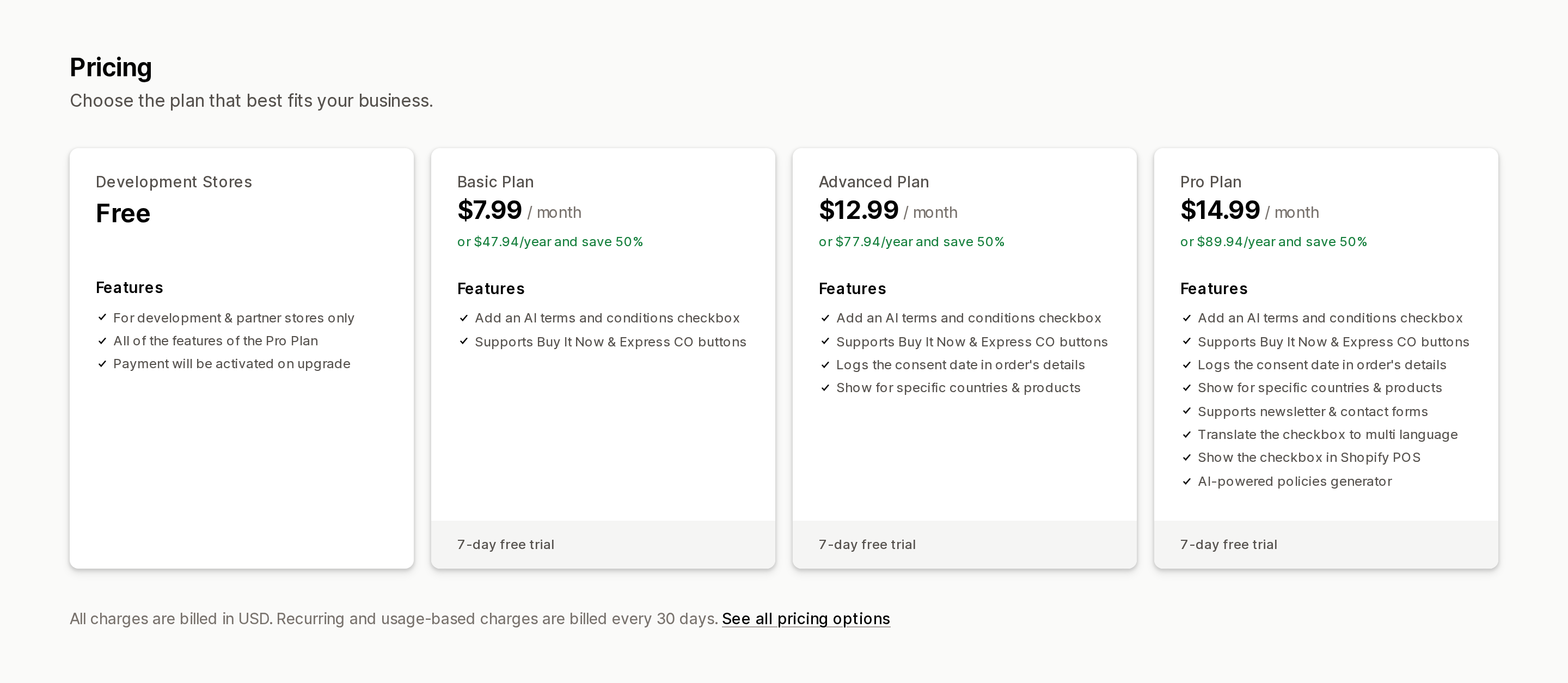
Pricing is tiered by the features that matter here. Basic at $7.99/month gives you the checkbox with Buy It Now and express-button support. Advanced at $12.99/month adds the consent date log and the ability to show the box only for specific countries and products. Pro at $14.99/month adds newsletter and contact forms, multi-language text, a Shopify POS checkbox and an AI policy generator. All paid plans have a 7-day trial, and the listing's "Development Stores" plan is free only for partner development stores — which is why all three one-star reviews are about price, not function ("The app advertises a free plan, but no such option is clearly available," a US merchant wrote on May 28, 2025). The help center, updated August 25, 2026, also lists a Plus Plan at $19.99/month that shows the box on the actual checkout page for Shopify Plus stores; that plan does not appear on the App Store listing, so confirm it with the vendor before budgeting for it. The vendor also notes that the checkout-page version "can't be shown conditionally based on the visitor's IP geolocation, and can't be styled freely."
Consent is written to the order's Additional Details under a label defaulting to "Agreed to the Terms and Conditions." Only one checkbox is possible — the help center says "Shopify currently allows only one checkbox per form" — so a store needing separate age and terms boxes must fold both into one line of text. The most useful critical review is a four-star from a New York store on November 6, 2025 calling the app "slightly buggy and at times allows customers to get to checkout without checking the box."
RA Term and Condition Checkbox
Source: Shopify App Store (RA Term and Condition Checkbox), retrieved September 7, 2026
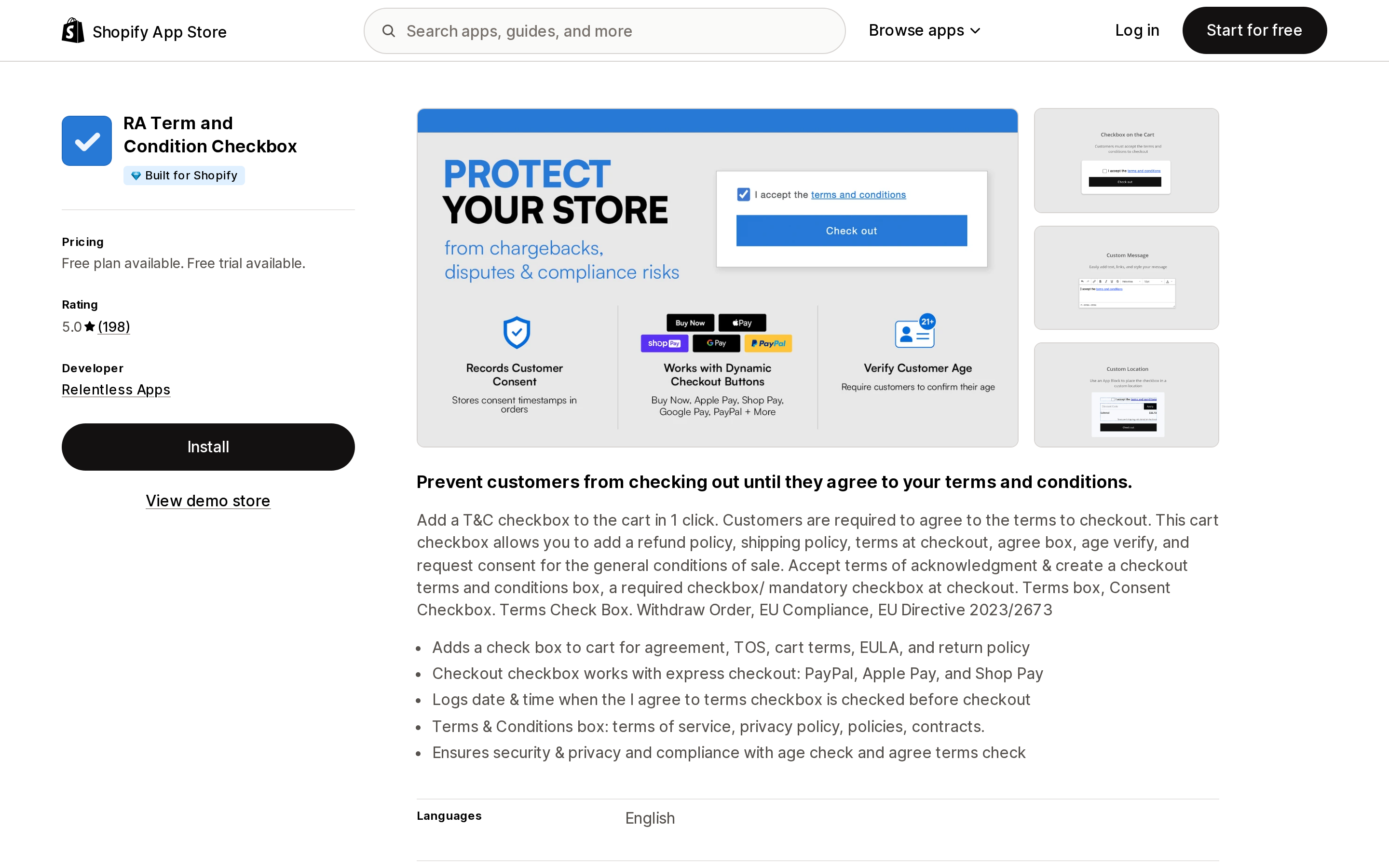
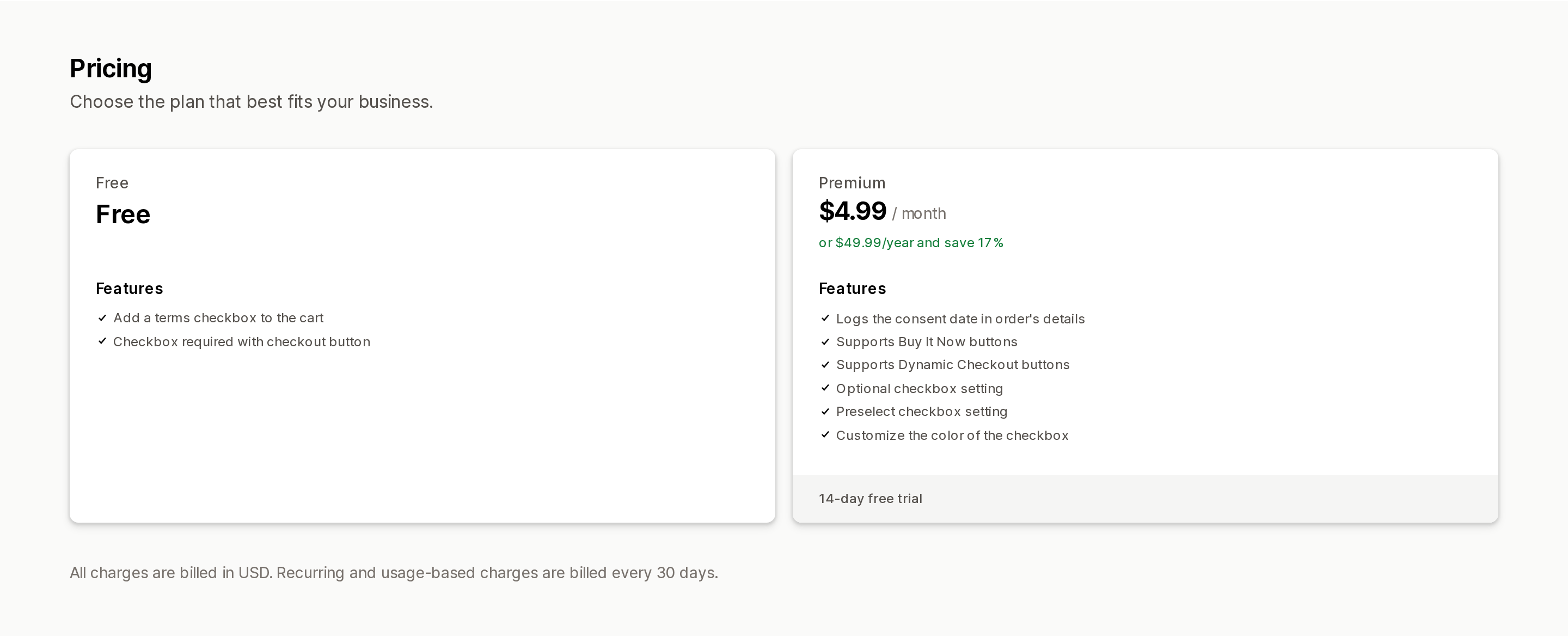
Relentless Apps is based in Reno, Nevada, and its listing carries a 5.0 rating across 198 reviews since January 5, 2023, plus a Built for Shopify badge. The free plan does one thing: a required checkbox on the cart page or drawer, tied to the checkout button. Everything else is Premium at $4.99/month or $49.99/year with a 14-day trial: the consent timestamp, Buy It Now and dynamic checkout button support, an optional (non-blocking) mode, a pre-selected mode, and checkbox color. That split matters — on the free tier the express buttons are simply not covered.
Source: Shopify App Store (RA Term and Condition Checkbox), retrieved September 7, 2026
The vendor's knowledge base is unusually direct about the platform limits. On checkout-page placement: "Sorry, our app doesn't have this functionality. It isn't possible to edit the checkout page unless you are on Shopify Plus plan." Its consent-debugging article, updated March 6, 2026, shows the acceptance stored as a cart attribute (readable from /cart.js before checkout), and adds that the debug method "doesn't work with the Shop checkout (https://shop.app/checkout)" — a reminder that Shop app orders take yet another path. Per-product targeting is not supported; the developer said so in a January 22, 2025 review reply. Installation is a theme app embed or, on Online Store 2.0 themes, an app block, and the KB warns not to enable both or the box appears twice. The checkbox text is stored in a metafield (relentless.terms_and_conditions, per a January 9, 2025 developer reply), which is why merchants can translate it through Shopify Translate & Adapt.
The five one- and two-star reviews over three years describe an outage ("It deactivated today with the box disappearing & customers could not complete checkout," May 30, 2025, refunded) and a bypass ("It's possible to make a purchase without accepting the terms and conditions," October 10, 2024, which the developer attributed to another app controlling the checkout buttons). A July 27, 2026 US review sums up the fit: "Great option for non-Shopify Plus stores."
RT: Terms and Conditions Box
Source: Shopify App Store (RT: Terms and Conditions Box), retrieved September 7, 2026
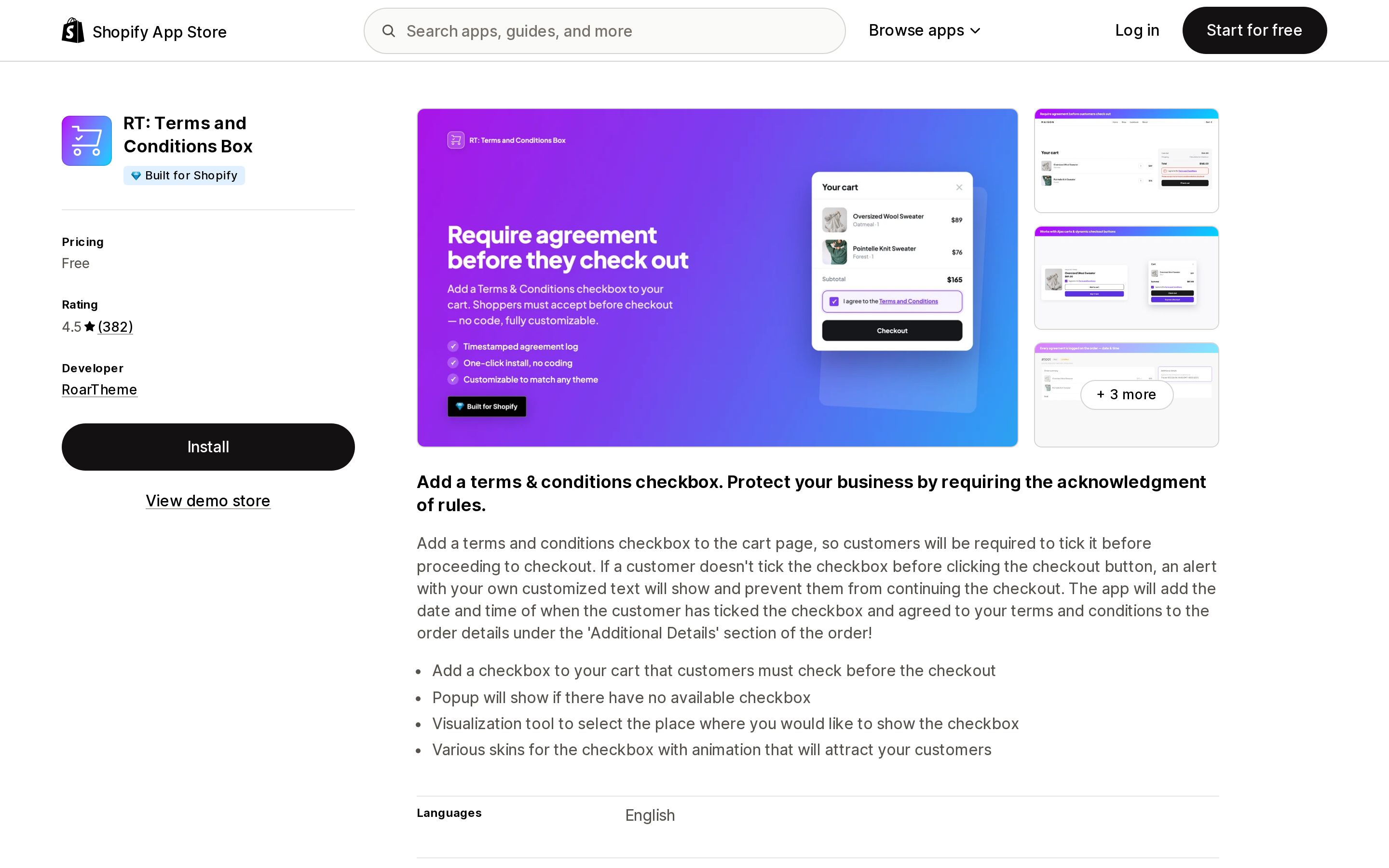
RoarTheme's app is entirely free, carries a Built for Shopify badge, and has 382 reviews since September 22, 2020. The listing promises an alert when the box is unchecked, a popup mode, five-plus checkbox skins, and a date and time "under the 'Additional Details' section of the order." Its Works with line names Amazon Pay, Apple Pay, Google Pay, PayPal, Shop Pay and Venmo.
The reviews are where the free price shows. Seventeen one-star reviews (4%) and six two-star reviews cluster around three themes that map directly onto this article: the box vanishing ("it completely vanished from my cart/storefront and refused to return," July 17, 2026, after two years of use), bypass ("allows customers to bypass acceptance of sites T&C before checkout," October 23, 2025), and express-button breakage ("interfered with the Apple Pay buy now button and I lost a bunch of orders," January 11, 2026). Several reviewers also object that the app promotes RoarTheme's other apps, and support runs through a Ticksy ticket portal that requires a separate account. For a store that has switched accelerated buttons off and wants a zero-cost cart checkbox, it works for the 87% who left five stars; for a store depending on Apple Pay volume, the January 2026 review is the one to weigh.
TC Term and Condition Checkbox
Source: Shopify App Store (TC Term and Condition Checkbox), retrieved September 7, 2026
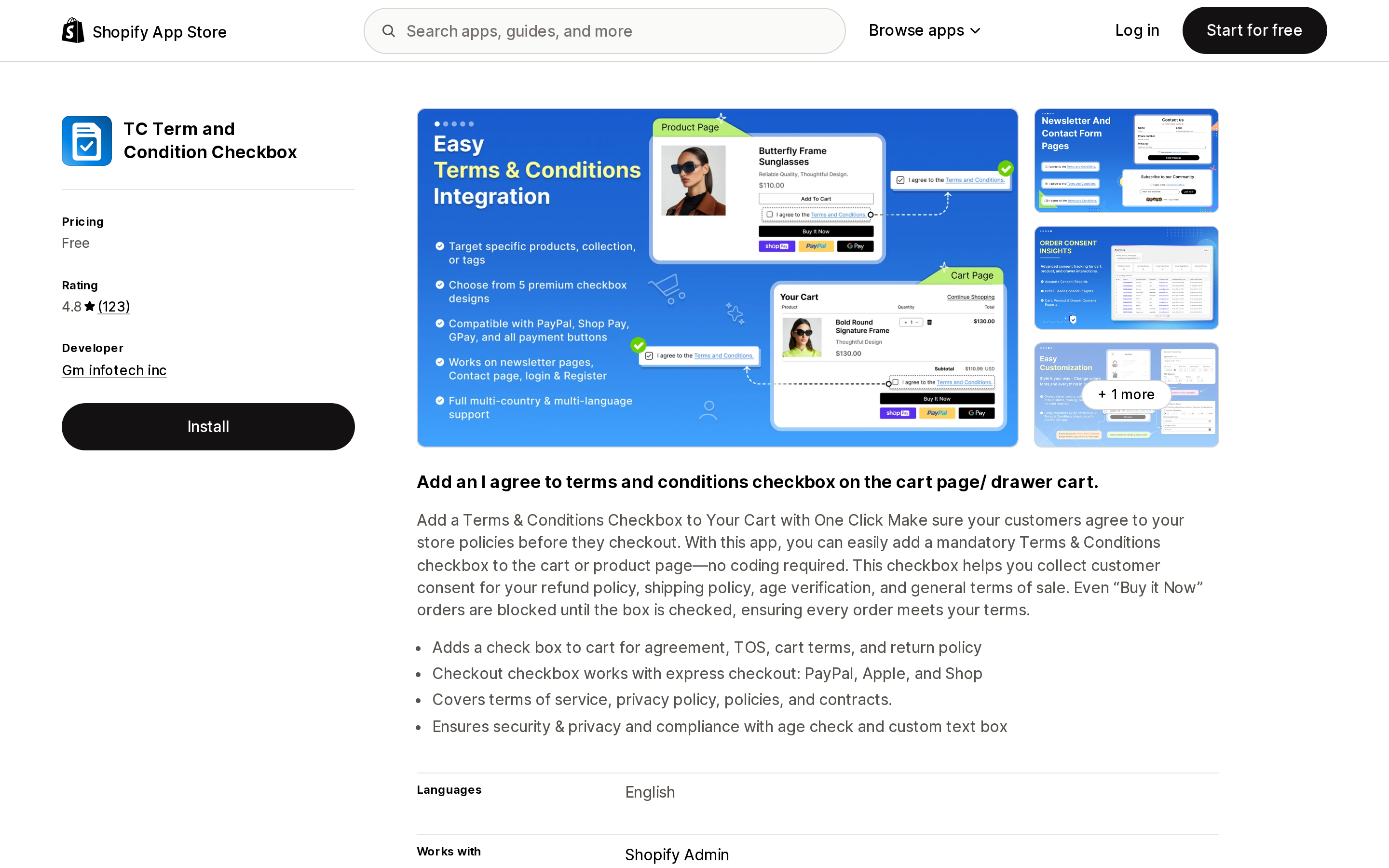
Gm infotech inc, listed in Beaverton, Oregon, launched this free app on July 8, 2025 and has collected 123 reviews at 4.8. The listing is the most aggressive on the bypass claim: "Even 'Buy it Now' orders are blocked until the box is checked," with express checkout support for "PayPal, Apple, and Shop." Feature tags cover product targeting, geolocation and multi-language, and the checkbox can sit on the cart page, cart drawer or product page. There is no Built for Shopify badge.
Two things need checking before you rely on it. First, the listing never says where — or whether — consent is recorded. A five-star reviewer on July 19, 2026 reports seeing acceptance in the order's additional details and in the app's analytics, but a January 5, 2026 one-star says "it doesn't keep a record that the customer accepted the terms," a March 31, 2026 one-star makes the same complaint, and the March reviewer says support tried to move them to a paid "Pro" version that we could not find on the developer's partner page. Second, a July 22, 2026 one-star reads "People bypass the app resulting in a chargebacks," and an April 17, 2026 one-star complaining it "doesn't work unless you have the most expensive plan from Shopify" appears to refer to checkout-page placement, which is Plus-only regardless of app. The data-access section is also broader than most: customer name and email, geolocation and IP, and edit access to the last 60 days of orders.
Terms and Conditions Check Box
Source: Shopify App Store (Terms and Conditions Check Box), retrieved September 7, 2026
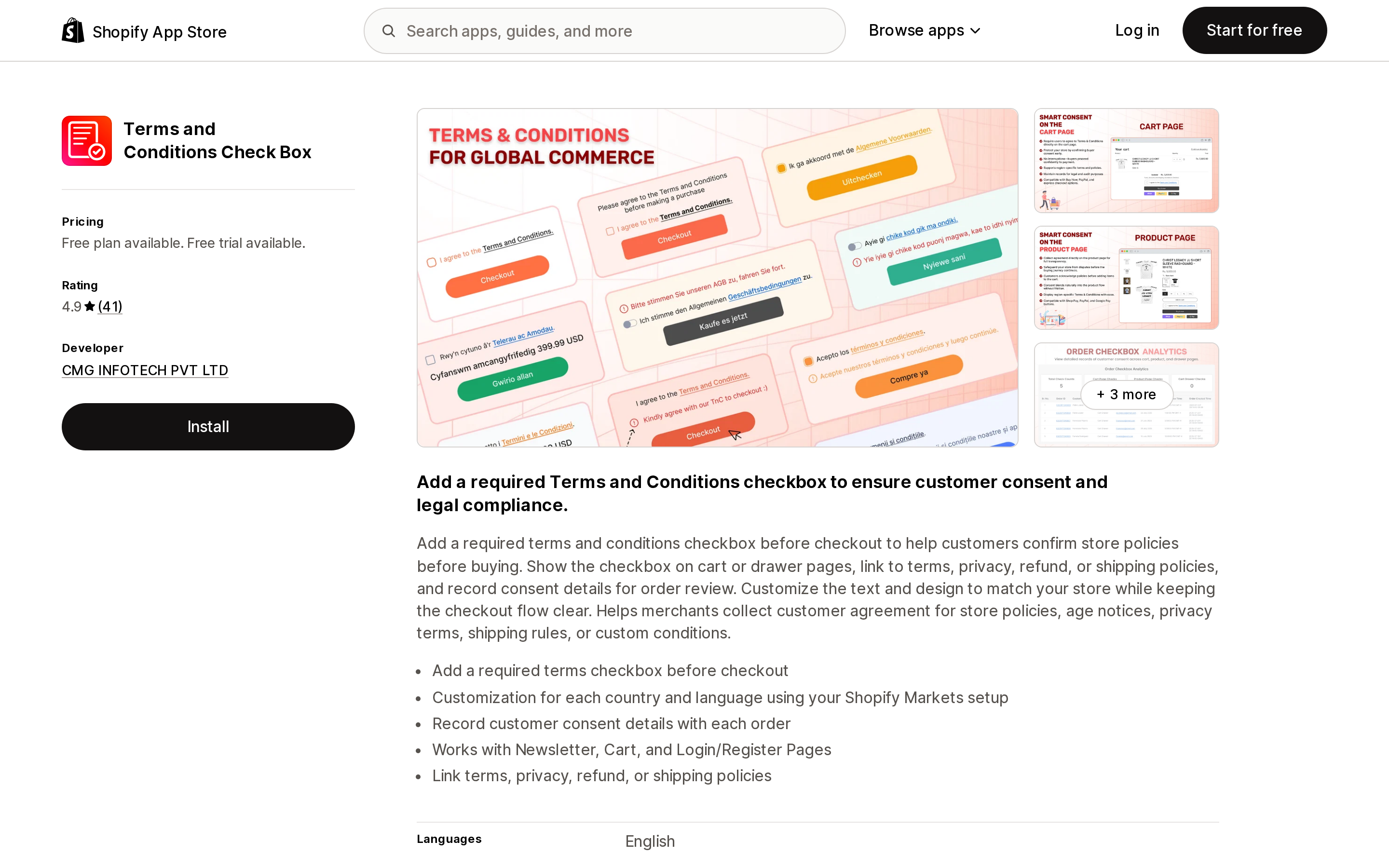
CMG INFOTECH's app — the URL handle is terms-and-conditions-pro, and screenshots call it Terms and Conditions Pro — launched May 9, 2025 and has 41 reviews at 4.9, without a Built for Shopify badge. Its distinguishing feature is per-country and per-language text driven by your Shopify Markets setup. The single paid plan is $3.99/month or $35.99/year with a 3-day trial; the listed free plan is again for development stores only. The premium bullets include "Supports Buy It Now buttons," "Logs the consent date in order's details," and a "Preselect checkbox setting."
Two cautions. The listing doesn't say where the consent log lives, and it doesn't describe how Buy It Now is handled. And a pre-selected checkbox is the opposite of what clickwrap case law rewards; the option exists, but using it undercuts the reason you installed the app. The data-access list is the broadest of the six, including customer address, IP, and edit rights to customers, products, orders and the theme. The one substantive negative review (November 4, 2025, two stars) says the app "could not be activated after installation."
Terms and Conditions checkbox
Source: Shopify App Store (Terms and Conditions checkbox), retrieved September 7, 2026
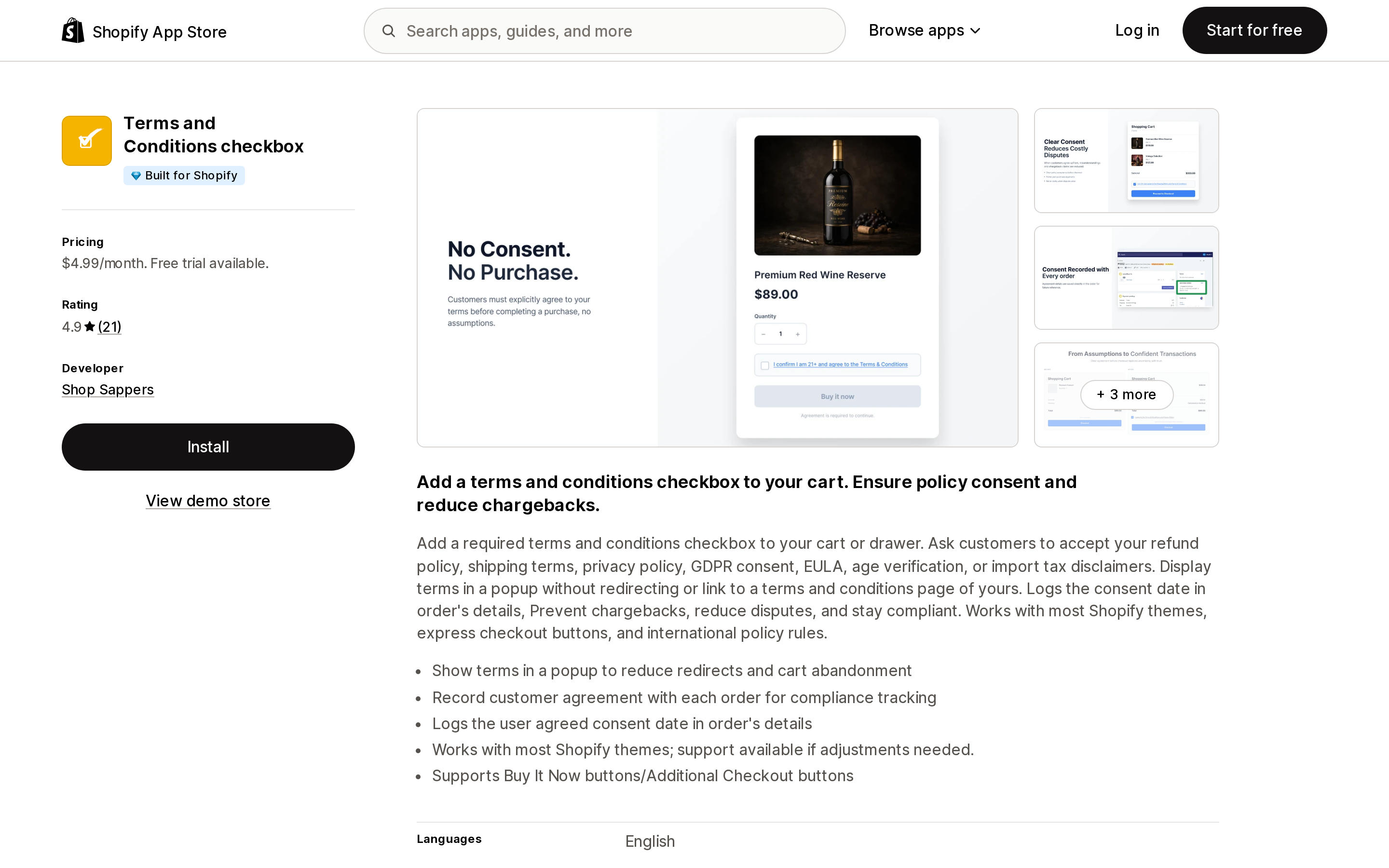
Shop Sappers' app, branded "I Agree" on the vendor's site, is the smallest listing here — 21 reviews since April 6, 2020 — but it is Built for Shopify and has the tightest permissions of the group: view theme and edit metaobjects, nothing about customers or orders. It costs $4.99/month with a 7-day trial and no free plan, and the listing discloses "Email & Chat Support (IST Hours)," which a US merchant should read as overnight response times; the one one-star review, from December 2022, complains the provider "is always off line."
Its documentation is specific about accelerated buttons: keep "Dynamic Checkout protection" enabled for "Buy It Now, Shop Pay, Apple Pay, Google Pay, PayPal, or other accelerated buttons," and if customers bypass the box, "enable Dynamic Checkout protection and test every Buy It Now or accelerated button." Consent lands in the order's "additional details or custom attributes" with a timestamp, and you can choose whether an unaccepted checkout attempt opens the terms popup or shows a custom error. There is no per-product or per-country targeting. A four-star review from 2020 raised a point that applies to every app on this list: the acceptance "is actually an 'Additional Info' field on your order that can be edited." An order attribute is evidence a merchant controls, not a tamper-proof signature.
Which setup fits which store
You have accelerated checkout buttons on and want to keep them. Accept that a cart-page checkbox will not fire for those buyers. Either pick an app whose product-page interception you have tested on every button you show — TnC, RA Premium, Shop Sappers and TC all claim it — or follow Shopify's own advice and remove the buttons under the theme editor. Test with Shop Pay specifically; that is the button most US buyers see.
You need a timestamp on every order for dispute evidence. No cart app can promise it while express buttons are live, and TnC says so in writing. For Basic, Grow and Advanced stores the practical options are turning the buttons off, or commissioning a validation function that reads the attribute server-side. Either way, leave the box unchecked by default; the pre-select settings in RA Premium and Terms and Conditions Check Box exist for optional acknowledgements, not for enforceable consent.
You are on Shopify Plus. Put the checkbox inside checkout with a checkout UI extension — TnC's help center describes a Plus plan for this, or have a developer build one — and back it with a validation function now that the intercept API is deprecated. The order still records the attribute, and the buyer cannot reach payment without it.
You want zero cost on a cart-only setup. RA's free plan is the cleaner choice: it is Built for Shopify, US-based, and its reviews are far less troubled than RT's. RT is also free and badged, but budget time for its disappearing-checkbox and Apple Pay reports.
You need different terms per country or per product. TnC Advanced at $12.99/month is the only app here that lists both in its pricing plan. TC's listing carries product-targeting and geolocation feature tags but doesn't describe how they work; Terms and Conditions Check Box does country and language via Markets for $3.99/month but doesn't document per-product rules; RA and Shop Sappers do neither.
Whatever you install, check the order's Additional details after a real test purchase through each button on your product page. The gap between "supports Buy It Now" on a listing and a consent line on the order is where this category's one-star reviews come from.
For related decisions, see our guides on what checkout customization is possible without Plus, age verification on Shopify, and chargeback and dispute apps.
Sources
- Shopify Help Center — Adding store policies
- Shopify Help Center — Accelerated checkout buttons
- Shopify Help Center — Accelerated checkout buttons compatibility
- Shopify Help Center — Checkout Blocks app
- shopify.dev — Checkout UI extensions
- shopify.dev — Buyer Journey API
- shopify.dev — Checkbox component
- shopify.dev — Cart and Checkout Validation Function API
- shopify.dev — Apps in checkout
- shopify.dev — Create a checkout validation (Checkout Rules)
- Shopify Community — Cart: Add an "Agree to terms and conditions" checkbox
- Shopify Community — Cart: Use cart attributes to collect more information
- Shopify Community — Multiple mandatory checkboxes during checkout
- Out of the Sandbox — Display a terms & conditions checkbox on the cart page
- Dawn theme schema (GitHub) and Horizon theme schema (GitHub)
- Maddin Hauser — Clickwrap v. browsewrap: Berman v. Freedom Financial Network
- TnC: Terms and Conditions Box — App Store listing, Buy It Now button behaviour, where to see the consent date and time, checkout page placement, pricing plans
- RA Term and Condition Checkbox — App Store listing, checkout page KB, consent debug KB
- RT: Terms and Conditions Box — App Store listing
- TC Term and Condition Checkbox — App Store listing
- Terms and Conditions Check Box — App Store listing
- Terms and Conditions checkbox (Shop Sappers) — App Store listing, documentation
Shopify added a Bin name column to the inventory CSV on August 25, 2025. It holds one bin per variant per location, it is created only by CSV import, and it prints on Order Printer pick lists. What it does not do is leave Shopify. Shopify staff confirmed on the developer forum in October 2025 and again in January 2026 that there is no public API access to the field, and the developer forum was still reporting the gap in June 2026. That single fact shapes the whole category: EasyScan and iPacky store bins in metafields, Bins-USA and ShelfPilot store them in their own databases, and a free app called Simple Bin Locations copies metafield bins into order notes so packing slips can show them. Shopify's own multi-bin model, with per-bin quantities and an unbinnedQuantity field, exists today only as a feature preview on development stores. Pricing, plan gates, and where each app keeps the bin data, verified on the Shopify App Store, the Shopify Help Center, shopify.dev, and the Shopify community forums on September 18, 2026.