
What you will learn
On this pageContentsCloseOpen
Search for a Shopify product tabs app and you will find the same six or seven names on every list, ranked, starred, and priced. What you will almost never find on those pages is the question that decides whether you need any of them: what does your theme already do?
The answer is more than merchants expect, and less than the block name suggests. Dawn's product-page block is literally called collapsible_tab in the source. It does not render a tab.
The short version
- Dawn 16.0.0 ships a block typed
collapsible_tabthat renders a<details>/<summary>accordion. Horizon 4.1.5 ships anaccordionblock containing_accordion-rowchildren, also<details>. Neither theme has a horizontal tab strip — the string "tab" does not appear anywhere in either of Horizon's two accordion files. - If you want the same content on every product, the native block already does the job. No app.
- If you want different content per product, that is also native. Dawn's
headingis atextsetting and itscontentis arichtextsetting, and both accept dynamic sources, so you can bind them to product metafields. - If you want one shared block you edit once, Dawn's
pagesetting takes a page — and thepagesetting type accepts apage_referencemetafield, so it can vary per product too. - Apps earn their money on three things native does not do: a real horizontal tab layout, splitting an existing description automatically at its headings, and rule-based assignment across a catalogue (by collection, tag, product type, vendor).
- The four apps compared here meter on four different things, so their headline prices are not comparable. One of them — Advanced Product Tabs — sells a $2.99 plan that drops two features its own free plan includes.
- Easy Tabs ‑ Product Tabs, the app that heads nearly every "best product tabs apps" list published this year, is no longer available on the Shopify App Store.
What the two Shopify themes actually ship
Dawn 16.0.0
Dawn's latest release is 16.0.0, published August 10, 2026. In sections/main-product.liquid, the block is declared as "type": "collapsible_tab" and rendered like this:
<div class="product__accordion accordion quick-add-hidden" {{ block.shopify_attributes }}>
  <details id="Details-{{ block.id }}-{{ section.id }}">
    <summary>
      <div class="summary__title">
        {% render 'icon-accordion', icon: block.settings.icon %}
        <h2 class="h4 accordion__title inline-richtext">
          {{ block.settings.heading | default: block.settings.page.title | escape }}
        </h2>
      </div>
      {{- 'icon-caret.svg' | inline_asset_content -}}
    </summary>
    <div class="accordion__content rte" id="ProductAccordion-{{ block.id }}-{{ section.id }}">
      {{ block.settings.content }}
      {{ block.settings.page.content }}
Two things are worth pulling out of that. First, it is a native HTML <details> element, so the content sits in the page markup whether the row is open or closed — this is not JavaScript-injected content. Second, the block has exactly four settings: heading (type text), icon (a select with 44 options, the first being "none"), content (type richtext), and page (type page). There is no limit on the block, so you are bounded only by the platform's 50-blocks-per-section ceiling.
Horizon 4.1.5
Horizon reports "theme_version": "4.1.5" in config/settings_schema.json. Its architecture is different: blocks/accordion.liquid is a container whose schema accepts one child type, _accordion-row, and whose own settings are cosmetic — caret or plus icon, dividers and divider colour, a heading type preset from paragraph through h1–h6, background and text colour, border style, width and opacity.
The row itself, blocks/_accordion-row.liquid, renders:
<details class="details" data-testid="accordion-details" {% if block_settings.open_by_default %}open{% endif %}>
  <summary class="details__header">
    ...
    {{ block_settings.heading }}
  </summary>
  <div class="details-content">
    {% content_for 'blocks' %}
  </div>
</details>
{% content_for 'blocks' %} is the interesting part. The row's schema accepts @theme and @app blocks, which means a Horizon accordion row is a container: you can nest text, images, video, or a third-party app block — a review widget, a size chart — inside a row, natively, with no tabs app in between. Dawn's single richtext field cannot do that.
Neither one gives you tabs
If what you actually want is a horizontal tab strip along the top of a content area, neither free Shopify theme provides it. In Horizon, the word "tab" does not occur in accordion.liquid or _accordion-row.liquid at all. In Dawn, it occurs only as the internal block type name. That is the single clearest reason to buy an app in this category, and it is the reason the listicles rarely state.
The native capability the app lists skip
The most common assumption behind installing a tabs app is: the theme block puts the same text on every product, and I need different text per product. That assumption is wrong, and Shopify documents why.
Theme settings can be connected to dynamic sources — product metafields and resource attributes — from the theme editor. Shopify publishes the compatibility table. A richtext setting accepts rich_text_field, multi_line_text_field, single_line_text_field, list.single_line_text_field, and a set of numeric, date and measurement types. A text setting accepts the same list minus the rich-text types. A page setting accepts page_reference.
Map that onto Dawn's four settings and the result is concrete:
- Per-product body content — define a product metafield of type Rich text, connect it to the block's
contentsetting once, and every product renders its own material. One block, one connection, unlimited products. - Per-product heading — same mechanism on
heading, using a single-line text metafield. - A shared block you edit in one place — point the
pagesetting at a Shipping & returns page. Editing that page updates every product that uses the block. If you need the shared block to differ by product family, apage_referencemetafield lets each product choose its own page.
That covers a large share of what merchants install these apps to do. It is worth trying before paying anything.
The ceilings
Native is not unlimited, and the limits are documented:
| Limit | Value |
|---|---|
| Blocks per section | 50 (a section can lower this with max_blocks) |
| Blocks per JSON template or section group | 1,250 |
| Theme block nesting depth | 8 levels, excluding the section |
| Dynamic sources per JSON template | 100 |
| Dynamic sources in a single setting | 50 |
Fifty blocks per section is generous for accordion rows. One hundred dynamic sources per template is the one to watch if you are already binding metafields elsewhere on the product page.
The app the lists still recommend, and you cannot install
Before the comparison, a caveat about the sources you are probably reading. Easy Tabs ‑ Product Tabs by NexusMedia OÜ leads several "best Shopify product tabs apps" roundups and app-directory pages dated 2026, quoted at 4.9 stars, 705 reviews, and $5 per month. Its App Store listing today says something else.
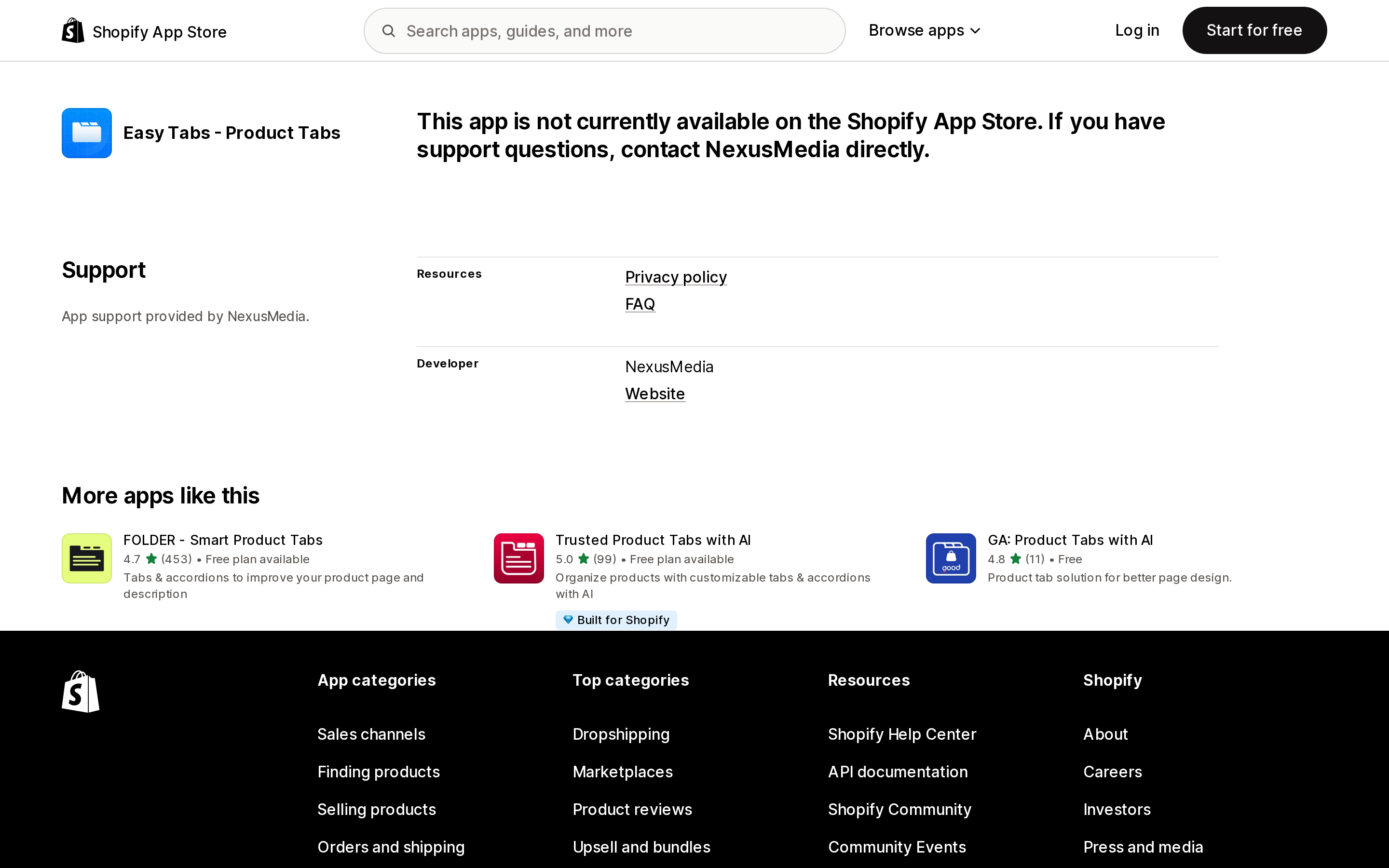
Source: Shopify App Store (Easy Tabs ‑ Product Tabs), retrieved September 8, 2026
"This app is not currently available on the Shopify App Store. If you have support questions, contact NexusMedia directly." Third-party app directories still show it as a live listing with a star rating and a monthly price. It is not installable. Treat every ranking you read in this category as a snapshot of an unknown date.
Four apps, four meters
Every one of these apps auto-generates tabs by splitting your existing product description at its headings. That is the shared baseline. What differs is what they charge for.
| App | Built for Shopify | Rating (reviews) | Free plan ceiling | Entry paid price | What the plan meters |
|---|---|---|---|---|---|
| Tabs Studio | Yes | 5.0 (174) | 1 shared tab, 5 icons | $3/month | Shared tabs and icon library |
| Trusted Product Tabs with AI | Yes | 5.0 (99) | 1 shared tab | $4.99/month | Shared tabs and AI generation |
| Advanced Product Tabs | Yes | 4.5 (23) | 3 products, one tab | $2.99/month | Products, then features |
| FOLDER ‑ Smart Product Tabs | No | 4.7 (453) | Unlimited standard tabs, app branding shown | $5/month | Shared vs standard tabs, branding |
Three of the four carry the Built for Shopify badge. One — FOLDER — offers a one-time purchase at $89.95 as an alternative to a subscription. All prices are billed in USD.
Tabs Studio
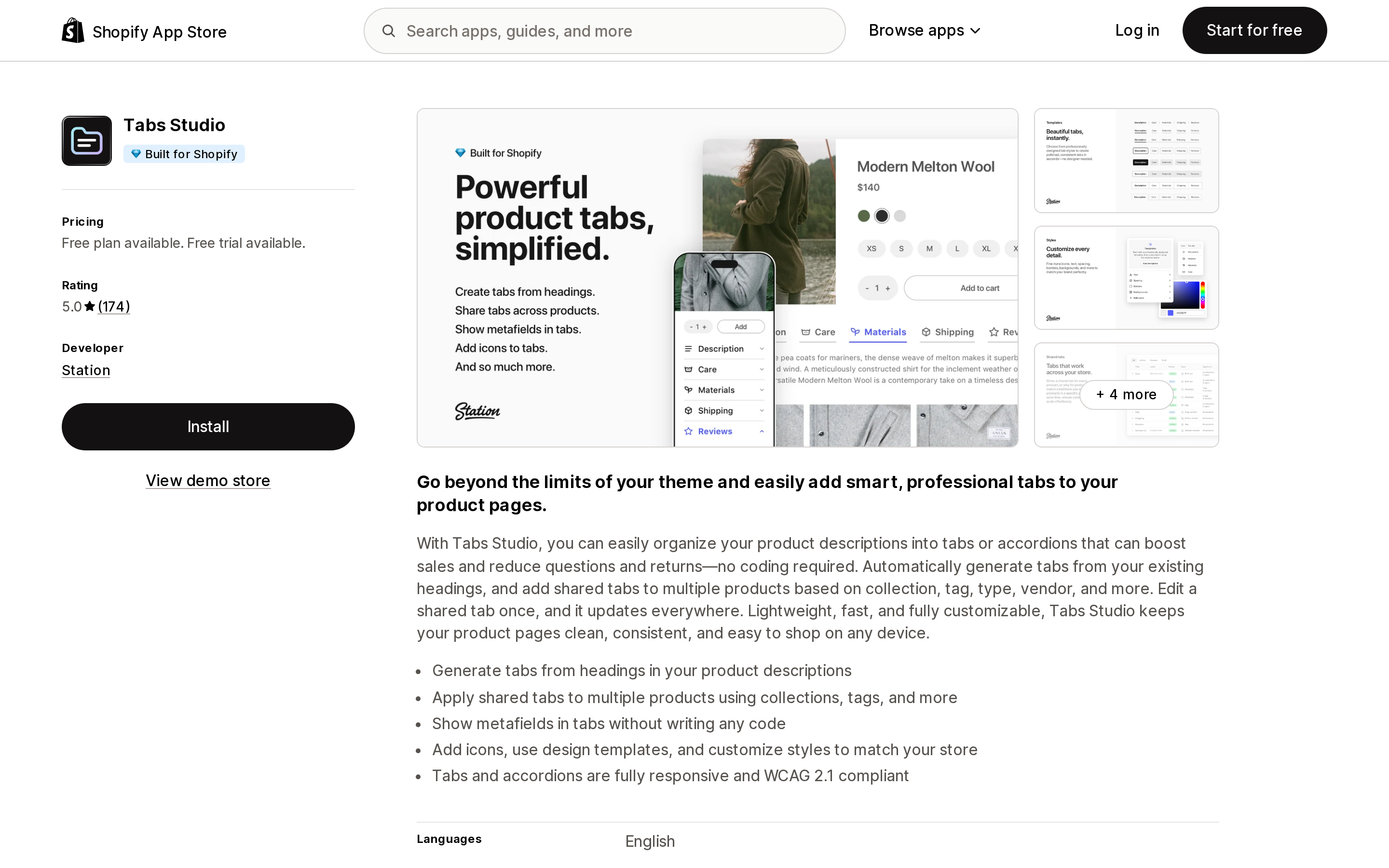
Source: Shopify App Store (Tabs Studio), retrieved September 8, 2026
Built by Station, listed since January 23, 2018. The free plan gives unlimited tabs generated from your description headings, but exactly one shared tab and five icons. Essential at $3/month raises that to 10 shared tabs and 50 icons; Plus at $6/month makes shared tabs unlimited with 250 icons. Both paid tiers carry a 3-day free trial — short, so plan the evaluation.
Its differentiator is assignment logic: shared tabs can be applied by collection, tag, product type and vendor, and metafield values can be pulled into a shared tab without code. The listing states tabs and accordions are "fully responsive and WCAG 2.1 compliant." Ratings are 5.0 across 174 reviews — 168 five-star, five four-star, one three-star, and nothing below that. Its listed data access includes editing Online Store pages, script tags, and theme.
Trusted Product Tabs with AI
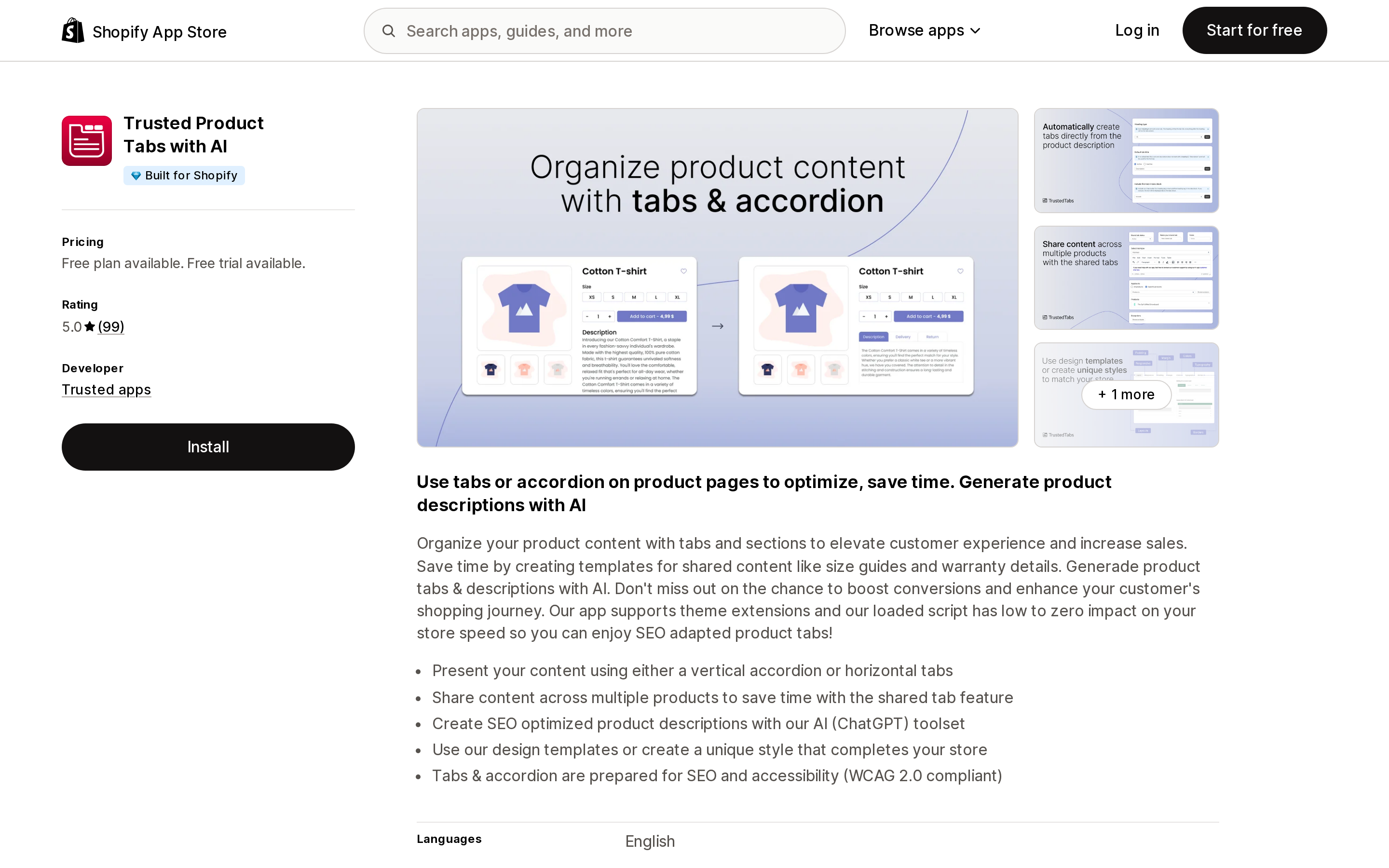
Source: Shopify App Store (Trusted Product Tabs with AI), retrieved September 8, 2026
From Kaunas-based developer Trusted apps, listed since March 17, 2023. This is the one app here that explicitly states both layouts: "Present your content using either a vertical accordion or horizontal tabs." If the horizontal strip is what you are buying, that sentence matters.
The free plan again caps at one shared tab. Paid is $4.99/month or $49.99/year, both with a 7-day trial, and both unlock unlimited shared tabs plus AI-generated product descriptions. Accessibility is stated as WCAG 2.0. Its rating is 5.0 across 99 reviews with every single rating at five stars, which is worth reading as "young and small" rather than "flawless." Its data access covers Online Store pages and theme — no script tag scope.
Advanced Product Tabs
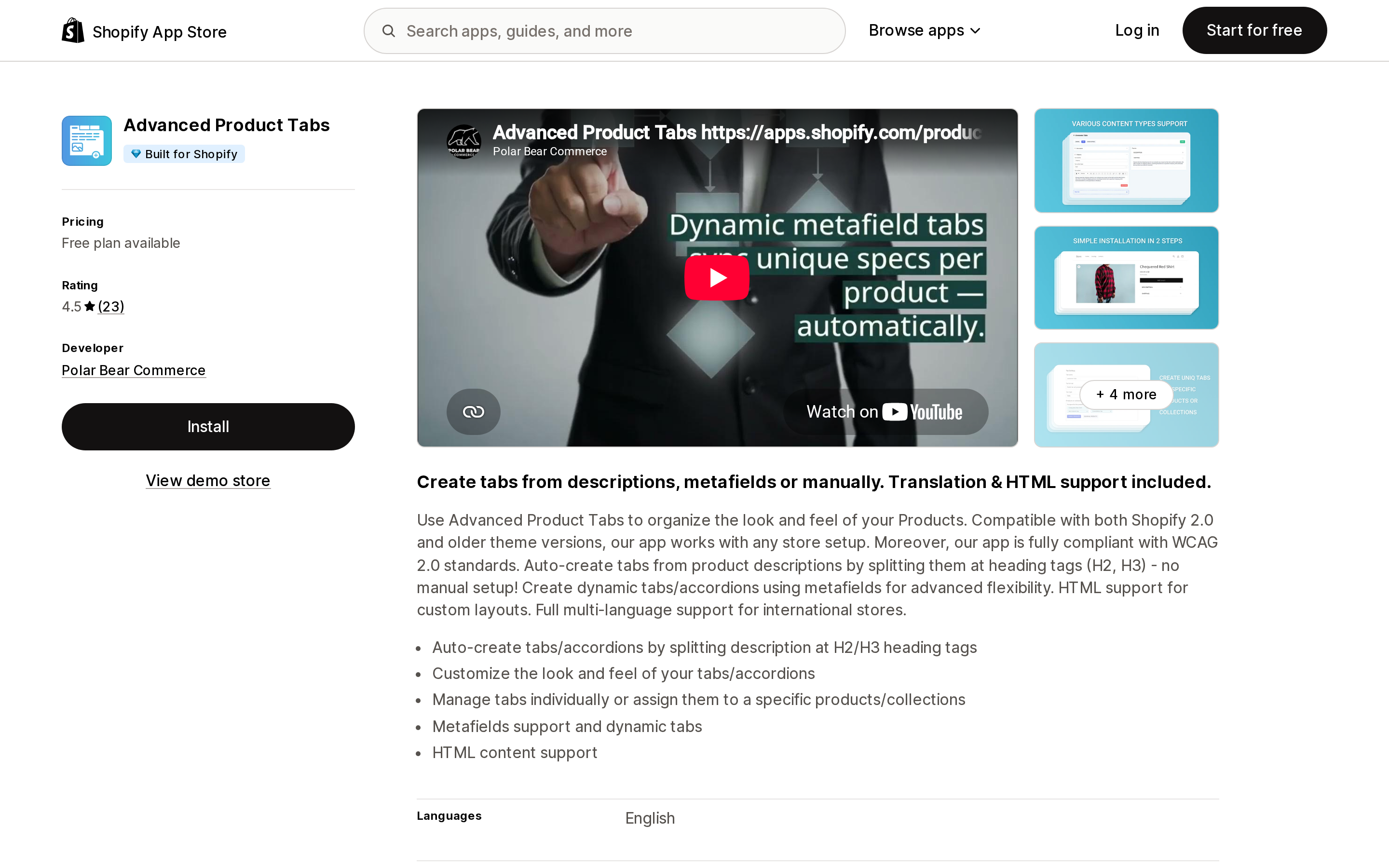
Source: Shopify App Store (Advanced Product Tabs), retrieved September 8, 2026
From Polar Bear Commerce in Lansing, Michigan, listed since April 20, 2023. It splits descriptions at H2/H3 tags, supports custom HTML, and states compatibility with both Online Store 2.0 and older themes — the only app here that says so explicitly, which matters if you are still on a vintage theme where the native accordion block does not exist at all.
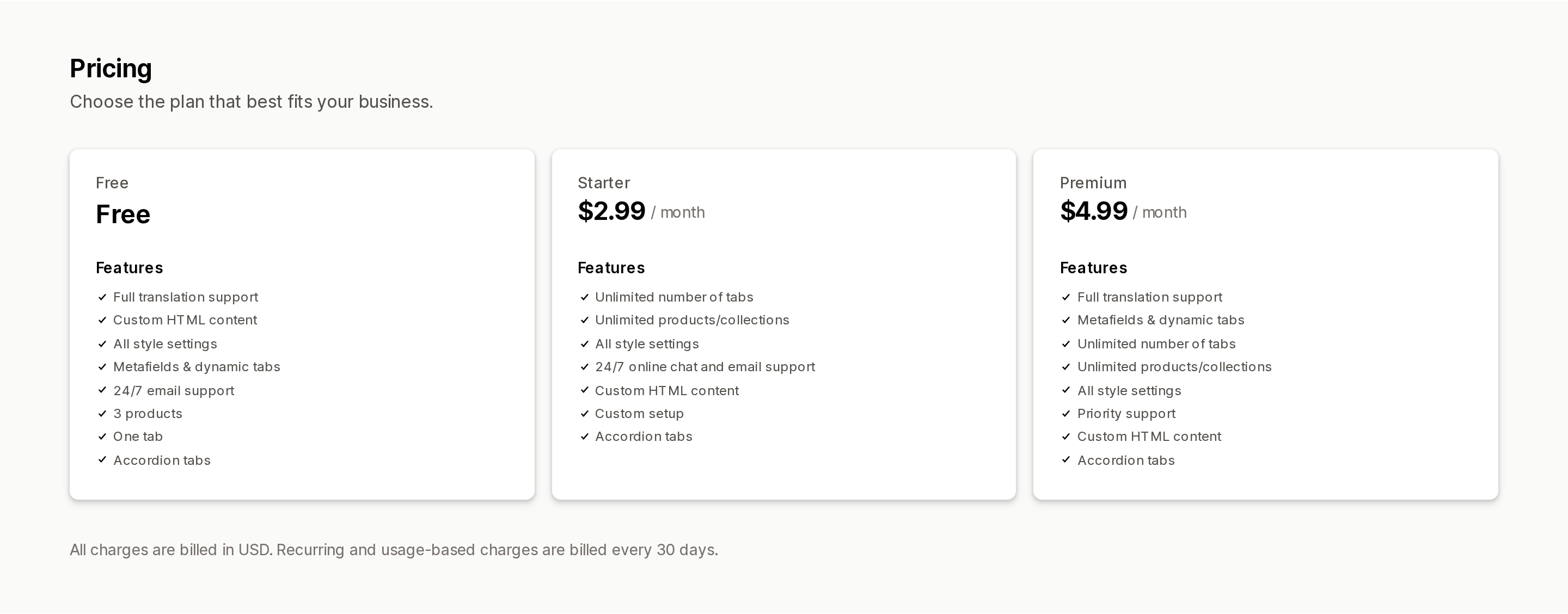
Its pricing needs a close look, because the middle tier is not a straight upgrade:
Source: Shopify App Store (Advanced Product Tabs), retrieved September 8, 2026
The Free plan lists Full translation support and Metafields & dynamic tabs, but caps you at 3 products and one tab. The $2.99 Starter plan lifts those caps — and lists neither translation nor metafields. You reach $4.99 Premium to get both back alongside unlimited tabs. If you run a multi-language store or rely on metafields, Starter is a downgrade you pay for; go from Free to Premium.
The rating is 4.5 across 23 reviews: 22 five-star and one one-star. That one, dated August 25, 2026 from a US merchant nearly two years into using the app, reports "I've been waiting 3 days for a response to my issue and NOT ONE response! I've deleted tabs but they are still showing on my products!" A single review is a single review, but with 23 total there is not much of a support-history signal either way.
FOLDER ‑ Smart Product Tabs
Source: Shopify App Store (FOLDER ‑ Smart Product Tabs), retrieved September 8, 2026
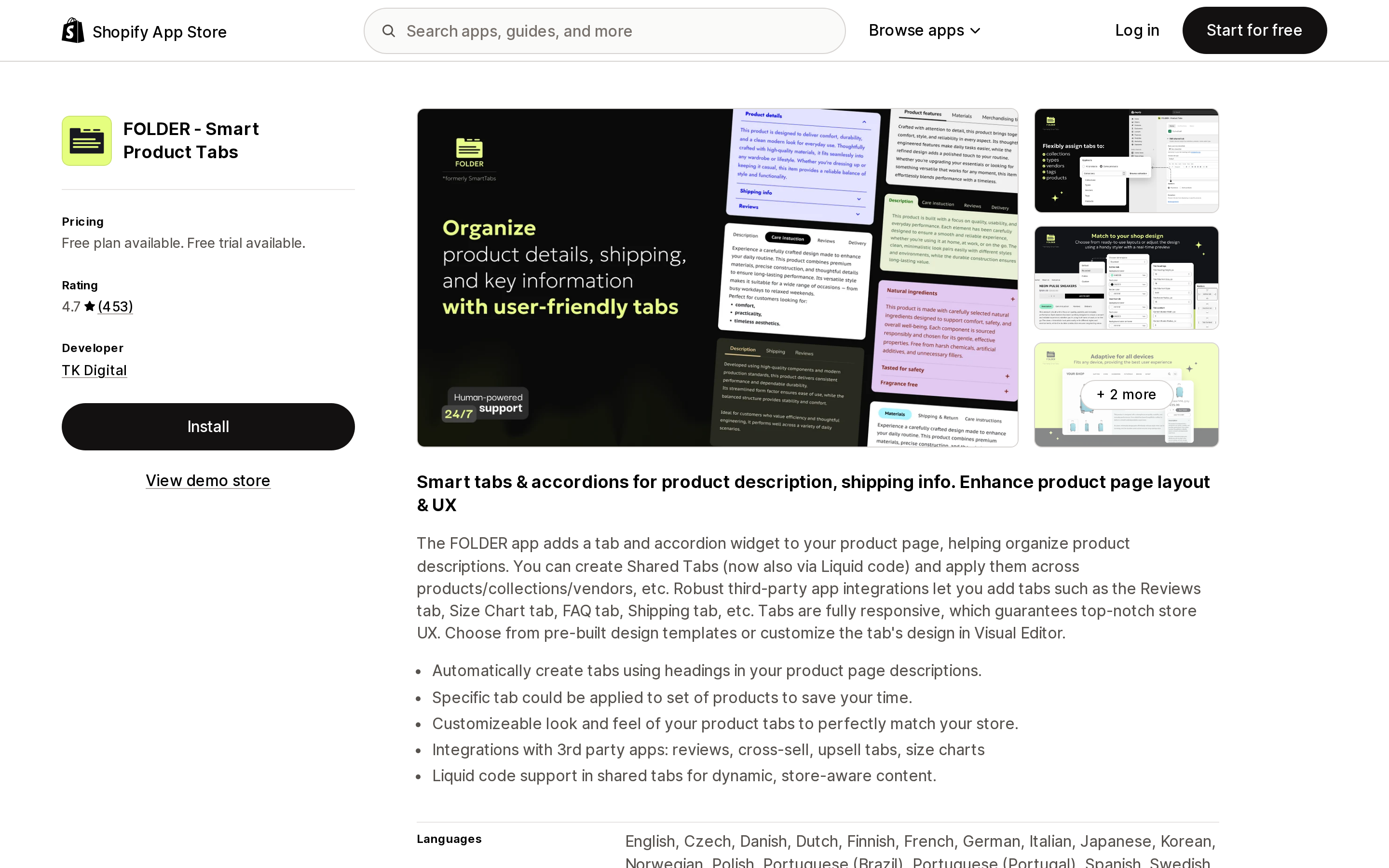
From TK Digital in Warsaw, listed since July 4, 2017, and the most-reviewed app in this comparison at 4.7 across 453. It is the only one of the four without the Built for Shopify badge. Shared tabs support Liquid code, and the listing names integrations with Judge.me, Fera Product Reviews, Kudobuzz and Yotpo.
Its free plan is the most generous-sounding and the most misread. "Unlimited Standard product tabs" means unlimited tabs generated from the product description — shared tabs are the paid feature, and the free tier also displays app branding. A one-star review from March 2025 calls the free plan "completely misleading"; the developer's public reply confirms the distinction, that the free plan "does include unlimited standard tabs generated from product…" descriptions. Both statements are accurate; they are describing different things.
The rating distribution is the widest here: 381 five-star, 38 four, 7 three, 8 two, and 19 one-star. Paid is $5/month, or $48/year, or $89.95 once. Its data access includes script tags, theme, and page content on a path controlled by the app.
The script tag question worth asking
Two of these four listings — Tabs Studio and FOLDER ‑ Smart Product Tabs — request the Online Store script tags scope. Shopify has set dates on that API: scriptTagCreate and scriptTagUpdate start returning errors on October 1, 2026, and Shopify stops injecting script tags into storefronts on March 1, 2027. The documented replacement is an app embed block shipped in a theme app extension.
Requesting the scope is not the same as depending on it for rendering, and neither listing states how the storefront output is delivered. But it is a fair question to put to support before you commit: after March 1, 2027, is any part of this app's front-end delivered through a script tag? The two apps that do not request the scope do not raise the question.
How to choose
- Same content on every product, modern theme — use the native block. Dawn's
collapsible_tabor a Horizon accordion row. Zero cost, zero apps. - Different content per product — still native: a product metafield connected to the block's
contentsetting through a dynamic source. - You genuinely need horizontal tabs — Trusted Product Tabs with AI is the app here that states both layouts on its listing.
- Large catalogue, rules-based assignment — Tabs Studio, which assigns shared tabs by collection, tag, type and vendor, at $3 or $6 per month depending on how many shared tabs you need.
- Multi-language store — Advanced Product Tabs, but on Free or the $4.99 Premium plan, not the $2.99 Starter.
- Vintage theme without the native accordion block — Advanced Product Tabs is the only one of the four that explicitly states compatibility with pre-2.0 themes.
- You want to stop paying monthly — FOLDER is the only one of the four with a one-time option, at $89.95.
Before you install
Open your theme editor, go to a product template, and look at the block list before you look at the App Store. If "Collapsible row" or an "Accordion" block is there, the platform-level question is already answered, and what remains is a narrower one: do you need a horizontal layout, automatic splitting of an existing description, or bulk assignment rules? Those are the three things you would actually be paying for.
If the answer is yes, read the free-plan line item rather than the word "free." In this category every free plan is capped on shared tabs, not on tabs — and shared tabs are usually the reason merchants wanted the app in the first place.
Sources
- Shopify/dawn —
sections/main-product.liquidand the Dawn 16.0.0 release (published August 10, 2026) - Shopify/horizon —
blocks/accordion.liquid,blocks/_accordion-row.liquid, andconfig/settings_schema.json(theme version 4.1.5) - shopify.dev — Dynamic data sources
- shopify.dev — Theme limits
- shopify.dev changelog — Script tags are deprecated and will stop running on March 1, 2027
- Shopify App Store listings for Tabs Studio, Trusted Product Tabs with AI, Advanced Product Tabs, FOLDER ‑ Smart Product Tabs, and Easy Tabs ‑ Product Tabs (all retrieved September 8, 2026)
Shopify added a Bin name column to the inventory CSV on August 25, 2025. It holds one bin per variant per location, it is created only by CSV import, and it prints on Order Printer pick lists. What it does not do is leave Shopify. Shopify staff confirmed on the developer forum in October 2025 and again in January 2026 that there is no public API access to the field, and the developer forum was still reporting the gap in June 2026. That single fact shapes the whole category: EasyScan and iPacky store bins in metafields, Bins-USA and ShelfPilot store them in their own databases, and a free app called Simple Bin Locations copies metafield bins into order notes so packing slips can show them. Shopify's own multi-bin model, with per-bin quantities and an unbinnedQuantity field, exists today only as a feature preview on development stores. Pricing, plan gates, and where each app keeps the bin data, verified on the Shopify App Store, the Shopify Help Center, shopify.dev, and the Shopify community forums on September 18, 2026.