
What you will learn
On this pageContentsCloseOpen
Most Shopify apps that want space on your Thank you page charge you for it. Shopify Product Network pays you instead — in commission, on products from other Shopify stores, shown in five places on your storefront.
It is free to install, made by Shopify, and available to eligible US merchants. What it does not do is tell you what it pays. Across six Help Center pages, the App Store listing, and Shopify's own launch post, the commission rate is never stated — while the two nearest alternatives, Shopify Collective and Rokt Thanks inside Aftersell Post Purchase Upsell, both publish theirs.
Pricing, ratings, review counts, and product behavior were verified against the en-US Shopify App Store, the Shopify Help Center, and Shopify's blog on September 11, 2026. All prices are in USD.
What the app actually does
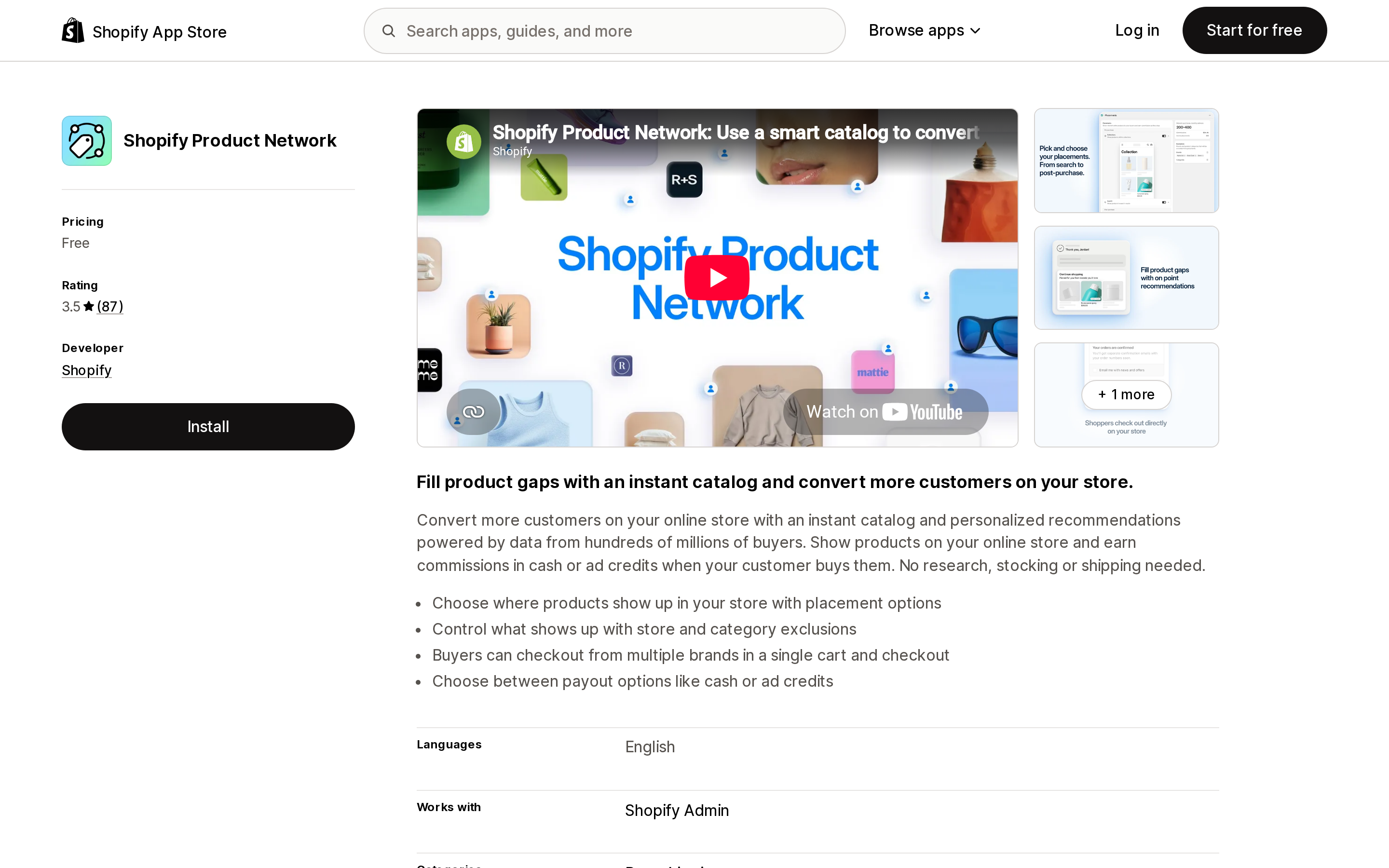
Source: Shopify App Store (Shopify Product Network), retrieved September 11, 2026
The Help Center describes it plainly: the app "displays products from other Shopify stores on your online store to help you fill product gaps and earn commission without stocking or shipping those products yourself." Those items are called seller products, and they come from stores that have opted in to Shop Campaigns — the same pay-per-conversion ad product we covered in Shop Campaigns vs retargeting apps.
One sentence on that page does most of the work: "Product Network automatically recommends the seller products that display on your store, and you don't choose individual products."
The listing is free, carries no Built for Shopify badge, and is published by Shopify. It launched on the App Store on September 30, 2025, and Shopify filed it under the Dropshipping category. Its stated integration surface is Shopify Admin, and its listed language is English.
The five placements, and who already lives there
This is the part worth mapping before you install anything. Product Network does not create a new surface on your store — it takes space on surfaces you are already using, or already paying an app to use.
| Placement | Where it appears | What already occupies it |
|---|---|---|
| Search | Full search results, with a Sold by label. Not typeahead. | Shopify Search & Discovery, or a third-party search app |
| Collections | Collection pages, seller products matched to the collection theme | Your merchandising and collection sort order |
| Thank you | The post-checkout Thank you page | Post-purchase upsell apps |
| Order status | The order-tracking page customers return to | Order tracking apps, post-purchase upsell apps |
| Shopify Messaging | A product section inside your marketing email templates | Your own product blocks in those emails |
Two compatibility notes that decide this for some stores outright. Pre-purchase placements — Search and Collections — "aren't compatible with Hydrogen or Headless storefronts." And post-purchase placements require the new version of the Thank you and Order status pages; if your store is still on the legacy versions, those two placements are unavailable.
There is a further catch on themes. If your theme uses third-party search, the Help Center says seller products "might not display" in the Search placement. Same for collection pages loaded through an API or a third-party collection app. So the placements most likely to work cleanly are the two post-purchase ones — which are exactly the placements post-purchase upsell apps are built to own.
One behavior difference matters for the post-purchase placements specifically. From Search, Collections, or a Shopify Messaging email, a seller product "opens as a product listing on your online store." From the Thank you and Order status pages, "the customer is redirected to the Shop app to complete their purchase." Two of the five placements send the shopper off your storefront.
The number Shopify does not publish
The commissions page explains the mechanics in detail: you earn "a percentage of sales," the rate is the same regardless of which placement converted, and turning on more placements increases your potential commission. Payouts accrue through the month and are issued shortly after month end, either as cash into your Shopify Payments payouts or as Shop Campaigns credits. Payout statuses are Earning, Pending, and Paid.
What the page never says is what the percentage is. Neither does the requirements page, the setup page, the recommendations page, the orders page, the customer experience page, the App Store listing, or Shopify's December 10, 2025 launch post — which walks through how the model works, start to finish, without one.
The only number offered before you commit is an estimate generated during setup, and Shopify flags it: "The earnings estimates displayed during setup are based on your store's traffic and conversion, and aren't guaranteed."
It is worth being precise about why that matters, because the comparison is available in the same store.
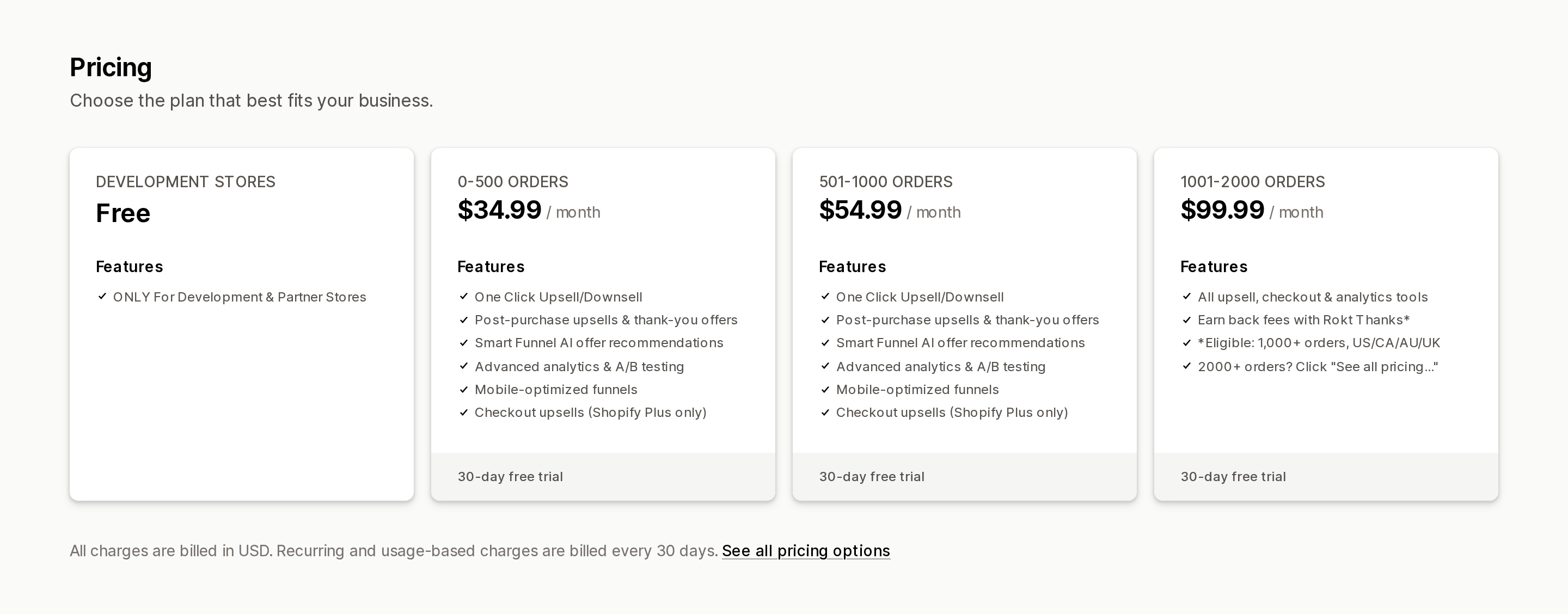
Source: Shopify App Store (Aftersell Post Purchase Upsell), retrieved September 11, 2026
Aftersell Post Purchase Upsell, published by Rokt, carries the Built for Shopify badge and holds a 4.9 rating across 1,025 reviews. Its plans are $34.99/month for 0–500 orders, $54.99/month for 501–1000, and $99.99/month for 1001–2000, each with a 30-day free trial.
It also sells the same trade Product Network offers. Its listing describes Rokt Thanks this way: "unlock passive profit with Rokt Thanks: earn up to $0.80 per order by displaying premium offers on your confirmation page." Third-party offers on your Thank you page, in exchange for revenue — with the rate on the listing, before install, capped and stated per order. The same listing notes the eligibility bar for that feature: 1,000+ orders, and a store in the US, Canada, Australia, or the UK.
The point is not that $0.80 is generous. It is that a merchant can multiply it by their order volume and decide before installing. With Product Network, the same arithmetic is not available until after the placements are live.
What you control, and what you don't
You choose placements, and you can toggle them individually at any time. Beyond that, control is limited to exclusions — and exclusions work at the brand and category level only, not the product level. The Help Center is direct: "Although you can't choose the exact products that are recommended on your store, you can exclude specific brands or categories during setup."
By default, Product Network does not recommend weapons, mature content, alcohol, tobacco, or opinionated political content.
Shopify does vet the supply side. A seller store's products can only appear on your store if it has been on Shopify for three months or more, has received 100 orders or more, holds a Shop app rating above 4.0, and meets Shop Campaigns eligibility.
There is also a warning attached to exclusions that reads differently depending on where you sit: "Excluding a category changes which seller products display on your store, and how often recommendations appear. You should exclude only brands or categories that compete directly with yours to improve your chances of conversion and commission."
Your apps will not see these orders
This is the consequence most likely to surprise an operator with a mature app stack. From the orders page, verbatim:
Shopify Product Network orders aren't included in your sales reports.
Webhooks and Shopify Flow automations don't apply to Shopify Product Network orders.
Read that as an integration statement rather than a reporting footnote. Webhooks are how third-party apps learn that an order happened. If a Product Network order fires no webhook, then your analytics app, your loyalty app, your review-request app, your helpdesk, your accounting connector and your Flow automations all see nothing. The commission arrives in your Shopify Payments payout; the transaction that produced it never enters the systems you use to measure anything.
You do get a dedicated Product Network orders page in your admin, which shows line items, the merchant of record, and the customer's name, order count and contact details. But it is a static record: "Product Network orders include only the information available at the time they were placed, and they don't update when the selling store makes changes after checkout. You don't receive fulfillment or tracking updates from the selling store."
That flows straight into support. You cannot edit a Product Network order or issue a refund for a seller product. Returns, refunds, exchanges, chargebacks and disputes belong to the selling store. Shopify's guidance when a customer contacts you instead is to hand over the seller's name and contact email — which means your support queue absorbs first contact for orders you cannot see, cannot track, and cannot fix.
One item does land in your favor: "There's no impact to your commission earnings when a store cancels or refunds an order for a seller product that was purchased through your store."
What changes at checkout
If a cart contains only seller products, the customer checks out on your store using your branded checkout, and the order is created in the selling store's admin. If the cart mixes your products with seller products, the customer goes through multi-store checkout: items grouped by store, taxes and shipping calculated per store, payment processed separately for each.
Both paths narrow the checkout in ways that are easy to miss:
- Payment methods: Shopify Payments or Shop Pay only. Accelerated wallets such as Apple Pay and Google Pay are not supported, nor are manual payment methods, Shop Pay Installments, or Shop Cash. Buy with Prime requires the customer to check out using Shop Pay.
- Delivery: shipping only. Local delivery, pickup in store, and pickup points are not compatible.
- Shipping and discounts: "Your shipping rates and discounts apply only to your products at checkout. For example, a free shipping rate you offer covers only your products, not products from other brands in the same checkout."
That last one deserves a second read if free shipping thresholds are part of your merchandising. A shopper who clears a $75 free-shipping threshold partly with seller products will not get free shipping on those items, and will see a second shipping charge at checkout.
Four features are listed as outright incompatible: Shopify B2B orders and draft orders (seller products don't display at checkout for either), flash sales (seller products don't display during one), and custom metafields on seller products (those attributes won't render on the product page).
Seller products are also shown only to customers in the United States, and only in English. They are not translated.
Eligibility
Your store must be located in the United States and sell in USD, have both Shopify Payments and Shop Pay activated, have Shopify Network Intelligence activated, use the new version of customer accounts, meet the Shop Campaigns privacy law compliance requirements, and not sell restricted products such as alcohol, tobacco, or mature products.
The customer accounts requirement is the one that blocks the most stores in practice. If you are still on legacy customer accounts, that migration comes first.
What 87 merchants said
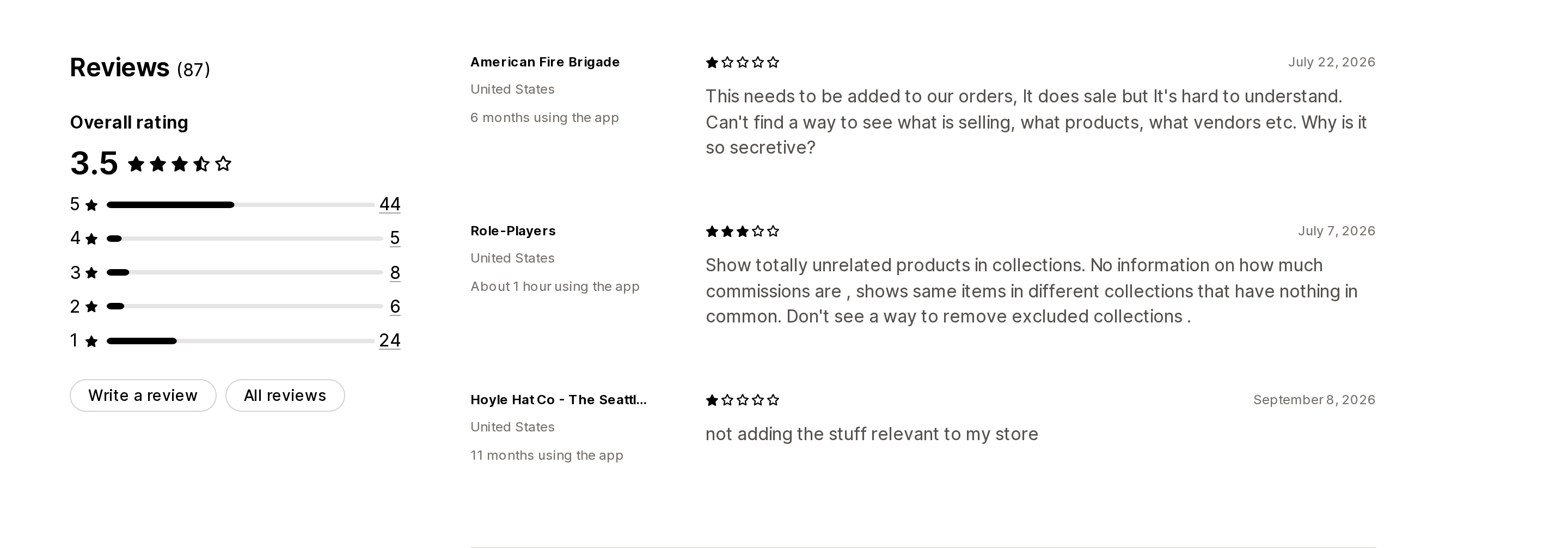
Source: Shopify App Store (Shopify Product Network), retrieved September 11, 2026
The listing sits at 3.5 stars across 87 reviews, distributed 44 / 5 / 8 / 6 / 24 from five stars down to one. That is not a mediocre app — it is a polarizing one. Just over half the reviewers gave it five stars and 28% gave it one.
Among the one-star reviews, the recurring themes are control and visibility rather than reliability. Merchants describe being able to exclude brands but not select them, seeing competing products at higher prices alongside their own, and finding no list of participating vendors in the app admin. One review from July 7, 2026 names the commission question directly: "No information on how much commissions are."
Shopify has replied to several of these publicly, and one reply is unusually clear about fit. Responding to a merchant who wanted product-level control, Shopify wrote: "If you prefer to handpick exactly which brands and products show on your store, Shopify Collective is built for that use case."
Take that at face value. It is the right routing advice.
Product Network, Collective, or a paid upsell app
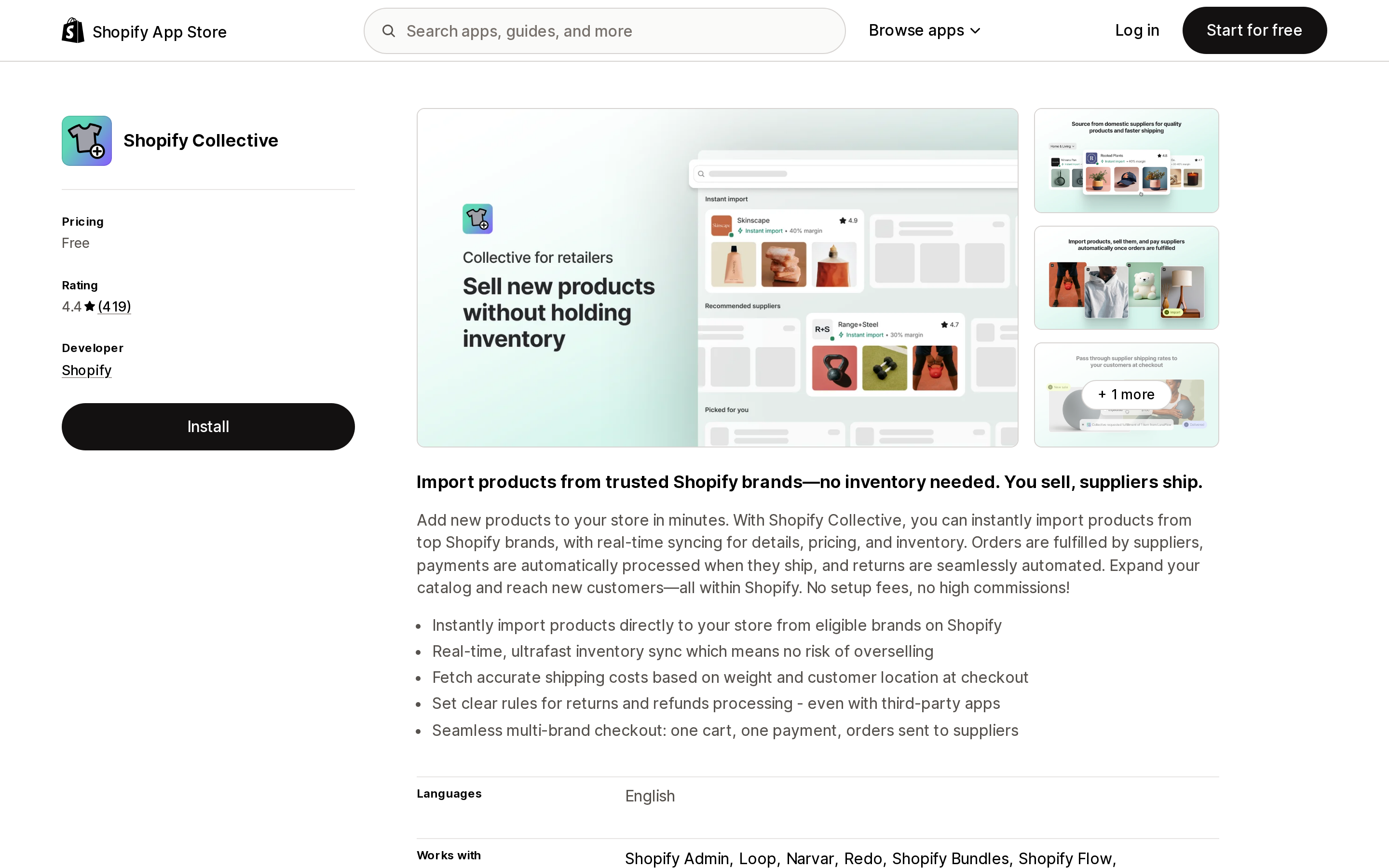
Source: Shopify App Store (Shopify Collective), retrieved September 11, 2026
Shopify's own products documentation sets these side by side. Of Product Network: "You earn commission when customers buy, and seller stores fulfill their own line items. You don't import these products into your catalog or stock them yourself." Of Shopify Collective: "You choose suppliers and import specific brands and products into your catalog, and earn a margin on each sale with no upfront inventory costs. You curate what you want to sell."
Collective publishes a range for what that margin looks like: "Margins vary by supplier, but typically can range from 20% to 50%. You buy at the supplier's discounted cost price and then sell on your store." It also keeps the order inside your store — "your customer's order is automatically forwarded to the relevant supplier," and "tracking numbers sync from supplier store to your store automatically, triggering your usual branded shipping notifications to your customer."
| Shopify Product Network | Shopify Collective | Aftersell Post Purchase Upsell | |
|---|---|---|---|
| Cost to you | Free | Free | $34.99–$99.99/month by order volume |
| Rating (reviews) | 3.5 (87) | 4.4 (419) | 4.9 (1,025) |
| Built for Shopify | No | No | Yes |
| What you earn | Commission, rate not published | Margin on your own retail price; Shopify states 20%–50% typical | Your own upsell revenue; Rokt Thanks up to $0.80/order |
| Product selection | None; exclude brands or categories only | You pick suppliers and products | Your own catalog |
| Whose order is it | The selling store's | Yours | Yours |
| In your sales reports | No | Yes | Yes |
| Webhooks and Flow | Do not apply | Apply | Apply |
| Who handles returns | The selling store | You | You |
| Availability | Eligible US stores, USD, US shoppers | Supported countries and currencies, per Collective eligibility | Per App Store listing; Rokt Thanks needs 1,000+ orders and US/CA/AU/UK |
Who this is for
Turn it on if you run a US store on Shopify Payments and Shop Pay with the new customer accounts and new Thank you and Order status pages; you have meaningful search traffic that returns no results; you are comfortable not knowing the commission rate until you can measure it; and you are willing to start with the post-purchase placements only, where the impact on your own merchandising is smallest.
Leave it off if any of the following are true. You sell high-consideration or premium goods where an unvetted brand next to yours costs you more in perceived quality than the commission returns. Your collection pages are already tuned and your own products would be pushed below the fold. You rely on free shipping thresholds, Shop Pay Installments, local pickup, or Apple Pay and Google Pay at checkout. Your reporting, loyalty program, or automations depend on every order reaching your apps. Or you are on a headless or Hydrogen storefront, where the pre-purchase placements do not work at all.
Consider Shopify Collective instead if the goal is filling catalog gaps rather than monetizing traffic. You choose the brands, you set the retail price, the order is yours, and it appears in your reports like any other. Its own requirements and incompatibilities are worth reading first — we covered them in Shopify Collective requirements vs dropshipping apps.
You can turn Product Network off at any time from Apps > Product Network > Placements > Turn off. Seller products stop displaying immediately. Existing orders are not canceled — each selling store still fulfills and supports its items — and you receive any commissions earned through the end of that month.
Sources
- Shopify Product Network — Shopify Help Center
- Requirements and considerations for using Shopify Product Network — Shopify Help Center
- Setting up and managing Shopify Product Network — Shopify Help Center
- Shopify Product Network recommendations — Shopify Help Center
- Shopify Product Network orders and fulfillment — Shopify Help Center
- Shopify Product Network commissions, reports, and payouts — Shopify Help Center
- Shopify Product Network customer experience — Shopify Help Center
- Products — Shopify Help Center, on sourcing options
- Shopify Collective for retailers — Shopify Help Center
- Expand Your Catalog Instantly With Shopify Product Network — Shopify blog, December 10, 2025
- Shopify App Store listings for Shopify Product Network, Shopify Collective, and Aftersell Post Purchase Upsell, retrieved September 11, 2026
Shopify's free link-in-bio page, Linkpop, retired on July 7, 2025 — linkpop.com now redirects to shopify.com. On August 15, 2026 Shopify's Help Center began saying the $5 Starter plan, the plan built around sharing product links on social, isn't available to new stores. And Shopify's own July 21, 2026 blog post on link-in-bio tools links to exactly two Shopify App Store listings: LinkShop, and Linktree — an app in the Marketplaces category, billed outside your Shopify invoice, rated 3.6 across 18 reviews. We priced seven link-in-bio apps on September 18, 2026. The dimension that matters isn't the monthly fee, which runs from $0 to $15. It's where the page lives: four apps serve it from your own storefront through a Shopify app proxy, which means it sits behind your store password — and on the new $0 Agentic plan, that password never comes off. Verified against the Shopify Help Center, shopify.dev, the Shopify App Store, and live store pages.