
What you will learn
On this pageContentsCloseOpen
On September 1, 2026, Shopify published Scan and search variants with multiple barcodes to its changelog. Shopify POS can now pull up the correct variant no matter which of its associated barcodes a staff member scans.
For merchants running physical stores, that answers a request that has been sitting in the Shopify Community since 2021.
Then the announcement ends with one sentence:
Additional barcodes must first be associated with the product variant in Shopify Admin.
As of September 6, 2026, none of the Shopify documentation this article checked — the help center pages the announcement links to, or the Admin API reference — describes how to do that.
What the changelog actually says
The announcement itself is specific.
Staff can scan or search for a variant using any of its associated barcodes, and the post names the identifier types: GTIN, EAN, ASIN, or SKU-based codes. Whichever one gets scanned, Shopify POS resolves to the correct variant.
The rollout is described as automatic: the update is available in Shopify POS v11.14, not a setting a merchant switches on.
The stated use case is inventory that arrives labeled differently by supplier, channel, or packaging format — the same SKU sourced from two vendors, one applying an EAN and the other a house code, or Amazon FBA inventory carrying an FNSKU that also gets sold in a retail location.
The POS help page was updated
Shopify's Searching for products in Shopify POS help page now reflects the change:
A variant can have more than one barcode, such as codes from different suppliers or a Global Trade Item Number (GTIN), and you can scan any of these barcodes to find the product.
It goes further and documents the behavioral difference by where the scan happens:
- Scanning a variant's barcode outside the search bar matches directly to that variant.
- Scanning inside the search bar surfaces the main product first, and the staff member picks the variant from the list.
Then it closes with this:
You can add and manage a variant's barcodes in your Shopify admin.
The link goes to the general page on adding and updating products.
The admin-side documentation still describes one field
Follow that link and there is no procedure for adding a second barcode.
The Inventory section of Product details page lists exactly two fields: SKU (Stock Keeping Unit) and Barcode (ISBN, UPC, GTIN, etc.). Barcode is described in the singular.
Adding variants is the same. It lists what you can set per variant — "prices, quantities, SKUs, barcodes, HS codes, country/region of origin, and locations" — with no step anywhere for attaching a second code to one variant.
The output side of the system has been updated for multiple barcodes. The input side has not.
What a Shopify Partner found
This gap was raised by a developer within 48 hours of the announcement.
On September 3, 2026, a thread titled Multi barcode release? appeared on the Shopify Developer Community Forums. The poster, Tommy_Gaudreau, describes the feature as significant for a client and then reports:
Though there doesn't seem to be anything new in the admin to associate multiple barcode. I was hoping to see something at least in the unstable API, but nothing new in the APIs either.
Nothing new in the admin, and nothing new in the APIs — including the unstable version, which is where merchants and partners normally get their first look at a field before it ships. The GraphQL Admin API ProductVariant object still exposes barcode as a single string.
As of September 6, 2026, that thread has no replies.
Shopify's other documentation has not caught up either
Two more pages still assume one barcode per variant.
The best-practice list in Understanding barcodes still reads:
- Print unique barcodes for each product variant
- Don't put multiple barcodes on your product.
That is guidance about physical label placement rather than data modeling, but it now sits in the same help center as "a variant can have more than one barcode."
The Shopify mobile app's inventory scanner is more direct. Scan your inventory using the Shopify app instructs that when the product already has a barcode, you tap Replace barcode. Not add.
The same page lists Barcode assigned to multiple products as an error condition to resolve, not a supported state.
Five years of requests
The demand side is well documented.
Can you use multiple barcodes for the same item in Shopify POS? was posted to the Shopify Community on December 12, 2021. The merchant explained that manufacturers change barcodes, asked to store up to three per product, and noted that many POS systems already allow it.
Replies continued through 2022 and 2023, ending with "Any news on this functionality?" on November 6, 2024. Related threads on the same page include How can I input multiple barcodes for product variants?, Multiple Product Barcodes, and Can we add two barcodes to a single variant for retail POS?
This is not a feature that went unbuilt because nobody asked.
The apps that handle alternate barcodes today
Until an input field appears, the working approach is to hold alternate codes as aliases inside an app.
One thing matters more than any feature list here: none of these apps document writing a second barcode into the Shopify variant record. The alias lives in the app's own database and works in that app's scanning screens. Neither vendor's documentation states that its alternate barcodes are readable by Shopify POS at the register.
So the choice depends on whether your problem is scanning at checkout or verifying at pick and pack.
EasyScan Inventory & Barcode
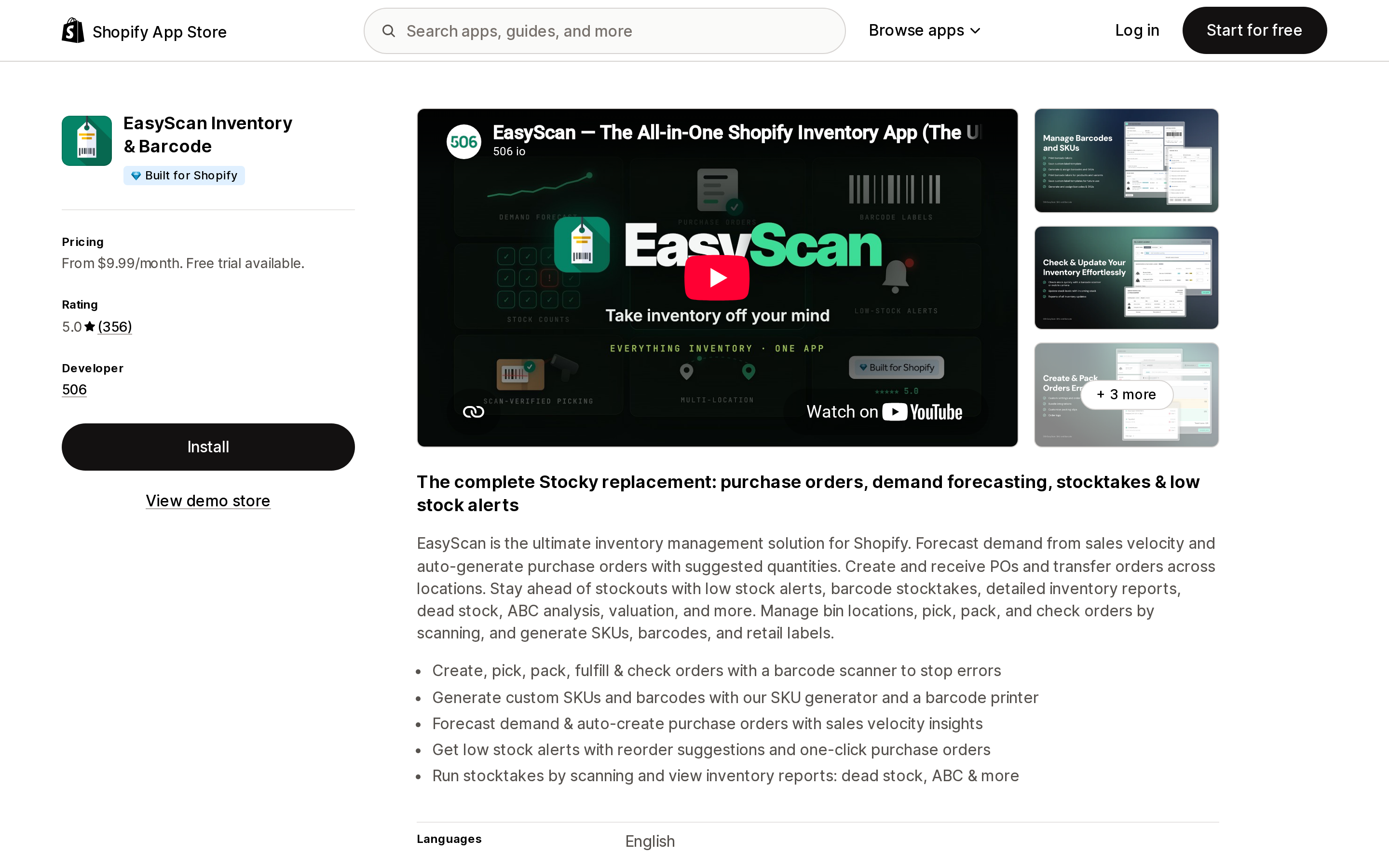
Source: Shopify App Store (EasyScan Inventory & Barcode), retrieved September 6, 2026
EasyScan Inventory & Barcode is developed by 506, carries the Built for Shopify badge, and holds a 5.0 rating from 356 reviews as of September 6, 2026. The listing states it works with Shopify POS, Shopify Flow, and Shopify Admin.
The relevant feature is Barcode Aliases. The vendor's own Subscription plans page describes it as "Manage multiple barcodes for single SKUs."
The question is which plan it sits in.
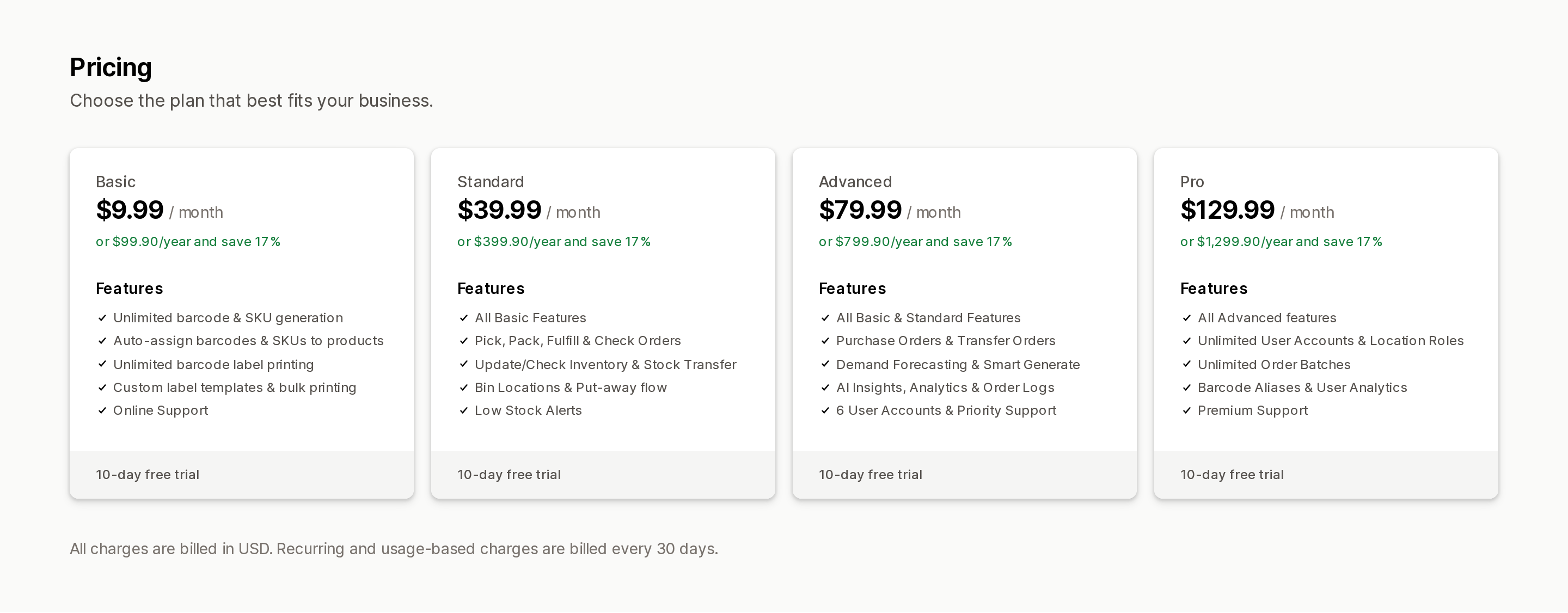
Source: Shopify App Store (EasyScan Inventory & Barcode), retrieved September 6, 2026
The tiers are Basic at $9.99/month, Standard at $39.99/month, Advanced at $79.99/month, and Pro at $129.99/month, each with a 10-day free trial and 17% off annual billing. Barcode Aliases appears only in Pro at $129.99/month.
Basic is barcode generation and label printing only. The vendor's FAQ states plainly that scanning to update stock levels or fulfill orders requires Standard.
iPacky | Pick Pack & Fulfill
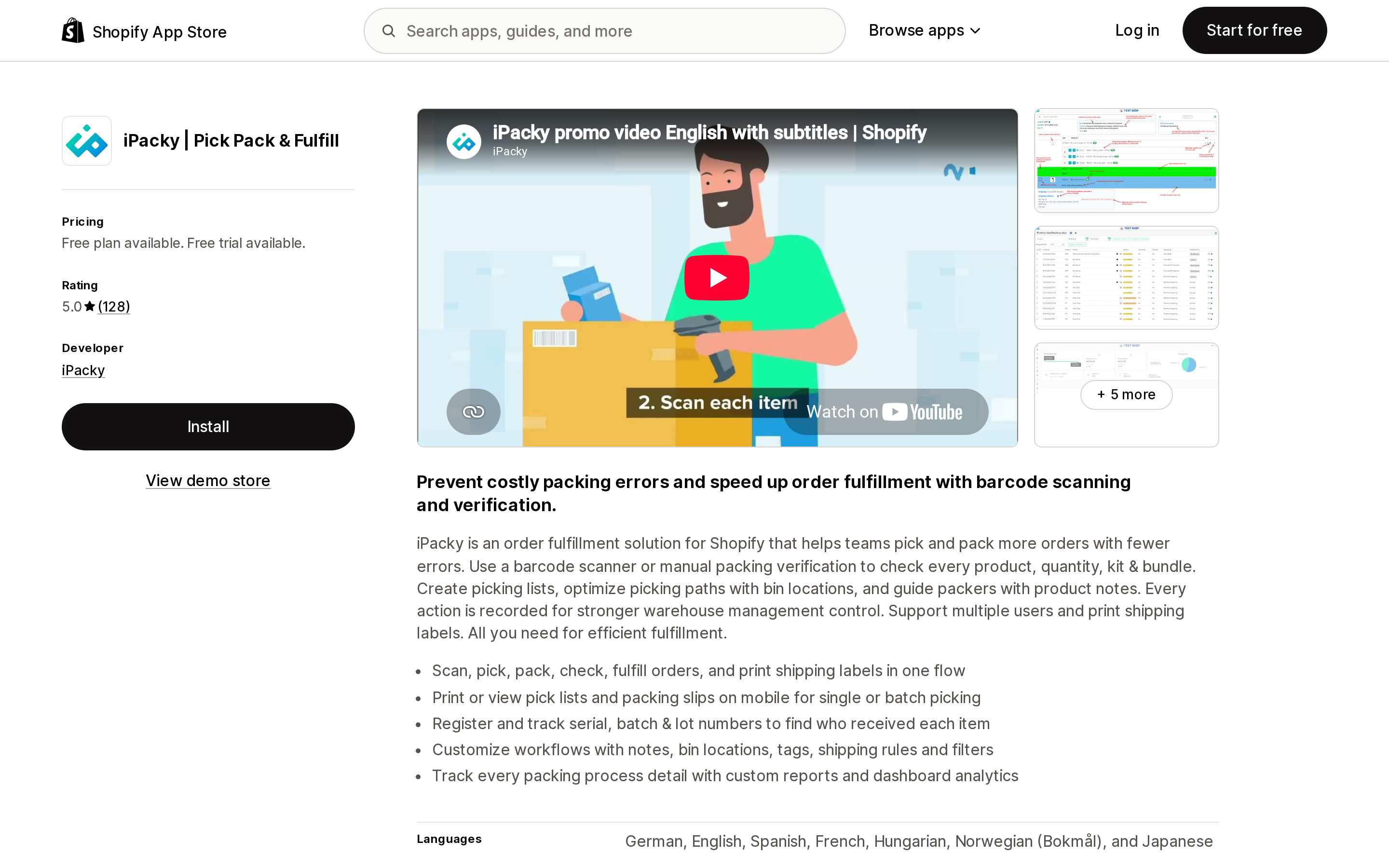
Source: Shopify App Store (iPacky | Pick Pack & Fulfill), retrieved September 6, 2026
iPacky | Pick Pack & Fulfill is a picking and packing verification app from iPacky, based in Norway. It holds a 5.0 rating from 119 reviews as of September 6, 2026.
Its Barcode aliases page states the premise without hedging:
Shopify does not have support for a product having more than one barcode.
The page then explains that in iPacky a product can carry multiple barcodes — the example given is the same item sourced from multiple suppliers using different codes — and that any of them will be accepted when scanning an order. The line "No more need to go into the product in Shopify to change the barcode" makes clear where the alias lives.
The pricing denominator is nothing like EasyScan's.
- Starter: free, capped at 50 shop orders per month
- Standard: $19.99/month plus per-order usage — $0.099 per order for the first 500, $0.08 for the next 2,000, $0.055 for the next 2,500, and $0.039 above 5,000
Which plan includes barcode aliases is not stated on the App Store listing or the vendor page.
syncX: Easy SKU & Barcode Scan
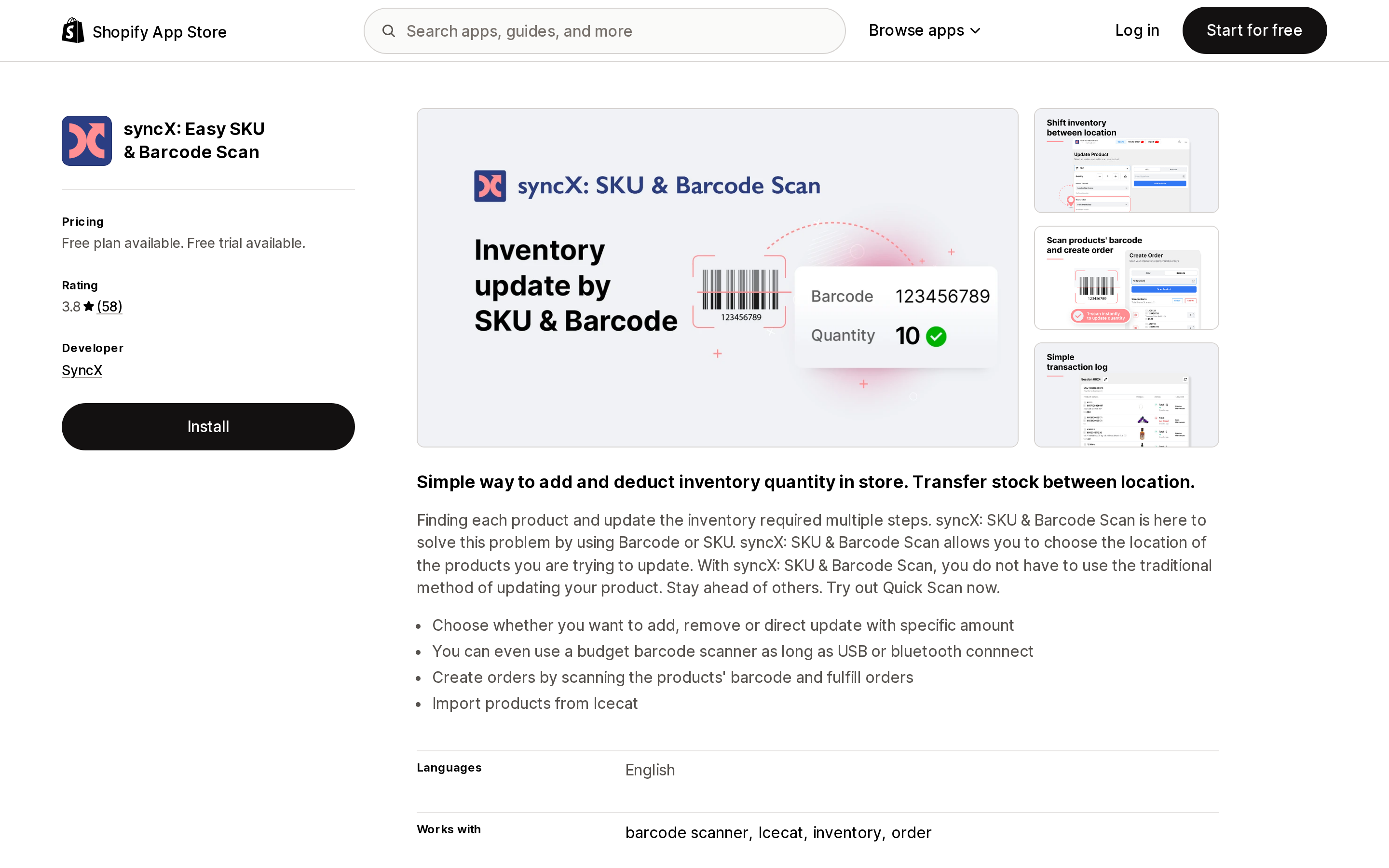
Source: Shopify App Store (syncX: Easy SKU & Barcode Scan), retrieved September 6, 2026
syncX: Easy SKU & Barcode Scan adjusts and sets inventory by barcode or SKU and shifts stock between locations. It holds a 3.7 rating from 55 reviews as of September 6, 2026.
No barcode alias feature is listed for this app. It is here because its pricing denominator is the cheapest of the three and measures something entirely different:
- Free plan: 200 inventory updates
- Basic plan: $5/month, 100,000 inventory updates
- Pro plan: $10/month, adds 300,000 order creations and fulfillment
- Pro X plan: $20/month, adds importing product details
Comparing monthly prices alone across these three apps produces the wrong answer, because the cheapest one does not do the thing this article is about.
Side by side
| EasyScan Inventory & Barcode | iPacky | syncX: Easy SKU & Barcode Scan | |
|---|---|---|---|
| Alternate barcodes | Barcode Aliases | Multiple barcodes per product | Not listed |
| Plan required | Pro, $129.99/month | Not stated | — |
| Entry price | $9.99/month | Free (50 orders/month) | Free (200 updates) |
| Pricing denominator | Flat monthly, feature-gated by tier | Monthly + per order processed | Monthly + inventory update count |
| Free trial | 10 days | 14 days | 14 days |
| Built for Shopify | Yes | No | No |
| Rating (reviews) | 5.0 (356) | 5.0 (119) | 3.7 (55) |
Where the two pricing models cross
EasyScan Pro is flat at $129.99/month. iPacky Standard is $19.99/month plus usage. Using the published rates:
- 500 orders/month: $19.99 + 500 × $0.099 = $69.49
- 1,000 orders/month: $19.99 + $49.50 + 500 × $0.08 = $109.49
- 2,000 orders/month: $19.99 + $49.50 + 1,500 × $0.08 = $189.49
iPacky passes EasyScan's $129.99 at roughly 1,250 orders per month. Below that it costs less; above it, the flat fee wins.
The two are not equivalent packages, though. iPacky's usage tracks store orders, and EasyScan's $129.99 also includes unlimited user accounts and user analytics. Run the order math, then check that the plan carries the rest of what your team needs.
How to decide
If you only need scanning at the register, check your own POS first. On v11.14 or later, Shopify says scanning any associated barcode works. But as of September 6, 2026 there is no published procedure for adding those barcodes. A staged rollout is plausible, so look at the Barcode field area in your admin before you buy anything.
If the problem is pick-and-pack verification, an app is a reasonable answer now. The POS update is about the sales floor and does nothing for pre-shipment checks. Under about 1,250 orders a month, iPacky costs less; above that, or with a large packing team, EasyScan Pro's flat fee is the better shape.
If you only need to generate barcodes and print labels, none of this applies. That is available on far cheaper plans and on free apps. There is no reason to pay $129.99/month for a feature you are not going to use.
Remember that an app alias is not Shopify data. Neither vendor states that alternate barcodes are written back to the barcode field on ProductVariant. Design around the assumption that those codes are invisible to Shopify POS, the Shopify app's inventory scanner, the Admin API, and any 3PL or WMS integration reading from Shopify — and that uninstalling the app takes the mapping with it.
What to verify now
As of September 6, 2026, the position is three lines long:
- Shopify POS v11.14 is documented as able to scan any barcode associated with a variant.
- No documented way to associate that additional barcode has surfaced yet — not in the help center pages the announcement links to, and, per the partner report above, not in the APIs including unstable.
- In the meantime, alternate barcodes in production require an app-side alias feature, and in EasyScan that feature is on the $129.99/month tier.
When the admin field does appear, the next decision is whether to migrate app-side aliases into the Shopify variant record. If you sign up for an app before then, confirm that you can export its alias table — to CSV or otherwise — so that migration is possible later.
Sources
- Scan and search variants with multiple barcodes - Shopify Changelog
- Searching for products in Shopify POS - Shopify Help Center
- Product details page - Shopify Help Center
- Adding variants - Shopify Help Center
- Understanding barcodes - Shopify Help Center
- Scan your inventory using the Shopify app - Shopify Help Center
- Multi barcode release? - Shopify Developer Community Forums
- Can you use multiple barcodes for the same item in Shopify POS? - Shopify Community
- EasyScan Subscription plans
- iPacky Barcode aliases
Shopify added a Bin name column to the inventory CSV on August 25, 2025. It holds one bin per variant per location, it is created only by CSV import, and it prints on Order Printer pick lists. What it does not do is leave Shopify. Shopify staff confirmed on the developer forum in October 2025 and again in January 2026 that there is no public API access to the field, and the developer forum was still reporting the gap in June 2026. That single fact shapes the whole category: EasyScan and iPacky store bins in metafields, Bins-USA and ShelfPilot store them in their own databases, and a free app called Simple Bin Locations copies metafield bins into order notes so packing slips can show them. Shopify's own multi-bin model, with per-bin quantities and an unbinnedQuantity field, exists today only as a feature preview on development stores. Pricing, plan gates, and where each app keeps the bin data, verified on the Shopify App Store, the Shopify Help Center, shopify.dev, and the Shopify community forums on September 18, 2026.