
What you will learn
On this pageContentsCloseOpen
The app in your admin still has its icon. The reports still load. Nobody on your team touched anything.
Then a customer emails asking why the size chart is gone, and you open the App Store listing to check the developer's status page — and the page is a single sentence saying the app isn't available. It has been that way for months.
Nothing notified you, and that isn't an oversight. Shopify documents who gets told when an app is withdrawn, and it isn't the merchant running it.
Three endings, checked on the same day
On September 16, 2026, we opened four en-US App Store listings for apps that no longer exist as products. They are in three visibly different states.
| Listing URL | What the page shows | What it tells a merchant |
|---|---|---|
apps.shopify.com/stocky | Complete listing: Install button, pricing, rating, screenshots | Nothing — it reads as a live app |
apps.shopify.com/oberlo | One sentence, plus Support and Developer links | The app is gone; here is who to ask |
apps.shopify.com/kit | Same one-sentence page as Oberlo | Same, but its Website link now lands on the Shopify homepage |
apps.shopify.com/shopify-ping | No listing page | Nothing at all |
The first row is the one worth sitting with.
State 1: a full listing for an app that stopped running
Stocky is Shopify's own inventory app for Shopify POS Pro. The Help Center page for it opens with a note: "The Stocky app will no longer be available after August 31st, 2026." Further down, the same page states flatly that "Stocky is no longer available to install from the Shopify App Store."
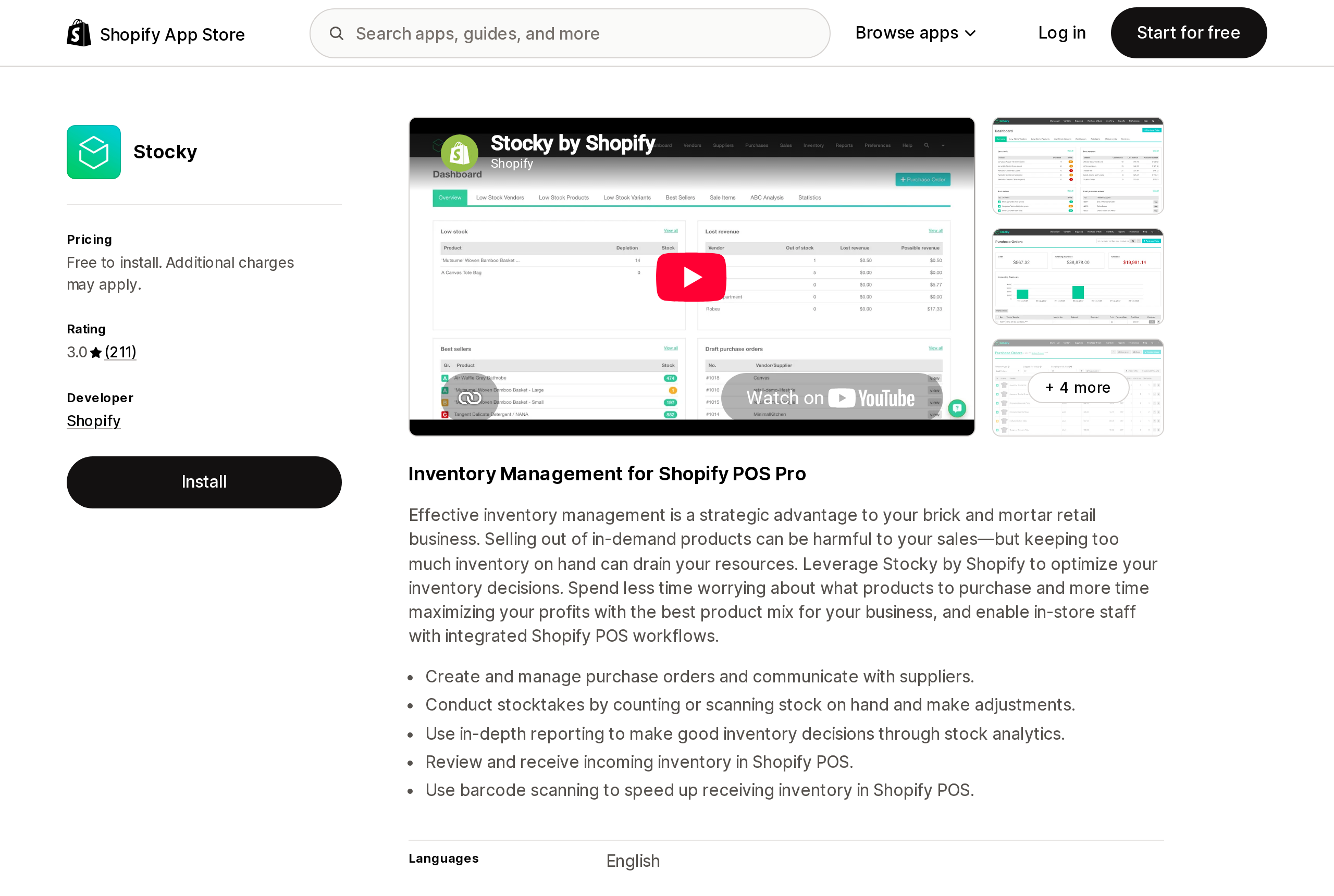
Here is the App Store listing, sixteen days after that date.
Source: Shopify App Store (Stocky), retrieved September 16, 2026
Pricing: "Free to install. Additional charges may apply." Rating: 3.0 from 211 reviews. Developer: Shopify. Launched March 12, 2015. Feature screenshots, a product video, a category listing under Inventory optimization, and a black Install button. There is no banner, no note, no past-tense verb anywhere on the page. We did not click Install, so we can't say what happens next — but nothing on the page suggests you shouldn't.
Shopify's Apps made by Shopify index also still lists Stocky, with its icon and a present-tense description of what it does.
The reviews are the part that shows the cost. The most recent review shown on the listing is dated February 2, 2026, from a US merchant who had been using the app for over two years, and it is not really a review — it's a question, asking whether it's true that the app is going away, and what to use instead. That merchant had read it somewhere. Not on that page.
State 2: the tombstone
Oberlo, the dropshipping app Shopify shut down in 2022, gets the opposite treatment.
Source: Shopify App Store (Oberlo - Dropshipping App), retrieved September 16, 2026
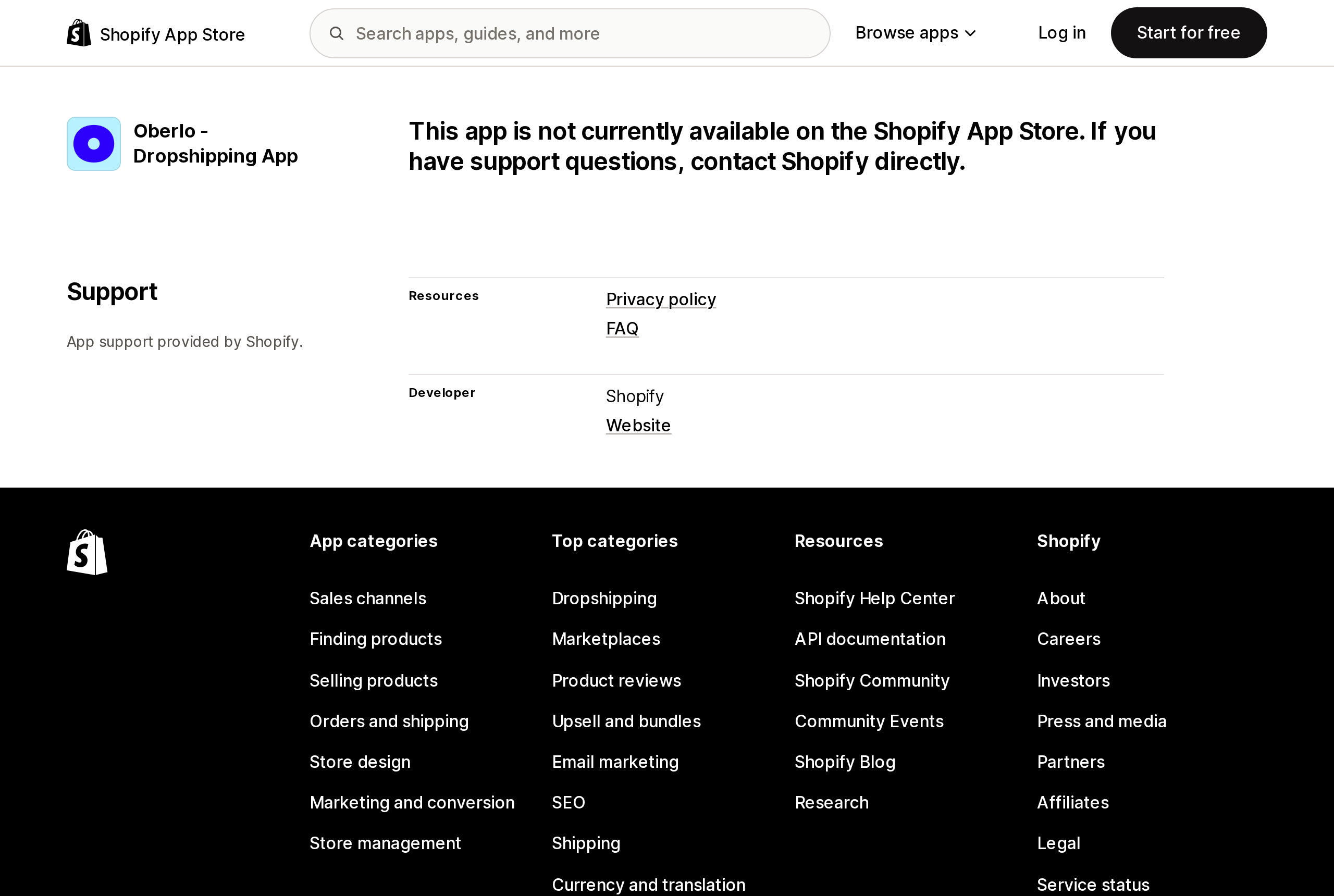
One sentence: "This app is not currently available on the Shopify App Store. If you have support questions, contact Shopify directly." No pricing, no reviews, no Install button. What survives is a Support block with the developer name, a privacy policy link, an FAQ link, and a Website link.
That block is doing real work, because it is exactly what Shopify's own troubleshooting advice depends on. Under "Troubleshoot app removed from the Shopify App Store," the Getting help with apps page says the developer's contact information "might still be displayed on the app listing page," and tells you to search for the app by name.
Kit, another retired Shopify app, shows the identical page — and demonstrates the weakness of relying on it. Its Website link points to shopify.com/kit, which today redirects to the Shopify homepage. The contact path is preserved in shape and empty in substance.
State 3: nothing
apps.shopify.com/shopify-ping returns no listing page. For this case Shopify's instruction is: "If you can no longer find the app listing, then contact Shopify Support for assistance."
Hold that thought — we'll come back to what Shopify Support can and cannot do about a charge.
Why the news never reaches you
None of this is a gap in Shopify's documentation. It is all written down; it's just written for the developer.
The Sunsetting your app page on shopify.dev is a six-step checklist and a countdown, and every single communication step in it is an obligation the app developer takes on voluntarily:
- Thirty days out, contact Shopify Support to have the listing unpublished, cancel recurring charges, then email users explaining the sunset date.
- Two weeks out, post a notice inside the app.
- One week out, send a reminder email.
- On the sunset date, give Shopify copies of what you sent.
The requirement is "a minimum of two communications to merchants who have an active install." Those go to whatever address the developer has for you, through whatever channel they choose. Nothing in the process puts a notice in your Shopify admin.
Shopify's only real leverage arrives at the end, and it is discretionary: on the sunset date, Support "might ask you to send an additional email and wait 15 days if there are a high number of active merchant installs."
The other removal path is colder still. The unpublished app deprecation FAQ covers apps that were never reviewed and are installed across two or more organizations. If the developer doesn't submit them for review, Shopify sends a 60-day notice before revoking API access, and then the apps "will be uninstalled from any merchant stores." That notice goes "at the business email that's associated with your account" — the Partner's account. The store running the app is not a party to the correspondence.
The developer can uninstall the app from your store
Step 5 of the sunset checklist is the one most merchants don't know exists. The developer is told to clean up remaining installs with the appUninstall mutation, and shopify.dev describes the effect in plain terms: "Uninstalling removes your app without requiring the merchant to act."
The appUninstall reference adds two details worth knowing. It can only be used by an app on itself, so this is not a way for one vendor to touch another's install. And it is one-way: "This action is irreversible. You can't restore an uninstalled app's configuration or data."
What Shopify cleans up automatically is a short list — webhook subscriptions, script tags, and admin links. That list is short in a way that matters, because it does not include anything living in your theme. Shopify's Uninstalling apps page warns that "some apps add code to your online store theme that isn't automatically removed when you uninstall the app," and tells you to check the app's listing or ask the developer first — advice that assumes both still exist. App blocks and app embeds have their own persistence rules, which we covered in the theme-switch article; a developer-initiated uninstall leaves the same kind of residue, without the warning screen. Our guide to what uninstalling doesn't remove covers what to look for.
Shopify does not document whether this uninstall triggers the inventory-transfer prompt that a merchant-initiated uninstall requires when an app owns a location. If you use a fulfillment app that holds inventory at an app location, treat that as an open question rather than a settled one.
The billing loop
Now the money, because this is where the three listing states stop being trivia.
App charges are billed through Shopify but controlled by the developer. Shopify's App charges on your Shopify bills page is explicit: "Refunds for third-party app charges are managed by the app developer, not Shopify," and "Shopify can't guarantee refunds."
For a charge already queued, the page is blunter still: "Shopify can't remove or cancel a pending third-party app charge after it has been added to your upcoming invoice."
So if a developer abandons an app without working through the checklist — never cancels subscriptions with appSubscriptionCancel, never runs appUninstall, just switches off their servers — the app stays installed on your store and the recurring charge keeps generating on your Shopify bill for software that does nothing. Uninstalling stops future cycles but, per the same page, doesn't remove a pending charge that has already been generated. The checklist anticipates this; that's why it carries a caution that steps 1 through 5 must be completed "prior to removing your app from your servers." It is an instruction, not an enforcement.
Then the remedy folds in on itself. Shopify's refund process is: go to Settings > Apps, find the app, click Get support. If the app is no longer listed there, "search for the app by name on the Shopify App Store to find the developer's contact information on the app listing page." If the listing is gone too, contact Shopify Support — which, by the same page, "can't issue refunds for third-party app charges."
That is why the difference between Oberlo's tombstone and Shopify Ping's missing page is not cosmetic. The tombstone is the last link in the chain Shopify's own refund instructions depend on. And Kit shows that the link can be present and still broken.
One separate trap, from the same page: "Canceling your subscription within an app or on the developer's website doesn't uninstall the app from your Shopify store." Cancelling in the vendor's dashboard and considering it handled is a common and expensive mistake.
Shopify does notify you — for the other kind of failure
The contrast makes the gap obvious rather than accidental.
When an app breaks because of Shopify's API changes, About apps says that "when an app in your store uses an unsupported API, a notification is shown in your Shopify admin." The timeline is documented too: API versions work for a year, a new one ships every three months, and when a version introduces a breaking change the developer gets nine months to update before the app becomes unsupported.
There is a merchant-facing signal for the app that stops working. There is no documented merchant-facing signal for the app that gets withdrawn. And withdrawal is the one where the vendor is least likely to be answering email.
What to actually do
Four things, none of which take long.
Bookmark the listing URL for every paid app you run, and check them on a schedule. A quarterly pass is enough. You are looking for exactly one of the three states above. The tombstone and the 404 are unambiguous. A full listing is not proof of life — Stocky is the counterexample — so for Shopify's own apps, check the Help Center page too, since that is where the Stocky end date was published.
Use the app history timeline. In Settings > Apps, open an app's About page and look at the App history section. Shopify records install and uninstall events there, and clicking an event shows details including the uninstall reason and the staff member who took the action. An uninstall event nobody on your team can account for is the strongest signal you'll get that the decision was made elsewhere. Uninstalled apps stay on the Uninstalled tab, and Get support still works from there.
Audit your bill separately from your admin. Go to Settings > Billing and click View current charges. Match every line to an app you can still open and still use. This is the check that catches the abandoned-but-billing case, and it's the only one that catches it early enough to matter, because a pending charge can't be reversed by Shopify.
Export before you need to. Shopify's uninstall page puts it plainly: "Some apps store data that you can't recover after uninstalling." When you get a sunset email, the export is the first task, not the last. Shopify's own Stocky page adds a sharper version of the same warning — don't uninstall it, because data "might not be retrievable upon reinstallation." If Shopify says that about an app it built, assume worse about one it didn't.
None of this makes an app immortal. It changes when you find out, which is the whole of the difference between a migration and an outage.
Sources
- Sunsetting your app — shopify.dev
- appUninstall mutation — GraphQL Admin API reference
- Unpublished app deprecation frequently asked questions — Shopify Help Center
- Getting help with apps — Shopify Help Center
- Uninstalling apps — Shopify Help Center
- About apps — Shopify Help Center
- App charges on your Shopify bills — Shopify Help Center
- Stocky — Shopify Help Center
- Apps made by Shopify — Shopify Help Center
- App listing visibility — shopify.dev
- Shopify App Store listings for Stocky, Oberlo, Kit, and Shopify Ping, en-US, retrieved September 16, 2026
Shopify added a Bin name column to the inventory CSV on August 25, 2025. It holds one bin per variant per location, it is created only by CSV import, and it prints on Order Printer pick lists. What it does not do is leave Shopify. Shopify staff confirmed on the developer forum in October 2025 and again in January 2026 that there is no public API access to the field, and the developer forum was still reporting the gap in June 2026. That single fact shapes the whole category: EasyScan and iPacky store bins in metafields, Bins-USA and ShelfPilot store them in their own databases, and a free app called Simple Bin Locations copies metafield bins into order notes so packing slips can show them. Shopify's own multi-bin model, with per-bin quantities and an unbinnedQuantity field, exists today only as a feature preview on development stores. Pricing, plan gates, and where each app keeps the bin data, verified on the Shopify App Store, the Shopify Help Center, shopify.dev, and the Shopify community forums on September 18, 2026.