
What you will learn
On this pageContentsCloseOpen
Open the Help Center page called Managing your checkout traffic with the Sell on WordPress theme. Read the instruction for pointing customers at WordPress:
From your Shopify admin, go to Online Store > Themes. In the Draft themes section, locate the Sell on WordPress theme, and then click Publish.
That is the whole procedure. You publish a theme whose job is to redirect. Your Shopify Online Store still exists, still bills you, still holds your products — and no longer renders a storefront.
The trade that instruction represents is documented — just not in one place. What is sitting on the storefront you switched off is described in a different documentation tree entirely.
Pricing, review counts, and listing details were verified on the en-US Shopify App Store on September 9, 2026. All prices are in USD.
What Shopify actually shipped
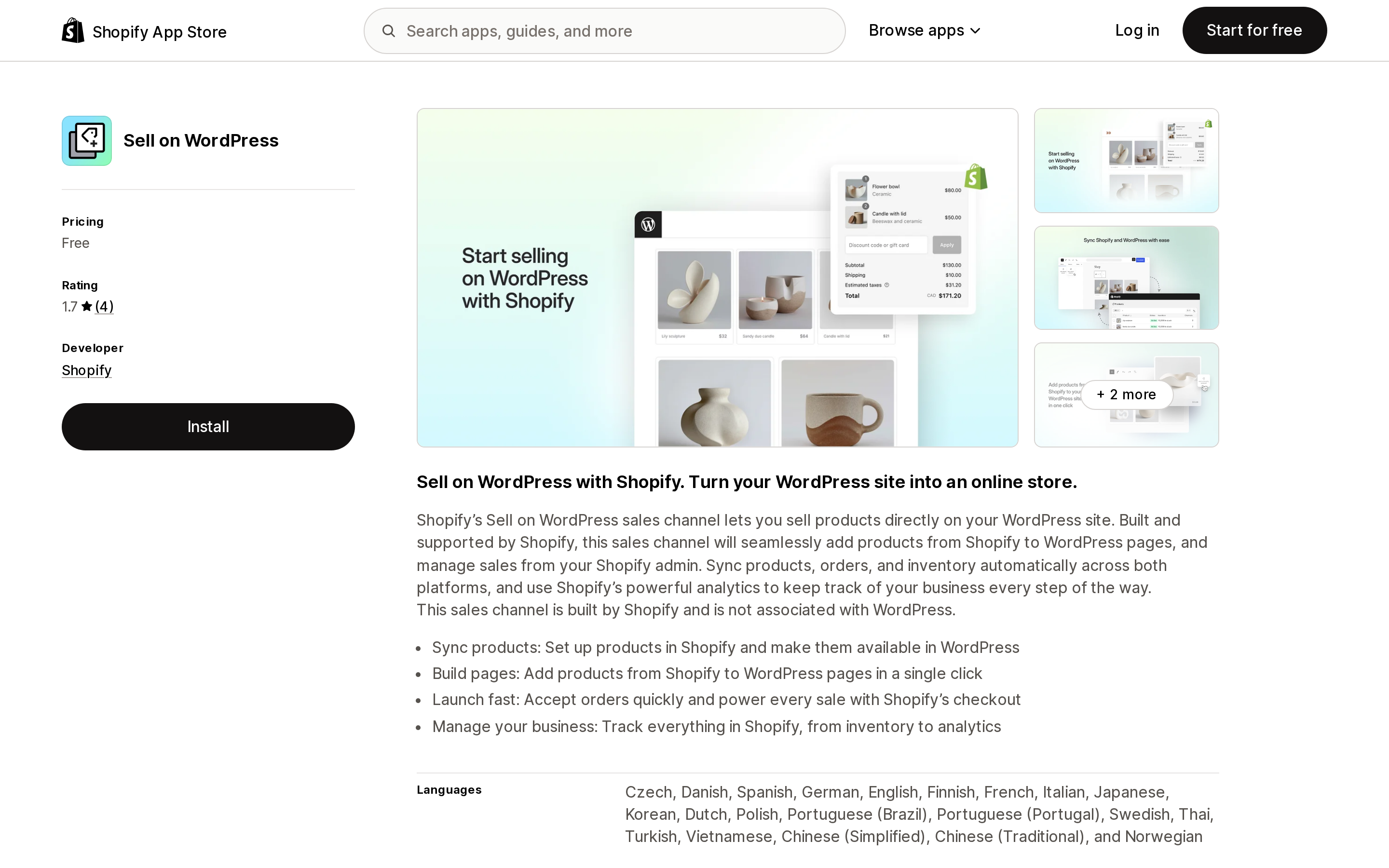
Sell on WordPress is a first-party sales channel, free, launched September 15, 2025, developed by Shopify. It pairs with a WordPress plugin that Shopify also builds.
Source: Shopify App Store (Sell on WordPress), retrieved September 9, 2026
The listing carries a 1.7 rating from 4 reviews. The distribution is worth stating plainly, because four is a small number: two 1-star reviews and two 2-star reviews. No 3-, 4-, or 5-star review exists. None of the four reviewers is US-based — they are in Australia, the United Kingdom (twice), and Switzerland.
Under the hood, the plugin is not a theme integration at all. Shopify documents it under Storefronts → Headless → Bring your own stack, and describes it as "a first-party sales channel app for headless storefronts embedded into WordPress sites." It renders through Storefront Web Components — four of them: Product Card, Product Quick View Modal, Product Detail Page, and Collection.
That framing is the whole article in one sentence. This is a headless storefront wearing a WordPress plugin's clothes, and headless storefronts do not get theme app extensions.
The surface you are giving up
Shopify's App surfaces documentation enumerates every place an app can appear. There are seven, and they are not interchangeable:
| Surface | What runs there | Survives a move to WordPress? |
|---|---|---|
| App Home | The app's pages inside the Shopify admin | Yes |
| Admin | Admin UI extensions, Shopify Functions, custom data | Yes |
| Checkout | Checkout UI extensions, Functions | Yes — checkout stays on Shopify |
| Customer accounts | Customer account UI extensions | Yes |
| Point of Sale | POS UI extensions | Yes |
| Online store | Theme app extensions, web pixels | No |
| Shopify Flow | Triggers, actions, templates | Yes |
The Online store row is the one that breaks. Shopify's theme app extension documentation is explicit that "theme app extensions can integrate with Online Store 2.0 themes" — that is the surface, and there is only one of it. App blocks and app embed blocks are Liquid entry points into a Shopify theme. A WordPress block theme is not a Shopify theme.
In practical terms, if your storefront moves to WordPress, this is the category of app that stops having a place to render:
- Review widgets on product pages and star ratings on collection cards
- Upsell and cross-sell blocks, "frequently bought together" sections
- Sticky add-to-cart bars, size charts, product tabs, badge and label apps
- Wishlist buttons, back-in-stock buttons, recently-viewed carousels
- Cookie-consent banners and geolocation redirect popups that ship as app embeds
Web pixels sit in the same row. Shopify's web pixel standard events include product_viewed, collection_viewed, and product_added_to_cart, and Shopify does not document a web pixel equivalent for a WordPress storefront — so plan on losing the pre-checkout half of your behavioral analytics unless you rebuild it in WordPress. What still works is everything downstream of checkout, everything inside the admin, and everything in Flow. Your Shopify-hosted checkout keeps its checkout UI extensions. Your fulfillment, tax, accounting, and ERP integrations never touched the storefront to begin with.
Nobody hides this. It is simply spread across three documentation trees that a merchant evaluating a WordPress migration has no reason to read together.
Before that: can you even install the plugin?
Shopify gives two different answers about where the plugin lives.
The Help Center says to download shopify-plugin.zip from cdn.shopify.com and upload it through Plugins → Upload plugin in WordPress.
The developer documentation says something else: "Download the Shopify plugin zip file from https://wordpress.org/plugins/shopify-plugin," and offers a Composer path, composer require wpackagist-plugin/shopify-plugin.
On September 9, 2026, the WordPress.org plugin information API returns HTTP 404 and the body {"error":"Plugin not found."} for the slug shopify-plugin, and the plugin page itself redirects to a search results listing. A WordPress.org query for plugins authored by shopify returns an empty set.
So the Composer instruction and the WordPress.org link in Shopify's developer docs do not currently resolve to anything. The ZIP from cdn.shopify.com is the working path. This is worth knowing before you plan a deployment around WPackagist, and worth re-checking, since directory listings can appear and disappear.
The Gutenberg wall
The Help Center is unusually direct here:
The Shopify plugin supports only the WordPress Block Editor, also known as Gutenberg, and the Site Editor. The Classic Editor isn't supported.
The developer docs narrow it further: the plugin "is officially supported with default block themes, including Twenty Twenty-Three, Twenty Twenty-Four, and Twenty Twenty-Five," with a note that other themes "might work" but "may require additional customization." Minimum requirements are WordPress 5.0 or higher and PHP 7.4 or higher.
One of the four App Store reviews is exactly this, from a Swiss merchant in December 2025 who spent fifteen minutes with it:
I couldn't use the plugin because it does not work with Elementor. I am still using "Buy Button" instead.
If your site runs Elementor, Beaver Builder, Divi, or the Classic Editor — which describes a large share of established WordPress business sites — this plugin is not a candidate, and you will find that out after installing it, not before.
Customization means writing PHP
Shopify's page on advanced customization opens by labelling itself "an advanced tutorial" and suggesting you hire a Shopify Partner. The mechanism: create a folder named Shopify inside your active WordPress theme, then add PHP files whose names determine which component they replace — product-card.php, modal.php, pdp.php, component.php. Once a file exists, the plugin ignores its own default for that component.
There is no theme editor, no settings panel with layout controls, and no visual equivalent of the Shopify theme editor. The plugin's own Settings → Advanced tab offers essentially two toggles that matter: whether product cards open a quick view modal, a full detail page, or both, and whether to rewrite product and collection URLs onto your WordPress domain.
A UK merchant's 2-star review in October 2025 arrives at the same conclusion in one line: "Easy default installation. But changing the way it looks or works requires php development (at least)."
Two other documented behaviors deserve a mention before you commit. Disconnecting Shopify from WordPress means, in the Help Center's words, that "customers can't view or purchase your products" — the products displayed on WordPress go dead. And when you set a redirect path in the Sell on WordPress theme, that path "becomes the prefix for all WordPress URLs moving forward."
The alternative Shopify has shipped since 2012
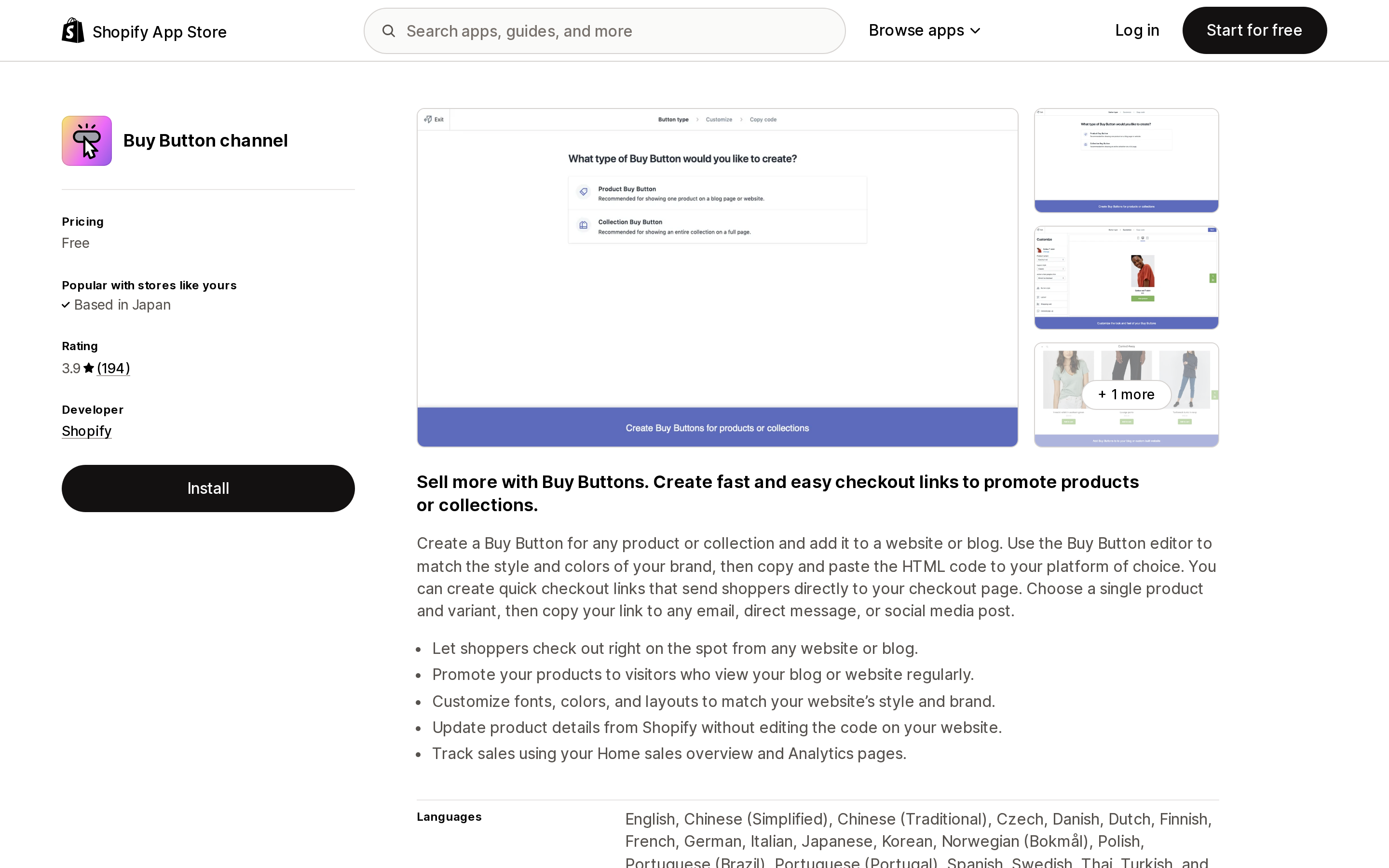
Buy Button channel is also free, also first-party, and launched January 12, 2012. Its record is 183 reviews at 3.9 — 77 five-star, 47 four-star, 25 three-star, 14 two-star, 20 one-star.
Source: Shopify App Store (Buy Button channel), retrieved September 9, 2026
The Help Center states that the Buy Button sales channel "is included in all Shopify subscription plans." You generate HTML in a style editor and paste it anywhere — any page builder, any theme, any editor. It supports single products, embedded collections, an embedded cart, and cart permalinks you can drop into an email or a social post.
Two constraints Shopify publishes and most write-ups skip. First, a caution: Shopify "does not recommend the use of Buy Buttons on your Shopify online store or blog, because they can cause problems with the checkout process" — use cart permalinks there instead. Second, Buy Buttons created before October 10, 2016 are no longer supported.
Buy Button does not give you product URLs on your own domain, and it does not give you a browsable catalog. It gives you commerce inside content, which for a blog-led site is frequently the actual requirement.
The third-party option that already solved the Elementor problem
ShopWP is distributed as a WordPress plugin rather than a Shopify app, so you buy it from its developer rather than through the App Store. Pro pricing from its own site: $199/year for up to three WordPress sites, $499/year for unlimited sites plus all extensions and priority support. No free trial; a 30-day money-back guarantee that excludes renewals. Its extension list includes Elementor and Beaver Builder — the exact gap the Sell on WordPress review complains about — plus Recharge, Yotpo, Translator, and Webhooks.
Two facts to hold together before buying. The Pro changelog shows version 8.11.8, last updated March 23, 2026 — actively maintained. The free version on WordPress.org, slug wpshopify, sits at version 5.2.4, last updated April 2, 2024, tested up to WordPress 6.5.0, with 700 active installations. The free listing is not a preview of the current product.
Its FAQ also carries a claim that is now out of date, and it matters for budgeting.
The $5 plan everyone still recommends does not exist for you
ShopWP's FAQ recommends the "$5/month Shopify Starter plan" as the cheapest way to sell only on WordPress. Many third-party guides say the same. Shopify's own Help Center page opens with this:
The Starter plan isn't available to new stores. If you're a merchant currently on the Starter plan and you decide to change your plan, then you can't revert back to the Starter plan.
The Lite plan — the historical companion to Buy Button, the plan built for exactly this use case, with no Online Store sales channel at all — carries the identical notice. Both are closed, and both are one-way exits for merchants still on them.
Starter also would not have worked well for a catalog-style WordPress build even when it was open: the plan does not support product collections, staff accounts, new templates, or third-party carrier-calculated shipping. The Sell on WordPress collection block has nothing to point at without collections.
So the floor for a new US merchant selling through WordPress is a standard plan. Shopify's pricing page lists Basic at $39/month billed monthly, or $29/month billed yearly, with Grow at $79/month and Advanced at $299/month on yearly billing. Add ShopWP Pro and the third-party route starts near $45/month equivalent at yearly Shopify billing.
Side by side
| Sell on WordPress | Buy Button channel | ShopWP Pro | |
|---|---|---|---|
| Cost | Free | Free | $199/year (3 sites), $499/year (unlimited) |
| Built by | Shopify | Shopify | wpshop.io |
| Launched | September 15, 2025 | January 12, 2012 | — |
| Review record | 1.7 (4 reviews) | 3.9 (183 reviews) | Not on the App Store |
| Editor requirement | Gutenberg / Site Editor only | Any | Any, with Elementor and Beaver Builder extensions |
| Product URLs on your domain | Yes, via link rewrites | No | Yes |
| Browsable collections | Yes | Embedded collection | Yes |
| Checkout | Shopify-hosted | Shopify-hosted | Shopify-hosted |
| Customization | PHP component overrides | Style editor and CSS | WordPress templates and settings |
| Plan requirement | Paid Shopify plan | All plans | Paid Shopify plan |
| Theme app extensions | Not available | Not available | Not available |
The last row is the same across all three, which is the point. This is not a difference between the tools. It is a property of leaving the Online Store.
How to choose
You want a handful of products inside blog posts and landing pages. Buy Button channel. Free, no editor constraint, fourteen years of production use, and Shopify's own guidance on where not to use it is published.
You want a real catalog on your WordPress domain, you already run a block theme, and someone on the project writes PHP. Sell on WordPress. It is the only option that is free, first-party, and gives you product detail pages under your own domain — accepting that four reviews is not a track record and that layout work is PHP work.
You run Elementor, Beaver Builder, or the Classic Editor. ShopWP Pro at $199/year, or Buy Button. Sell on WordPress is documented not to fit, and one reviewer already paid to find that out.
Your conversion stack is storefront apps. Stay on the Shopify Online Store. If your product pages depend on a reviews widget, an upsell block, a size chart, and a sticky add-to-cart bar, none of those follow you to WordPress on any of these three paths. Rebuilding them in PHP against the Storefront API is a development project, not a plugin install.
You are an agency running many client sites. ShopWP Agency at $499/year is the only unlimited-site license among the three.
A last note on scope. The Sell on WordPress listing claims it will "sync products, orders, and inventory automatically across both platforms." The Help Center documents product and collection display, availability control per sales channel, and automatic propagation of Shopify-side edits. What order data, if any, lands inside WordPress is not stated in Shopify's merchant documentation. If your plan depends on orders being readable from WordPress, verify it on a development store before you publish the redirect theme.
Sources
- Shopify Help Center — Sell on WordPress
- Shopify Help Center — Connect Shopify to WordPress
- Shopify Help Center — Add products to WordPress site
- Shopify Help Center — Managing your checkout traffic with the Sell on WordPress theme
- Shopify Help Center — Advanced product and collections display customizations
- Shopify Help Center — Buy Button
- Shopify Help Center — Starter plan and Lite plan
- shopify.dev — Shopify Plugin for WordPress
- shopify.dev — App surfaces
- shopify.dev — About theme app extensions
- shopify.dev — Web Pixels API standard events
- shopify.dev — Storefront Web Components
- Shopify App Store — Sell on WordPress, Buy Button channel
- Shopify pricing
- ShopWP pricing and changelog
- WordPress.org plugin directory and plugin information API
Shopify's Help Center says it plainly: \"Shopify doesn't have a vacation setting.\" What you get instead are four different ways to stop selling — private mode, the $9/month Pause and Build plan, full deactivation, and the frozen state you land in when a bill goes unpaid — and each one does something completely different to your app bill. Pause and Build turns off checkout across every sales channel but leaves every app installed and billing: \"All your apps remain active after you pause your store.\" Deactivation force-uninstalls everything and charges your pending balance immediately. Missing a payment is the only state that freezes recurring app charges for you, and it costs you your admin and your storefront. Meanwhile listings like Klaviyo and Yotpo warn that charges may be billed outside your Shopify invoice, so uninstalling alone may not stop them. Researched September 6, 2026.