
What you will learn
On this pageContentsCloseOpen
Open the Shopify SimGym listing on September 6, 2026 and the number under the icon is 2.8 out of 5 from 37 reviews. Developer: Shopify. Launched: December 8, 2025.
The distribution is not a middling average pulled down by one angry merchant. It is bimodal — 8 five-star ratings and 11 one-star ratings, with 30% of all ratings at one star.
This matters more than a normal app-rating story, because SimGym is not a side project. Shopify's engineering blog describes a purpose-built inference cluster behind it. And the app is free to install, which means the first thing most merchants will do is install it and run a simulation without ever reading the eligibility requirements or the billing model.
Here is what the primary sources actually say.
What SimGym does, according to Shopify
SimGym sends AI shoppers through your storefront and reports what they struggled with. Shopify's help documentation describes two simulation types: a theme comparison between your active theme and a draft theme, and a single theme analysis of any live or draft theme on its own.
The engineering detail is public and unusually specific. Shopify's post 2,000 robots walk into a shop, published February 27, 2026, describes the architecture: each AI shopper runs in its own cloud Chromium session on Browserbase, up to 2,000 concurrently. The model deciding what to click is gpt-oss-120b, an open-weight 120B mixture-of-experts model, served on 48 dedicated NVIDIA B200 GPUs through CentML. The loop is short — the model receives a representation of the page and returns a JSON action, and this repeats "10-13 times" per shopper. Shopify says the system runs 400,000 shopping sessions a day and that a merchant gets results in about four minutes.
That 10-13 step budget is the single most important number in this article, and it explains almost everything downstream.
The AI shoppers never buy anything. Shopify's help page is explicit about how a comparison is scored: the winning theme is whichever produced the higher add-to-cart rate, and a tie at zero is reported as inconclusive. Not revenue, not checkout completion, not AOV. Add-to-cart, inside a ten-to-thirteen-action window.
Shopify states the caveat itself, in its own limitations list: results "might differ from actual buyer behavior."
The eligibility gate that most coverage skips
Before pricing, before features, check whether you can run it at all. The help page lists three requirements:
- Your store uses a Liquid storefront. Hydrogen and headless storefronts aren't supported.
- Your store has Shopify Network Intelligence (SNI) activated.
- Your store access isn't set to private mode.
The second one deserves attention, because SNI is not a feature flag — it is a data-sharing setting in Settings > Customer privacy. Shopify's customer privacy settings documentation describes it as Shopify using "your customer data together with customer data from other merchants to generate insights to power advanced features, known as Enhanced Services." Only the store owner or a staff member with the Administrator role can change it.
Two consequences worth knowing before you evaluate SimGym as a reason to keep SNI on:
Turning SNI off is a one-way door for apps. The disable flow requires typing UNINSTALL into a confirmation box, and it deactivates and uninstalls Managed payment methods, the Shop channel, Shopify Audiences, Shopify Collabs, Shopify Collective (both retailer and supplier), Shopify Messaging, Shopify Product Network, and Shopify Search & Discovery. Shopify's documentation adds the part that stings: "You can re-enable Shopify Network Intelligence at any time, but any apps that have been uninstalled aren't restored. You need to install and set up these apps again."
SimGym is not on that list. As of September 6, 2026 the SimGym help page names SNI as a requirement, but the customer-privacy page's list of apps and features removed when SNI is disabled does not include SimGym. Treat the SimGym page as the operative requirement and don't assume the other list is exhaustive.
Also worth noting for anyone running a headless build: a Hydrogen storefront is excluded outright. If your Liquid theme is only a fallback, SimGym is testing something your customers do not see.
The pricing model: credits you cannot buy
The App Store listing says Free to install. Charges per simulation run. All charges are billed in USD. The help page fills in the unit:
- A single theme analysis costs 1 credit.
- A theme comparison costs 2 credits.
Then this sentence: "Credits can't be purchased. During the research preview, you might be granted free credits."
If you run out, you can still run a simulation and it goes onto your Shopify bill as an app charge. SimGym shows the cost — in credits or as an amount — before you start.
So the honest description of SimGym's pricing is that it has a unit but no published price. There is no plan table, no per-credit rate, and no way to top up. For context on what a run costs Shopify to serve, the engineering post says "the cost per merchant run is in single digits and falling" — a useful anchor, but it is Shopify's cost, not your price.
This opacity shows up in the reviews, which is where the rating comes from.
What 37 reviews actually say
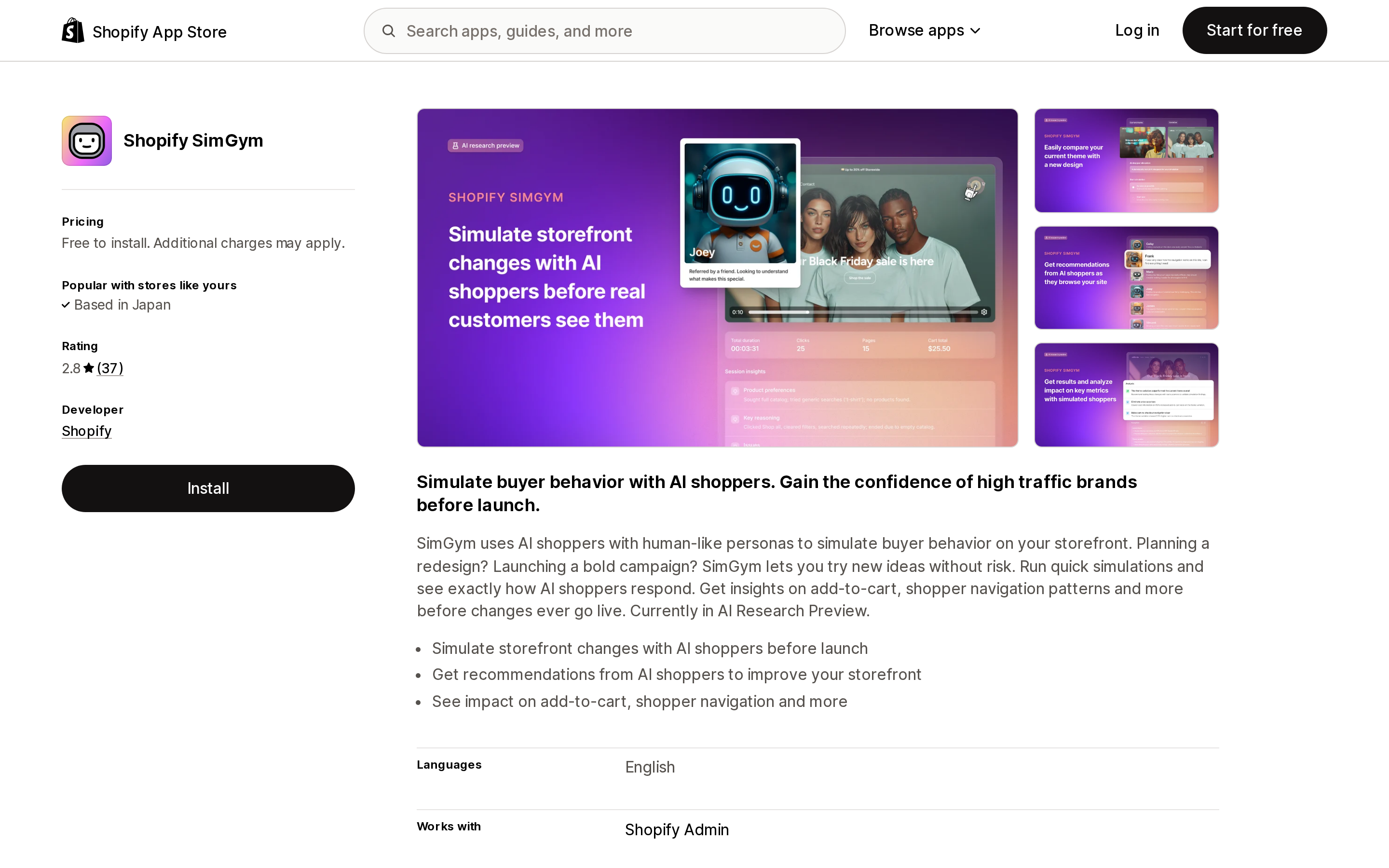
Source: Shopify App Store (Shopify SimGym), retrieved September 6, 2026
One theme dominates, and it appears in reviews from three different countries, written independently, across three months.
The AI shoppers report problems that do not exist.
- A Japanese merchant (June 30, 2026) reported that SimGym flagged footer links as not navigating; on manual testing, every link went to the correct page.
- A US merchant, etúHOME (June 15, 2026), wrote that SimGym "claimed our Checkout button is broken, when it is clearly not," and said they verified it across devices and browsers on BrowserStack.
- A Swedish merchant, Doftnoter (August 14, 2026), reported that several AI shoppers misread the variant selector and treated a purchasable, clearly marked variant as out of stock, producing what the review calls "reports of issues that did not actually exist."
Shopify replied to the first of these on August 26, 2026, acknowledging that the team is continuously working to reduce false positives and expects fewer in future simulations. That is a first-party confirmation that the failure mode is real, not a fluke of one store's theme.
Three further complaints recur:
Credit mechanics are undocumented in-product. A US merchant, PenCat (June 27, 2026), could not work out whether credits are granted monthly or whether more can be bought ad hoc. The same review describes a support loop: the app directs you to Shopify support, which directs you back to the app.
You cannot shape or export the panel. PenCat again reports no way to export simulation results and no way to customize the simulated shoppers — several of theirs searched for products the store does not carry, which the merchant describes as a wasted credit. A German merchant, Marcaso (August 13, 2026), independently asked for an export function for the AI shopper data.
Reports come back in English regardless of your admin language. A French merchant, HEVOE (June 18, 2026), noted the report was in English while everything else was in French. The App Store listing lists English as the only supported language, so this is documented behaviour rather than a bug — but it is easy to miss before installing.
Not every review is negative. Gracefully Designed (June 28, 2026) called the suggestions valid and useful for site flow, and Polyvance (May 19, 2026) described "tremendous potential" while arguing the output is not executable for the small and mid-sized merchants Shopify is aiming at. The five-star ratings are real. The pattern is that SimGym is useful when it is right and expensive in time when it is wrong, and there is no easy way to tell which you are looking at.
The third-party answer: Avada Shop Sim
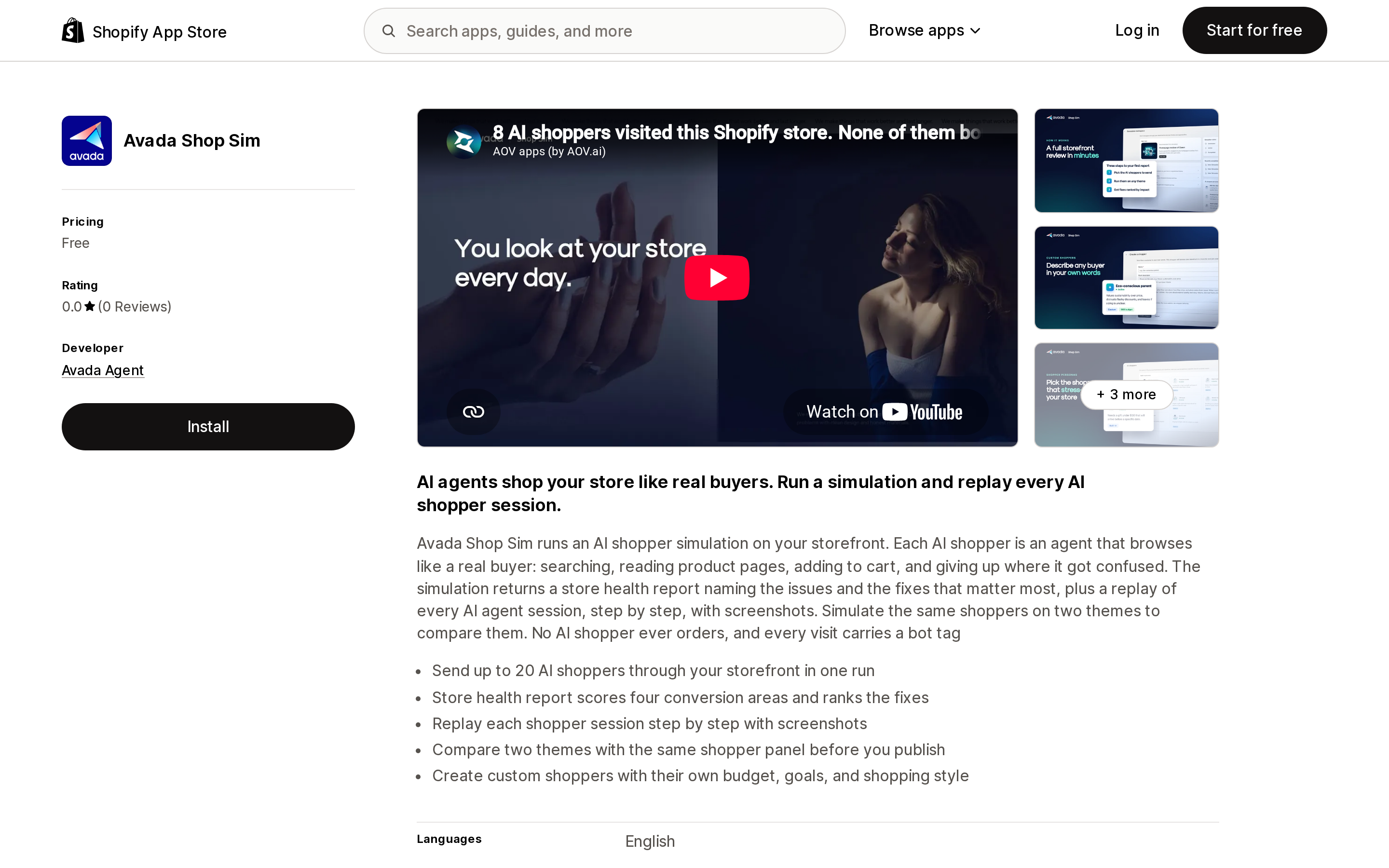
Source: Shopify App Store (Avada Shop Sim), retrieved September 6, 2026
Avada Shop Sim, published by Avada Agent and launched August 4, 2026, is priced Free and describes itself in its own listing as "A SimGym app that simulates your store with AI shoppers."
Its feature list reads like a direct response to SimGym's review section:
- Send up to 20 AI shoppers through your storefront in one run.
- Create custom shoppers with their own budget, goals, and shopping style, from a plain-language description.
- Replay each shopper session step by step with screenshots.
- A store health report that "scores four conversion areas and ranks the fixes."
- Compare two themes with the same shopper panel before publishing.
It also states two things SimGym's listing does not: "No AI shopper ever orders, and every visit carries a bot tag." The bot tag matters if you care whether simulated traffic pollutes your analytics.
The honest caveat: as of September 6, 2026 Avada Shop Sim has 0 reviews and a 0.0 rating. Nothing here is validated by other merchants. Its data access is narrower than SimGym's — Online Store theme plus store owner details — which is the one dimension where a month-old app can be evaluated without user feedback.
The deterministic alternative: Ferrum Store Health App
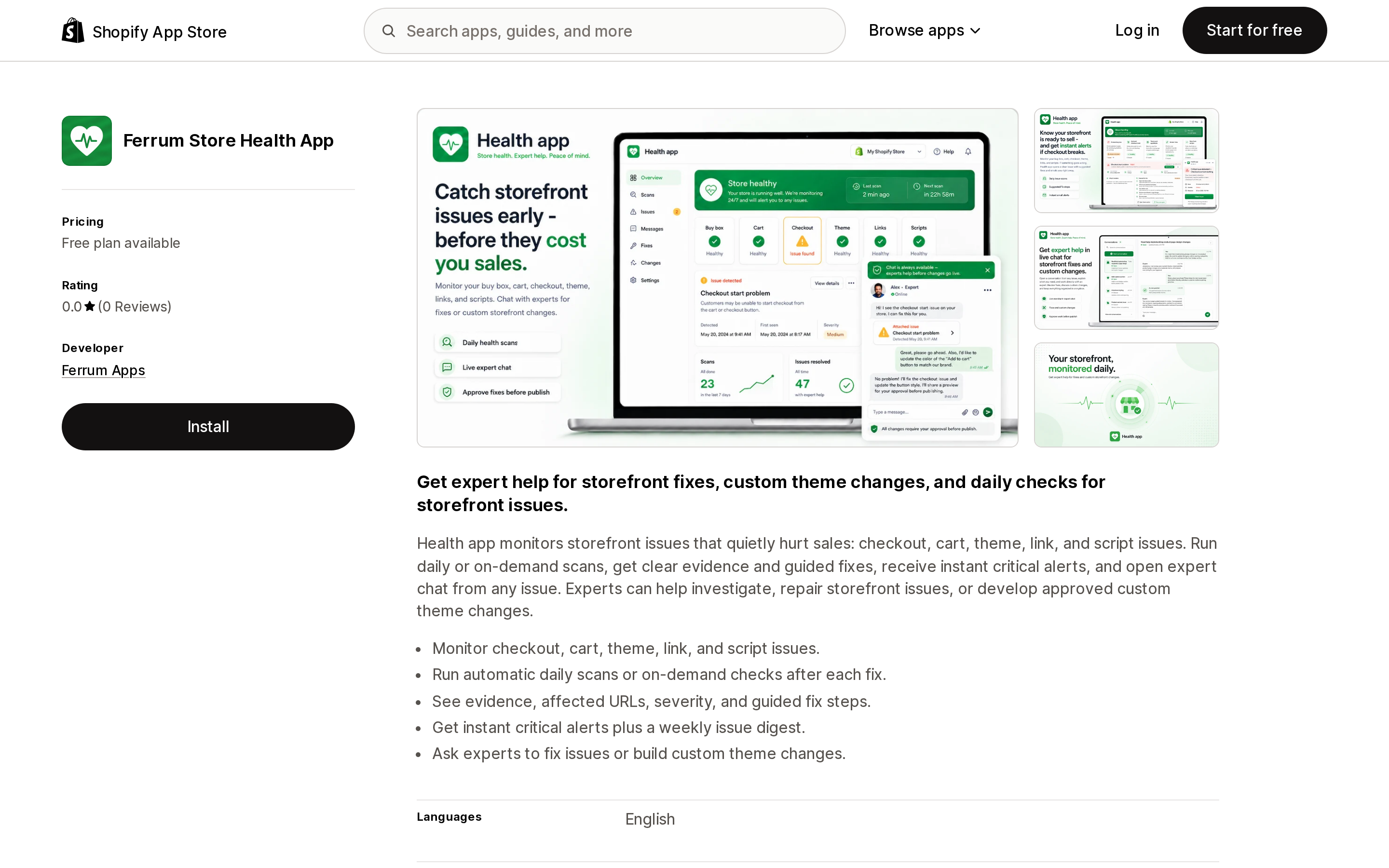
Source: Shopify App Store (Ferrum Store Health App), retrieved September 6, 2026
If the problem you actually have is "is anything broken on my storefront," an AI shopper is an indirect way to find out. Ferrum Store Health App, from Ferrum Apps in Vilnius, launched July 2, 2026, monitors "checkout, cart, theme, link, and script issues" with daily or on-demand scans, evidence, affected URLs, severity, and guided fix steps.
Its pricing is the exact opposite of SimGym's on the one axis that matters here — it publishes the price of a credit:
- Free: daily storefront health scans, cart and checkout checks, email alerts and weekly digest, live expert help, 15 expert-help credits.
- Expert credits (one-time): 30 credits / $15, 60 / $30, 120 / $55, 240 / $100, 360 / $144. Purchasable in-app on any plan.
- Starter: $19.99/month, or $219/year, with priority expert help and 60 monthly expert credits.
Note that Ferrum's credits buy human expert help, not simulations — a different product, sold in a comparable-looking unit. Note also that it requests substantially broader access than the other two, including Edit Online Store (theme, script tags, pages), order shipping information, discounts, and device/activity data. That is consistent with an app that edits themes for you, but it is a different risk profile from a read-only simulator.
Side by side
| Shopify SimGym | Avada Shop Sim | Ferrum Store Health App | |
|---|---|---|---|
| Developer | Shopify | Avada Agent | Ferrum Apps |
| Launched | December 8, 2025 | August 4, 2026 | July 2, 2026 |
| Rating (Sept 6, 2026) | 2.8 (37 reviews) | 0.0 (0 reviews) | 0.0 (0 reviews) |
| Method | AI shoppers, cloud browsers | AI shopper agents | Deterministic scans |
| Billing unit | Credits per simulation (1 analysis / 2 comparison) | Free | Expert-help credits + monthly plan |
| Credit price published | No — credits can't be purchased | n/a | Yes — from $15 / 30 credits |
| Lowest paid tier | Not stated on listing | n/a | $19.99/month |
| Panel size | Not stated on the listing or help page; engineering blog says "hundreds" per run | Up to 20 shoppers per run | n/a |
| Custom personas | No (per merchant reviews) | Yes | n/a |
| Session replay | Individual shopper recordings and action logs | Step-by-step with screenshots | n/a |
| Export results | Not available (per merchant reviews) | Not stated on listing | Not stated on listing |
| Theme comparison | Yes, active vs draft | Yes, same panel on two themes | No |
| Requires SNI | Yes | Not stated on listing | Not stated on listing |
| Headless support | No — Liquid only | Not stated on listing | Not stated on listing |
| Listing languages | English | English | English |
Blank and "not stated" cells are deliberate. Two of these three apps have no reviews and thin public documentation, and inferring a feature from a screenshot is how comparison articles end up wrong.
How to decide
Run SimGym if you are on a Liquid storefront, already have SNI enabled for other reasons, and are choosing between two finished themes before a redesign goes live. That is the use case Shopify's own documentation calls "the primary use case," and it is the one where a directional add-to-cart signal is genuinely better than nothing — particularly for a store with too little traffic for a real experiment to converge.
Do not turn SNI on solely to run SimGym. The setting has real data-sharing implications and, in the other direction, disabling it later uninstalls a list of apps that do not come back automatically. Decide about SNI on its own merits.
Treat every reported defect as a hypothesis, not a finding. Given three independent reviews describing working links, working checkout buttons and in-stock variants flagged as broken, and Shopify's own acknowledgement of false positives, the correct workflow is: read the report, reproduce the issue yourself, then fix. A simulated shopper failing to complete an action is evidence about the simulator as much as about your store.
Do not use add-to-cart rate as a proxy for revenue. Ten to thirteen actions per shopper, no checkout, and Shopify's own "results might differ from actual buyer behavior" caveat mean this is a directional signal for navigation and discovery, not a conversion forecast. If you have enough traffic to run a real experiment, run one.
If you need custom personas or exportable sessions today, Avada Shop Sim advertises both and is free — but has no reviews. Trial it on a draft theme first, and treat everything it reports the same way.
If your real question is "is my storefront broken," a deterministic scanner answers that more directly and more cheaply than a probabilistic one. Ferrum Store Health App publishes its prices; check its permission scope against your comfort level before installing.
The interesting thing about SimGym is not that a Shopify app is rated 2.8. It is that the rating is a fair reflection of a product that is technically impressive and epistemically fragile at the same time. Four hundred thousand robot shopping sessions a day is a real achievement. Ten to thirteen clicks and an add-to-cart tally is still a long way from knowing what your customers will do.
Sources
- SimGym — Shopify Help Center
- Configuring customer privacy settings — Shopify Help Center
- Shopify SimGym is now available in AI Research Preview for all eligible merchants — Shopify Changelog
- 2,000 robots walk into a shop... — Shopify Engineering
- Shopify SimGym — Shopify App Store
- Shopify SimGym reviews — Shopify App Store
- Avada Shop Sim — Shopify App Store
- Ferrum Store Health App — Shopify App Store
Sidekick app extensions went generally available on June 17, 2026, and Shopify's merchant-facing guide lists 18 apps that use them. The platform cap is 20 apps per user on a store, so supply is the constraint, not the cap. This article reads the developer documentation for what merchants actually get: app data extensions are read-only, app actions navigate you to a pre-filled page and stage the change — Shopify's own walkthrough ends with \"Click Save in the form. The change is committed by your app, not by Sidekick.\" App actions are also limited to 13 declared intent types, and an unsupported type fails at deploy with no silent fallback. Four of those types — FAQ, quote, ticket, shipment — have no matching app on Shopify's list. Three build requirements explain the short list: existing MCP servers can't be reused, legacy OAuth installs are excluded, and each app gets 5 intents, 20 tools, and a 4,000-token response budget. Two of the guide's own cards show only \"Free trial available\" for apps that list at $49.99 and $299 a month. And no app listing shows a Sidekick badge at all: Seguno had to put \"Sidekick-able\" into its 62-character tagline. Ratings, pricing, and the app list verified on the Shopify App Store on September 8, 2026.