
What you will learn
On this pageContentsCloseOpen
On September 3, 2026, Shopify shipped a POS improvement that reads like a clienteling feature: staff can look up a known customer in Shopify POS, see the items sitting in that customer's abandoned online cart, and add them to the POS cart to finish the sale in person.
It is a useful feature. It is also much narrower than the headline suggests, and the two documentation pages that define its edges are not the changelog post.
Here is what the primary sources say, what the feature costs before you can use it at all, and what the clienteling apps charge to cover the part Shopify did not build.
What the native feature actually does
Shopify's help page, Adding a customer's online cart items to the Shopify POS cart, defines the mechanism precisely.
A customer shops your online store, proceeds to checkout, enters an email address, and leaves. If the checkout stays incomplete for ten minutes, an abandoned checkout is created. The products on that abandoned checkout become what POS calls an online cart. When staff add that customer's email to the POS cart, an "Items in online cart" note appears. POS shows up to three products, with a View all control for the rest, and staff can tap the cart icon to move items into the POS cart.
The changelog post lists the conditions: the customer must be identified, have an email address, have an eligible abandoned checkout, and the POS session must have location context. The feature requires Shopify POS v11.14. And Shopify is explicit about the boundary: "Only the products in the customer's online cart is viewable, not their browsing history."
That last clause is the shape of the whole feature. It is a read of one object — an abandoned checkout — surfaced at the counter.
The gate almost no coverage mentions
To see the note at all, a staff member needs three POS permissions: Create new customers, View customer details, and View abandoned checkouts. You turn them on in Shopify admin under Settings > Users > Roles > POS Role(s) > Customers.
Now read the plan requirement at the top of Shopify's Point of Sale permissions page:
POS roles are available only for locations that are currently on the Shopify POS Pro subscription.
View abandoned checkouts is a POS role permission. If a location has no POS role, there is nothing to grant the permission on. On Shopify's own POS pricing page, POS Pro is +$89 USD/month for each POS Pro location on the Basic ($39/month), Grow ($105/month) and Advanced ($399/month) plans. Plus, starting at $2,300 USD/month on a three-year term, lists "Staff roles and permissions" and "Rich customer profiles" among its standout features.
So for a five-store retailer on Advanced, the prerequisite for a free feature is $445/month in POS Pro subscriptions. That is not a criticism of the feature — POS Pro buys a great deal more than this — but a merchant reading the changelog post alone will not learn that a Basic-plan location with casual in-person selling cannot use it.
Worth noting while you are on that pricing page: Shopify lists Clienteling as a POS Pro feature in its own words — "Empower staff to create personalized shopping experiences with tools to track customer preferences." The native clienteling story starts at POS Pro, not at this new feature.
Three limits that change how you'd operate it
1. The customer has to have reached checkout
An abandoned checkout only exists once the shopper has entered an email at checkout and stalled for ten minutes. A shopper who filled a cart, browsed for twenty minutes and closed the tab without ever starting checkout produces no abandoned checkout and therefore no online cart. Neither does a shopper who entered a phone number instead of an email — Shopify's abandoned checkout documentation notes that in that case the recovery email cannot be sent either.
If your online conversion funnel leaks mostly at the cart stage rather than the checkout stage, this feature will be quiet.
2. The note does not go away when the customer buys
This is the operational surprise, and Shopify states it plainly in its considerations list:
Adding items to the Shopify POS cart doesn't mark the abandoned checkout in the Shopify admin as completed or close it.
The abandoned checkout stays open until it expires, so the "Items in online cart" note continues to display after the customer has bought the items in store. Shopify says no further action is required in POS. But the second associate to serve that customer next week sees the same note and has no way to tell, from POS, whether it was already handled.
There is a second-order question here that Shopify does not answer in either document. Its abandoned checkout page says a recovery email is not sent "if a potential customer creates one or more abandoned checkouts and then completes a sale before the recovery email gets sent." A POS sale is a sale — but Shopify does not state whether an in-store order suppresses a pending online recovery email for that checkout, and the POS page says the checkout is not marked completed. Treat this as unverified. If you run abandoned-cart automations in Shopify Messaging, Klaviyo or anything else, test it on your own store before you assume a customer who bought in store will not get an email about the cart they just cleared.
3. The window is shorter than the admin's
Online carts in POS expire within 90 days of creation, or 30 days from their last update. Abandoned checkouts in the Shopify admin are auto-deleted after three months. The 30-day-from-last-update clause is the tighter one, and it is the one that governs whether the note appears when the customer walks in.
What the native feature is not
It is not a customer record an associate can write to. There is no note field on the interaction, no follow-up task, no appointment, no outbound message from POS, and no attribution linking the in-store sale back to the associate who did the outreach. Shopify POS Pro does provide customer profiles, purchase history, customer metafields and segments — that part is real, and it is documented under Customer management. What is missing is the outreach loop: identify who to contact, contact them, and measure whether the contact produced a sale.
That loop is what the clienteling category sells. Three apps on the Shopify App Store address it, and they price it on three units that are not comparable to each other.
Endear AI-Powered Clienteling
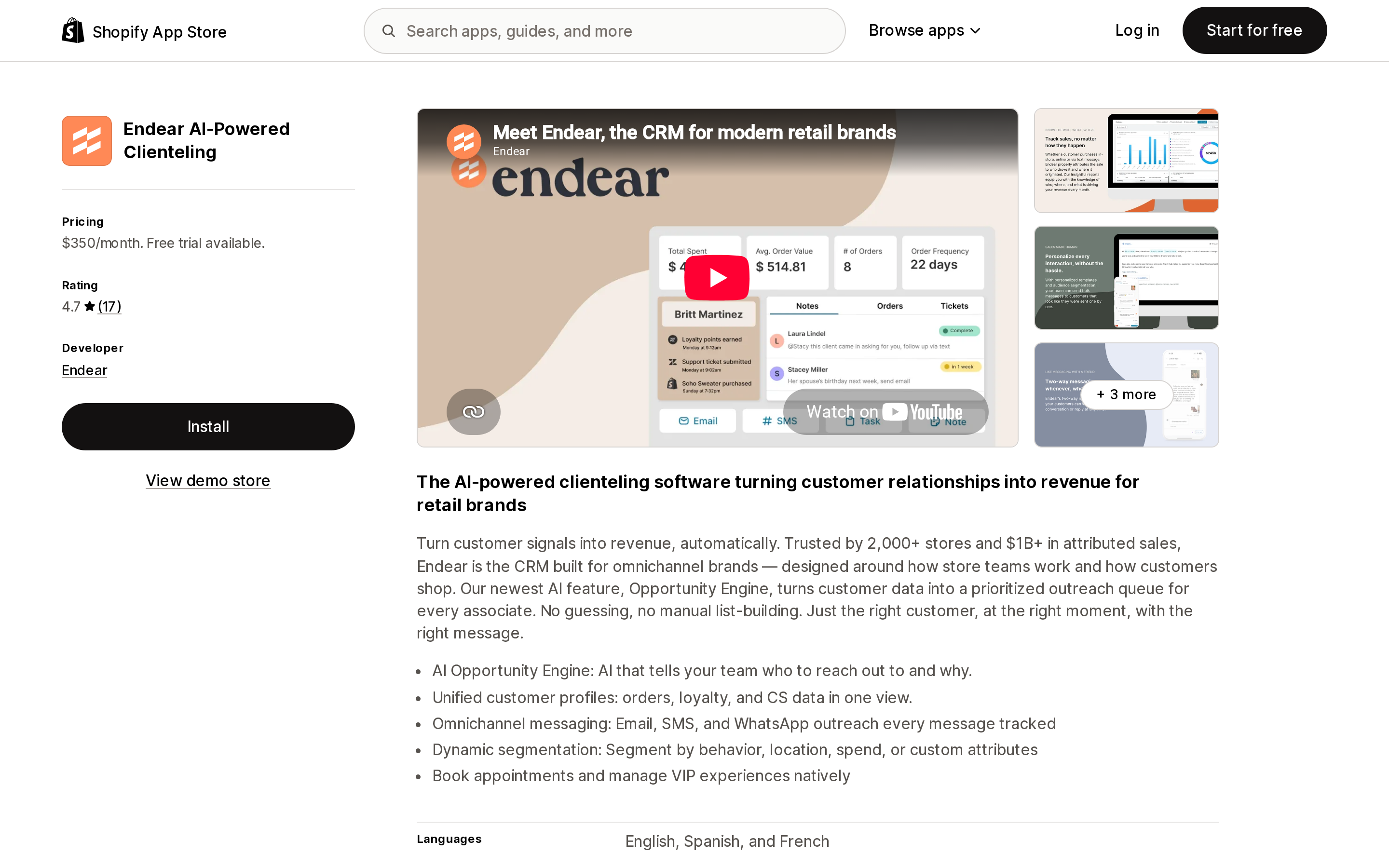
Source: Shopify App Store (Endear AI-Powered Clienteling), retrieved September 6, 2026
Endear AI-Powered Clienteling is the oldest and most-reviewed of the three. The listing shows a 4.7 rating from 17 reviews, a launch date of March 19, 2019, and a developer based in New York. It works with Checkout, Shopify POS and Shopify Flow, and lists integrations with Attentive, Gladly, Gorgias, Klaviyo and Ometria. The listing offers English, Spanish and French.
The pricing unit is the thing to understand. The App Store shows a single Pro Plan at $350/month with a 14-day free trial, and Endear's own pricing page states the rule directly: "Endear is priced per store location so your whole team can sell smarter without worrying about adding seats or hidden fees."
Per location, not per seat, is generous if you run ten associates in one store and expensive if you run two associates in ten stores. A five-location retailer is looking at $1,750/month, on top of the $445/month in POS Pro those same locations need.
The App Store plan card also lists hard usage numbers that a merchant should check against actual volume: 1,000,000 customer records, 4,000 emails per month, 3,000 SMS messages per month, Appointments Pro with three calendars, and Sales Chat Pro. And the listing carries the standard warning that external charges may be billed by Endear separately from your Shopify invoice.
One review is worth reading before you assume the entry price is the working price. A US merchant (Rokland, June 19, 2024) wrote that "a number of basic features require the $300 mo. plan," giving segmentation by product ordered as the example. That review describes $60, $160 and $300 tiers; the listing today shows a single $350 Pro Plan, so the tier structure has changed since. The pattern worth carrying forward is not the old prices but the shape of the problem — capability gated to a higher tier — which is what to verify against your own use case during the 14-day trial.
BSPK Clienteling and CRM
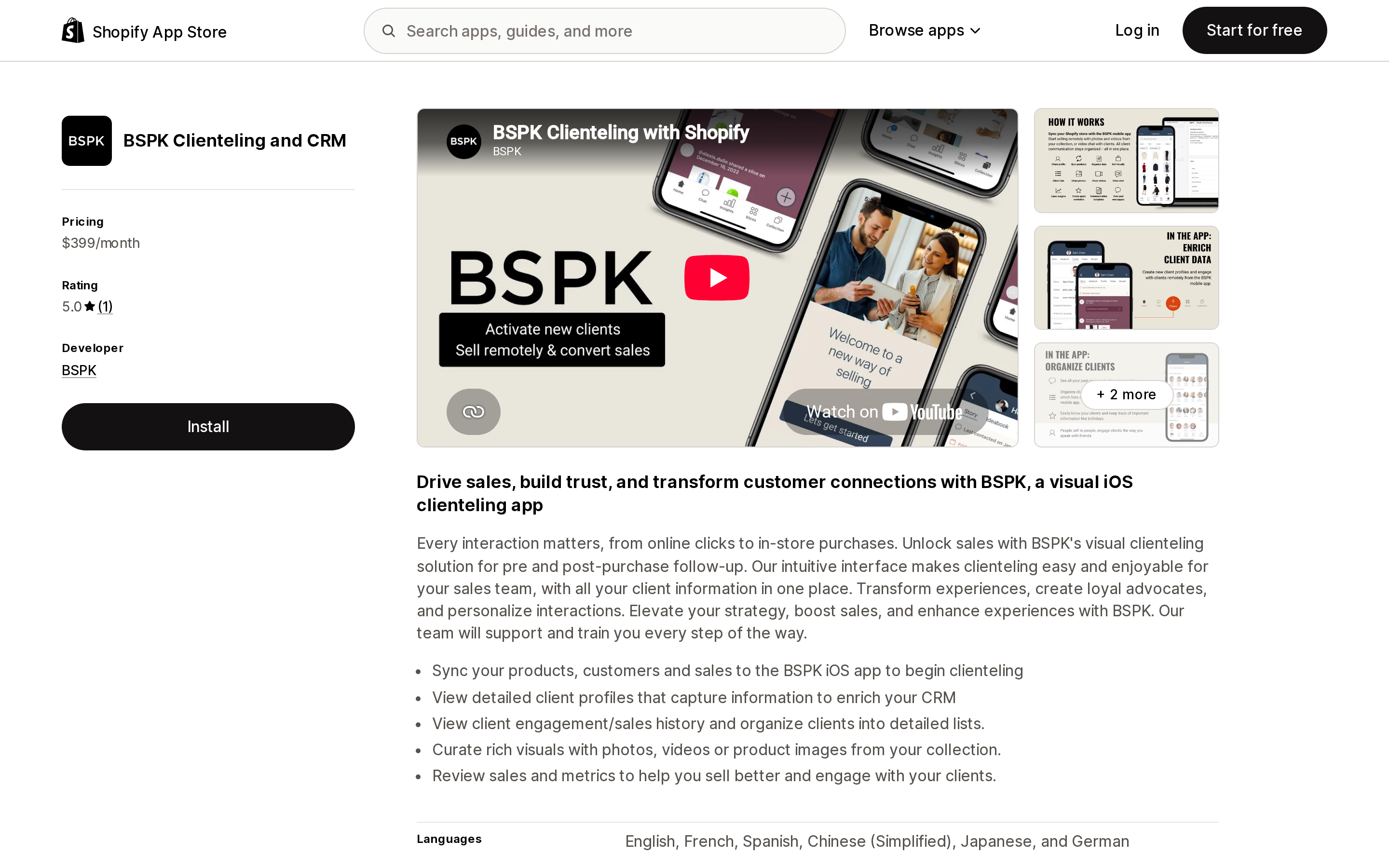
Source: Shopify App Store (BSPK Clienteling and CRM), retrieved September 6, 2026
BSPK Clienteling and CRM is a visual, iOS-first clienteling app aimed at the luxury and apparel end of the market. Its listing shows a launch date of March 27, 2023, a developer in Los Altos, California, and support for English, French, Spanish, Chinese (Simplified), Japanese and German. It lists compatibility with Shopify POS, iOS, Android, Checkout, WeChat and WhatsApp, and sits in the Retail category.
Its App Store pricing card contradicts its own headline, and merchants should read it carefully. The listing price is $399/month with a 30-day free trial. The features list inside that same card says "Plans starting at $299/month," "No charge until custom plan is created," and "After install, create plan with BSPK."
In other words, the number on the listing is not the number you will pay, and you cannot find out what you will pay without installing the app and talking to the vendor. That is a defensible model for a high-touch enterprise product, but it makes a like-for-like comparison impossible at the evaluation stage, and it is a poor fit for a merchant who needs a decision this week.
The other figure to weigh: the listing carries a 5.0 rating from one review, posted June 18, 2026 by a French luxury brand describing about three years of use. A single review is a data point, not a rating. Judge this app on a trial and on vendor references, not on the star count.
GettingKinder: Clienteling CRM
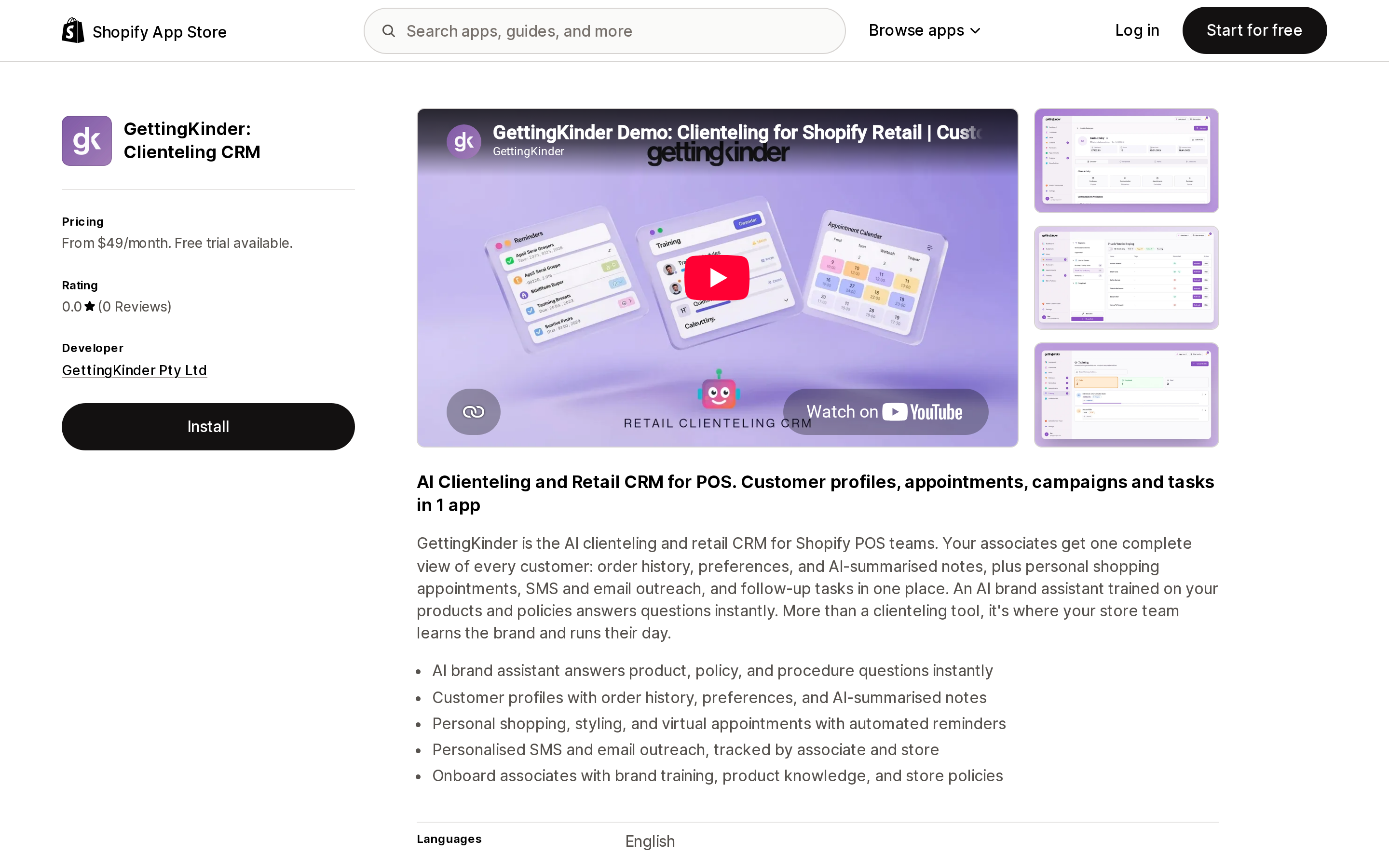
Source: Shopify App Store (GettingKinder: Clienteling CRM), retrieved September 6, 2026
GettingKinder: Clienteling CRM is the cheapest and the newest by a wide margin: launched April 15, 2026, developed by GettingKinder Pty Ltd in New South Wales, Australia, with 0 reviews as of September 6, 2026.
Pricing is two flat tiers with a 14-day free trial: Basic at $49/month and Plan with Outreach at $64/month. The listing does not qualify either price as per location or per seat. Under Shopify's standard app billing that implies a per-shop charge, but because the listing does not state it, treat the multi-location behaviour as unverified and confirm it with the developer before you plan around it.
Feature-wise it targets exactly the gap described above: customer profiles with order history, preferences and AI-summarised notes; personal shopping and styling appointments with automated reminders; SMS and email outreach tracked by associate and store; and follow-up tasks. It also includes an AI brand assistant trained on your products and policies, and associate onboarding material — an unusual pairing that suggests the product is aimed at teams with high staff turnover.
The listing shows compatibility with Shopify POS only. No Attentive, no Klaviyo, no helpdesk. If your customer data has to flow back into an existing marketing stack, that matters.
Comparing the three on the same axes
| Native (POS Pro) | Endear AI-Powered Clienteling | BSPK Clienteling and CRM | GettingKinder: Clienteling CRM | |
|---|---|---|---|---|
| Listed price | $89/month per POS Pro location | $350/month | $399/month (card says "starting at $299") | $49/month; $64/month with Outreach |
| Billing unit | Per location | Per store location | Custom plan, created after install | Not stated on listing |
| Free trial | Not stated separately for POS Pro | 14 days | 30 days | 14 days |
| App Store rating | — | 4.7 (17 reviews) | 5.0 (1 review) | No reviews yet |
| Launched | — | March 19, 2019 | March 27, 2023 | April 15, 2026 |
| Sees abandoned online cart at POS | Yes, v11.14 + permissions | Not stated on listing | Not stated on listing | Not stated on listing |
| Associate notes / tasks | Not in this feature | Yes | Yes | Yes |
| Outreach from the tool | No | Email, SMS, WhatsApp | Messaging, WeChat, WhatsApp | SMS, email |
| Appointments | No | Yes | Yes | Yes |
| Third-party integrations | Shopify ecosystem | Klaviyo, Attentive, Gorgias, Gladly, Ometria | WeChat, WhatsApp | Shopify POS only |
None of the three listings displays a Built for Shopify badge as of September 6, 2026.
The row that decides most of this is Billing unit. At one location, the spread between GettingKinder and Endear is $49 against $350. At ten locations, Endear's per-location model puts it at $3,500/month while a flat per-shop plan — if that is what GettingKinder's is — stays at $49. Nothing in the feature lists explains a roughly 70x difference; the denominator does.
How to decide
Stay native if: you run one or two locations, your online funnel leaks at checkout rather than at the cart, and what you want is for the associate to be able to say "I see you were looking at these two — want to try them on?" The feature does that, it costs nothing beyond POS Pro, and it takes one permission change to enable.
Add a clienteling app if: your associates need to reach out before the customer walks in, you need per-associate attribution for the resulting sales, you book personal shopping appointments, or your customer knowledge currently lives in associates' personal phones. None of that is what the September 3 feature is for.
Choose on the denominator, not the sticker. Multiply the listed price by your location count before comparing anything else, then check the message allowances — Endear's 4,000 emails and 3,000 SMS per month are a real ceiling for a store with a large list.
Be careful with the two young listings. BSPK will not quote you a price until you install it, and GettingKinder has no reviews and launched five months ago. Both may be excellent. Neither has the public evidence to be chosen without a trial.
One thing to do this week regardless of which way you go: if you use abandoned-checkout automations, run a test where a customer with an open abandoned checkout buys those items at the counter, and watch whether the recovery email still fires. Shopify's own documentation says the checkout is not closed, and does not say what happens next.
Sources
- Permitted store staff can now see an identified customer's online cart in POS — Shopify Changelog, September 3, 2026
- Adding a customer's online cart items to the Shopify POS cart — Shopify Help Center
- Point of Sale permissions — Shopify Help Center
- Customer management (Shopify POS) — Shopify Help Center
- Recovering abandoned checkouts — Shopify Help Center
- POS System Pricing — Shopify
- Endear AI-Powered Clienteling — Shopify App Store
- Endear pricing — Endear
- BSPK Clienteling and CRM — Shopify App Store
- GettingKinder: Clienteling CRM — Shopify App Store
All pricing, ratings and review counts were checked on September 6, 2026 and are subject to change.
Hextom: Free Shipping Bar is no longer available on the Shopify App Store. Here's what Shopify's native announcement bar can and can't do, and five real apps that fill the gap in 2026.