
What you will learn
On this pageContentsCloseOpen
Go to Orders in the Shopify admin and look for an Import button. There isn't one. Products has it. Customers has it. Orders only has Export.
This trips up more merchants than you'd expect, because the natural assumption is that anything you can export as CSV you can also import as CSV. For orders, that has never been true on Shopify, and as of September 2026 it still isn't. The Help Center's migration guide puts it in a table: products get a CSV import, customers get a CSV import, and historical orders get "migration apps, Order API, Transaction API." No CSV.
That leaves three groups of merchants dependent on apps: stores migrating from WooCommerce, Squarespace, Wix, or another Shopify store who want order history to come with them; stores that receive orders outside Shopify — a wholesale partner's spreadsheet, a Kickstarter or Indiegogo backer export, a marketplace that doesn't sync — and need them in Shopify for fulfillment and reporting; and stores that want to bulk-create draft orders for B2B customers instead of keying them in one at a time.
Four apps on the App Store do this job. They bill on four different units, and the differences matter more than the feature lists do. Here is what the primary sources say.
What Shopify does natively
Native is thin, so this section is short.
Draft orders. You can create an order on a customer's behalf from the admin, one at a time. That is the entire native path for orders that didn't come through checkout. There is no bulk version.
Export. Orders export to CSV. The Help Center has a page on exporting orders and none on importing them.
Store Migration. Shopify publishes a first-party, free Shopify Store Migration app for merchants coming from Square, WooCommerce, Etsy, Wix, Amazon, eBay, Clover, and Lightspeed. Its listing describes moving "product and customer data" and lists Products under its migration features. Orders are not among them. It's rated 3.2 out of 5 across 72 reviews, and the most recent reviews at retrieval time (May and April 2026) describe partial product imports and a missing Square API connection rather than anything about orders.
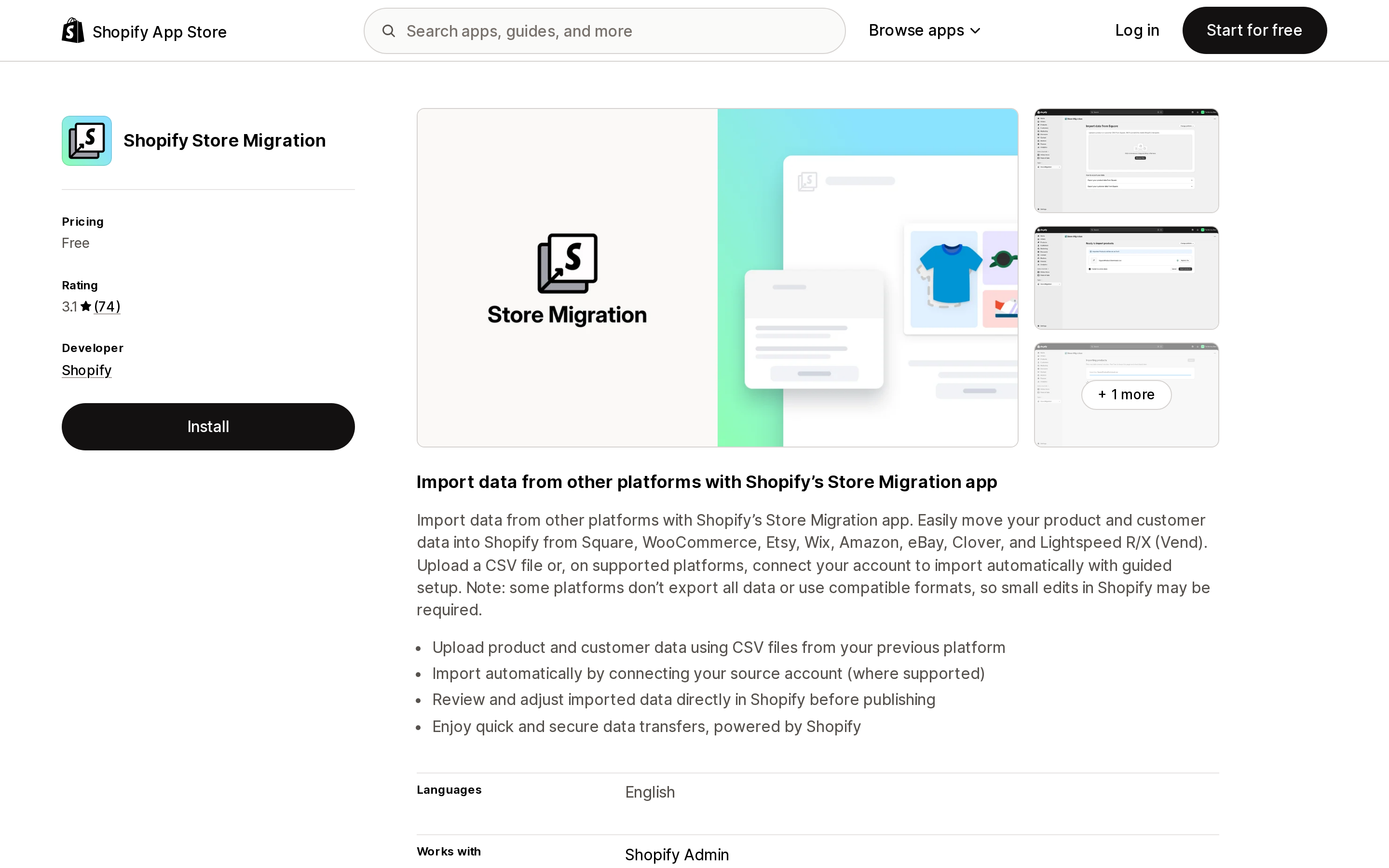
Source: Shopify App Store (Shopify Store Migration), retrieved September 7, 2026
So the honest native answer is: if you have more than a handful of orders in a spreadsheet, you are going through the API, and in practice that means an app.
What the API itself won't let any app do
Every order-import app ends up calling the same GraphQL Admin API mutation, orderCreate. Shopify describes it as the tool for "importing orders from an external system or creating orders for wholesale customers." Its documented limits apply no matter which app you pick, and they're worth knowing before you blame an app for them.
One discount code per order, and no automatic discounts. From the mutation reference:
The
orderCreatemutation doesn't support applying multiple discounts, such as discounts on line items. Automatic discounts won't be applied unless you replicate the logic of those discounts in your custom implementation.
If your source system stacked two promo codes on an order, the import has to flatten that into one code or into line-item pricing.
Five orders per minute on trial and development stores. The reference is explicit that a trial or development store can create "a maximum of five new orders per minute" through this mutation. If you're testing a 10,000-order migration on a dev store before running it on production, that test will take a day and a half. Plan the dry run on a small sample.
Inventory is a choice, and the default is "don't touch it." The mutation's inventoryBehaviour option has three values: BYPASS (do not claim inventory), DECREMENT_OBEYING_POLICY (claim it if the product allows), and DECREMENT_IGNORING_POLICY (claim it regardless). For historical orders you already shipped, you want bypass. For a wholesale partner's live orders you're about to pick and pack, you want decrement. Getting this wrong in either direction is the most common way an import silently damages stock counts.
Customer emails are a choice too. sendReceipt and sendFulfillmentReceipt control whether the customer gets an order confirmation and a shipping confirmation. Importing three years of history with receipts on will email every past customer about orders they received years ago.
Staff emails are not a choice. The Help Center's migration guide warns that "any staff member, including the account owner, that is set to receive new order notifications will receive a new order email for each imported order," and tells you to deactivate those notifications before the import and turn them back on after. This applies to every app below.
Some fields simply can't be set. EZ Importer's knowledge base documents two Shopify-side gaps its support team gets asked about: the fulfillment date on an imported order can't be set (it will show the date you ran the import), and HS codes and country of origin can't be attached at import.
The four apps, and what each one bills on
| Matrixify | EZ Importer ‑ Order Importer | Order's up! CSV Order Importer | EasyCSV ‑ CSV & XLSX handling | |
|---|---|---|---|---|
| Developer | ITissible | Highview Apps LLC | Kampfire.dev | EasyCSV |
| Billing unit | Orders per file, monthly subscription | Credits per order, one-time purchase | Flat monthly | Rows per import and number of flows, monthly |
| Free tier | Demo: 10 orders per file | Free to install, 25 starter credits | 15 order imports total | 3 rows per import; order import not on free plan |
| Entry paid tier | Basic $20/month, 1,000 orders per file | $35 for 250 orders | Single Order $7.99/month | Project $9/month (no order import listed) |
| Tier that fits a mid-size migration | Big $50/month, 10,000 orders per file | $200 for 10,000 orders | Bulk Orders $19.99/month | Business $29/month, 10,000 rows per import, 3 flows |
| Top tier | Enterprise $200/month, unlimited | $1,105 for 1,000,000 orders; $1,705 for 5,000,000 | — | Custom $39/month, 10,000+ rows |
| Built for Shopify | Yes | Not shown | Not shown | Not shown |
| Rating (reviews) | 4.9 (1,595) | 4.4 (77) | 4.7 (13) | 4.9 (23) |
| Also does | Full store data export/import, scheduled jobs, FTP/Google Sheets | Draft orders, order metafields, inventory reduce option | Draft or paid orders, bulk tracking updates | Automated ingestion from FTP/SFTP, email, Google Sheets; stock and price sync |
Ratings, review counts, and prices are as shown on the US English App Store listing on September 7, 2026. "Not shown" means the Built for Shopify badge did not appear on the listing at retrieval; it is not a statement about eligibility.
The billing units are the whole story. Matrixify's limits are per file, and the subscription renews monthly whether or not you import anything that month. EZ Importer's credits are consumed once per order created and never expire, so a one-time migration costs a one-time amount. Order's up! is a small flat fee with no stated order cap on its paid tiers. EasyCSV charges for automation capacity — rows and flows — and reserves order import for its $29 tier and above.
Matrixify
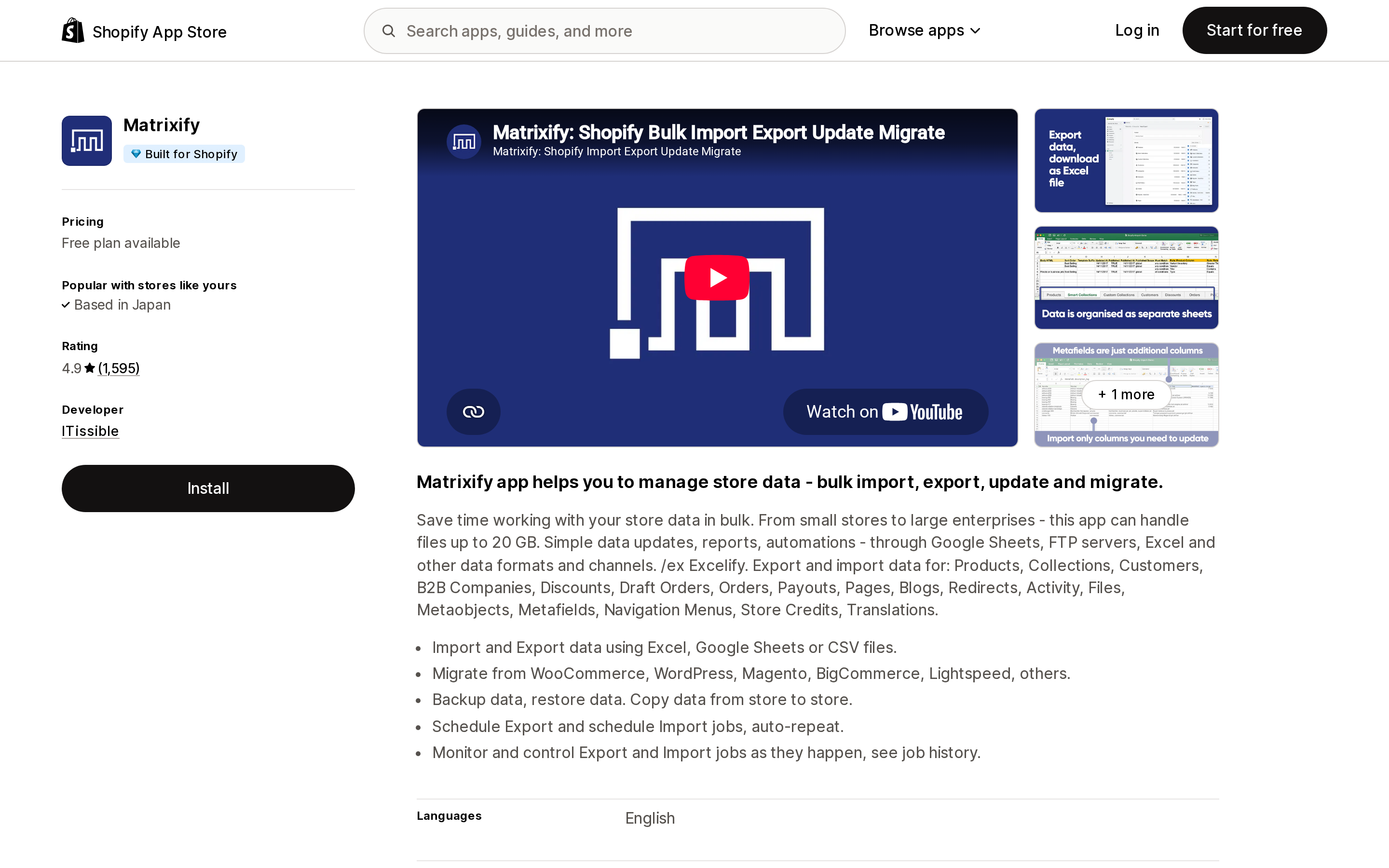
Source: Shopify App Store (Matrixify), retrieved September 7, 2026
Matrixify (formerly Excelify) is a general-purpose bulk data tool, and order import is one sheet among many. It carries the Built for Shopify badge and has by far the largest review base in this group at 1,595 reviews and a 4.9 rating. It imports from Excel, Google Sheets, and CSV, can pull files from FTP/SFTP, Dropbox, and Google Drive, and can schedule repeating import jobs — which is what turns a one-off migration tool into a weekly wholesale-order pipeline.
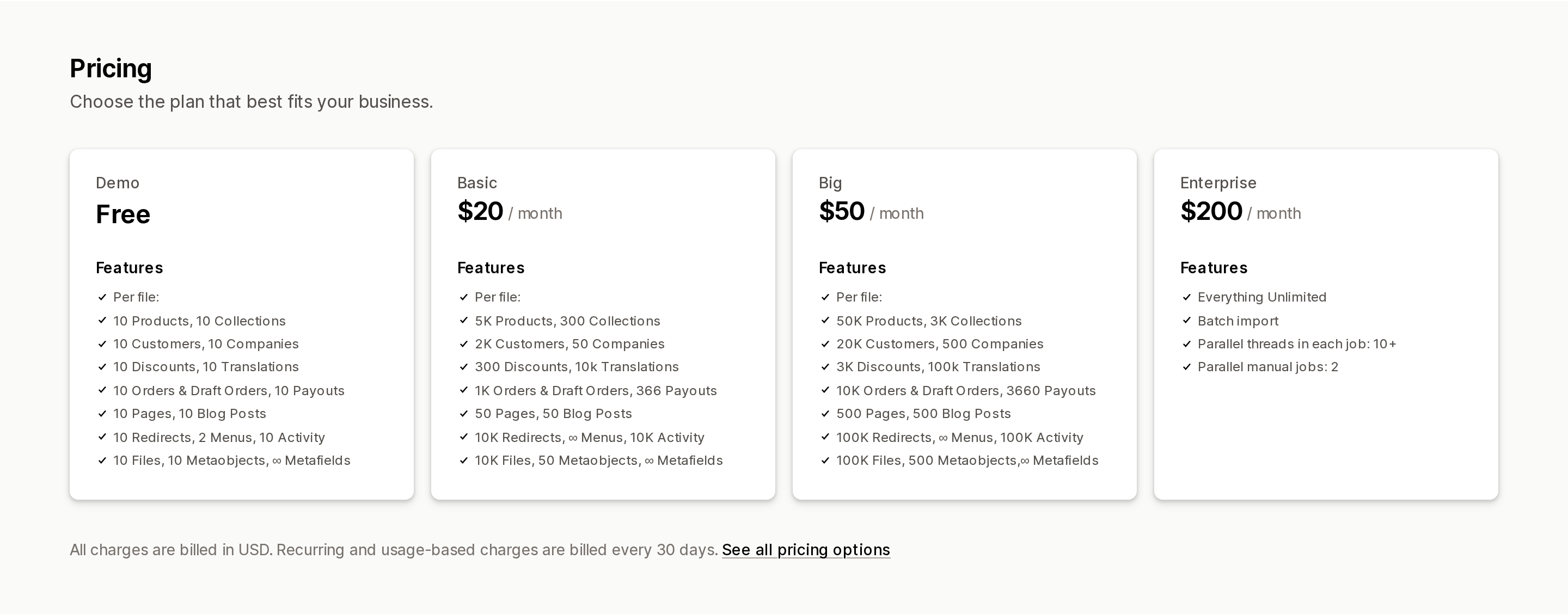
Pricing. The plan limits are per file. The free Demo plan allows 10 orders and draft orders per file. Basic is $20/month for 1,000 orders per file. Big is $50/month for 10,000. Enterprise is $200/month with everything unlimited plus batch import and 10+ parallel threads per job.
Source: Shopify App Store (Matrixify), retrieved September 7, 2026
"Per file" is a real constraint, not a rounding detail. A 12,000-order history on the Big plan means splitting into two files, or paying for Enterprise for one month. It also means the subscription is a poor fit if you import once and never again — you'll want to cancel after the job.
How it handles order identity. Matrixify's Orders documentation uses the order Name (the #1001-style label) as the key. If you include it, Shopify keeps your original order numbers; if you leave the column empty, Shopify assigns the next number. This is the mechanism that lets a Shopify-to-Shopify migration carry order numbers across intact. The same documentation notes that Shopify permits duplicate order names, so keep yours unique before import.
What your admin will show. Imported orders show "Matrixify" as the sales channel in the admin and in Analytics, with any custom source string stored in the source_name field behind the scenes. The Send Receipt column defaults to FALSE, and Inventory Behaviour defaults to bypass — safe defaults for a history import, and something to change deliberately for live orders.
What it can't do after the fact. Matrixify's documentation is candid that "Shopify limits the ability to update existing Orders," and it can only update a short list of fields (notes, tags, and similar) on orders that already exist. You cannot import a correction to line items or totals on an existing order.
Reviews. The August 2026 reviews illustrate the tradeoff. A five-star review from a wholesale brand that has used it for over six years says the app works every time but "Shopify doesn't have a free bulk import tool, so I'm using this." A one-star review from the same month complains that the app rejects files with unlabeled columns and that the free tier is too small to trial on real data; the developer's reply explains that the validation is deliberate. Both are fair descriptions: it is a spreadsheet tool that expects clean spreadsheets.
Best fit. Migrations from any platform where you also need to move products, customers, discounts, and metafields — one tool for all of it — and ongoing scheduled imports from a partner's FTP or Google Sheet.
Poor fit. A single small batch of orders. The Demo plan's 10-order cap means you'll pay $20 for what might be a one-hour job.
EZ Importer ‑ Order Importer
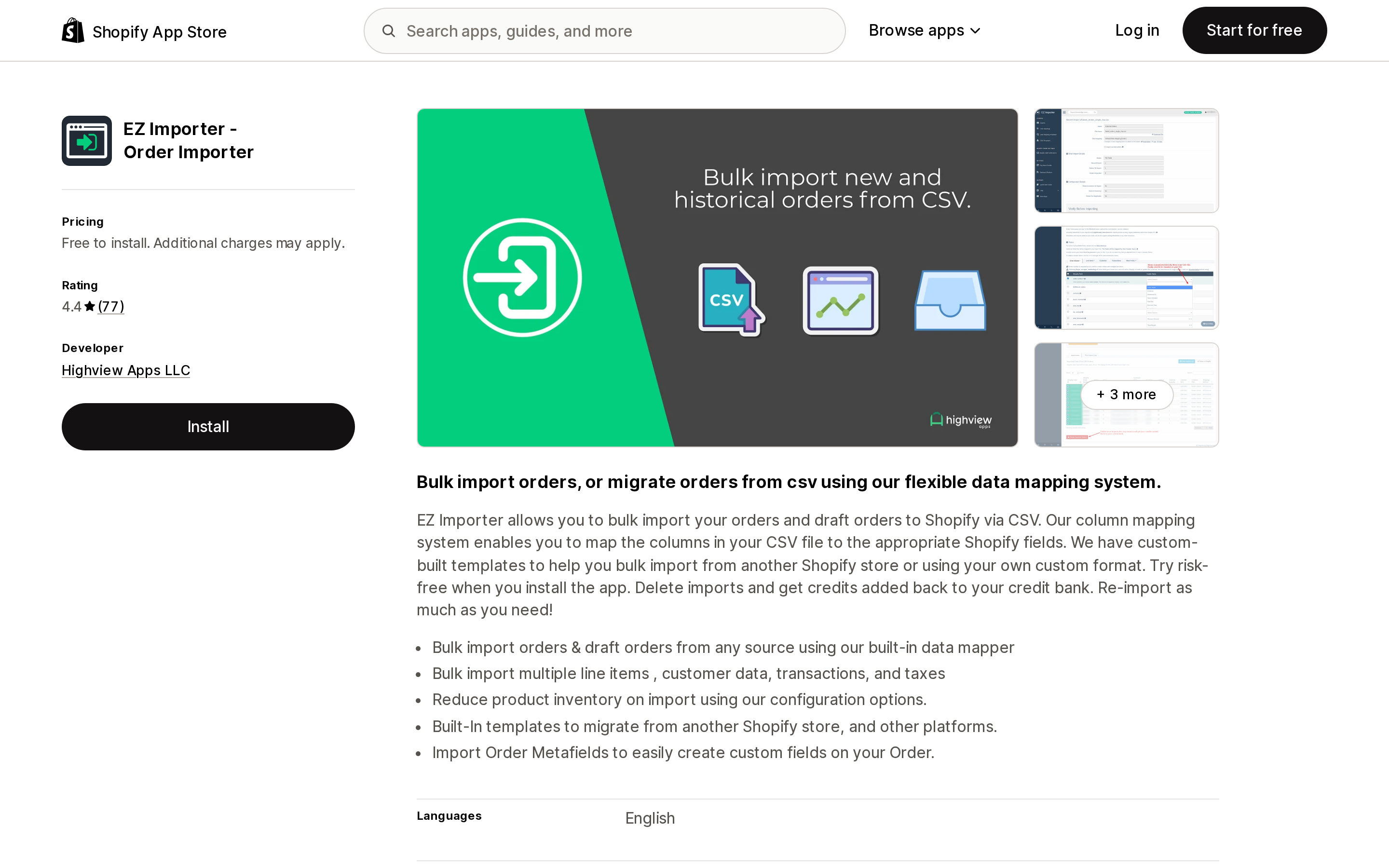
Source: Shopify App Store (EZ Importer ‑ Order Importer), retrieved September 7, 2026
EZ Importer, by Highview Apps in Cheyenne, Wyoming, does one thing: bulk-import orders and draft orders from CSV. It has been on the App Store since June 2017, is rated 4.4 across 77 reviews, and is the only app in this group with a pure pay-per-order model.
Pricing. Free to install with 25 starter credits. Credits are bought in packs and, per the listing, "never expire." The developer's pricing page lists the tiers: 250 orders for $35, 500 for $55, 1,000 for $75, 2,500 for $100, 5,000 for $150, 10,000 for $200, then 20,000 for $375, 50,000 for $800, 100,000 for $950, 150,000 for $960, 300,000 for $990, 500,000 for $1,030, 1,000,000 for $1,105, and 5,000,000 for $1,705. The curve flattens hard above 100,000: going from 100,000 to 1,000,000 orders adds $155.
One detail that matters for testing: the listing says deleting an import returns its credits to your bank, so a botched dry run doesn't burn the budget. That, combined with the 5-orders-per-minute dev-store limit above, argues for testing on a small sample on production rather than on a dev store.
Features. Column mapping with saved templates, including a built-in Shopify-to-Shopify template. Multiple line items, customer data, transactions, and tax lines. An option to reduce inventory on import. Order metafields. The listing also notes "2048 Variants" among what it works with. Its knowledge base documents that an order number is required in the file but can be excluded from the mapping so Shopify generates one, that tax-exempt orders are supported, and that a "payment attempt" line in an imported order's fraud analysis is normal behavior rather than a real charge.
Reviews. An August 2026 five-star review from an Australian store that has used it for eight months calls it "highly recommend for historical order importing/migrations" while noting it "takes a reasonable degree of learning." A January 2026 US review describes importing roughly 480 orders from a Canadian partner so the US store could pick, pack, and ship them — exactly the cross-border wholesale case. The reviews shown on the listing consistently describe support as responsive, with one naming the support agent.
Best fit. One-time migrations of any size, and stores that import in irregular bursts (a crowdfunding fulfillment, a seasonal partner drop) and don't want a subscription running between them.
Poor fit. Stores that need products, customers, or other data moved in the same tool, and stores that want scheduled, unattended imports from a file server — neither is on the listing.
Order's up! CSV Order Importer
Source: Shopify App Store (Order's up! CSV Order Importer), retrieved September 7, 2026
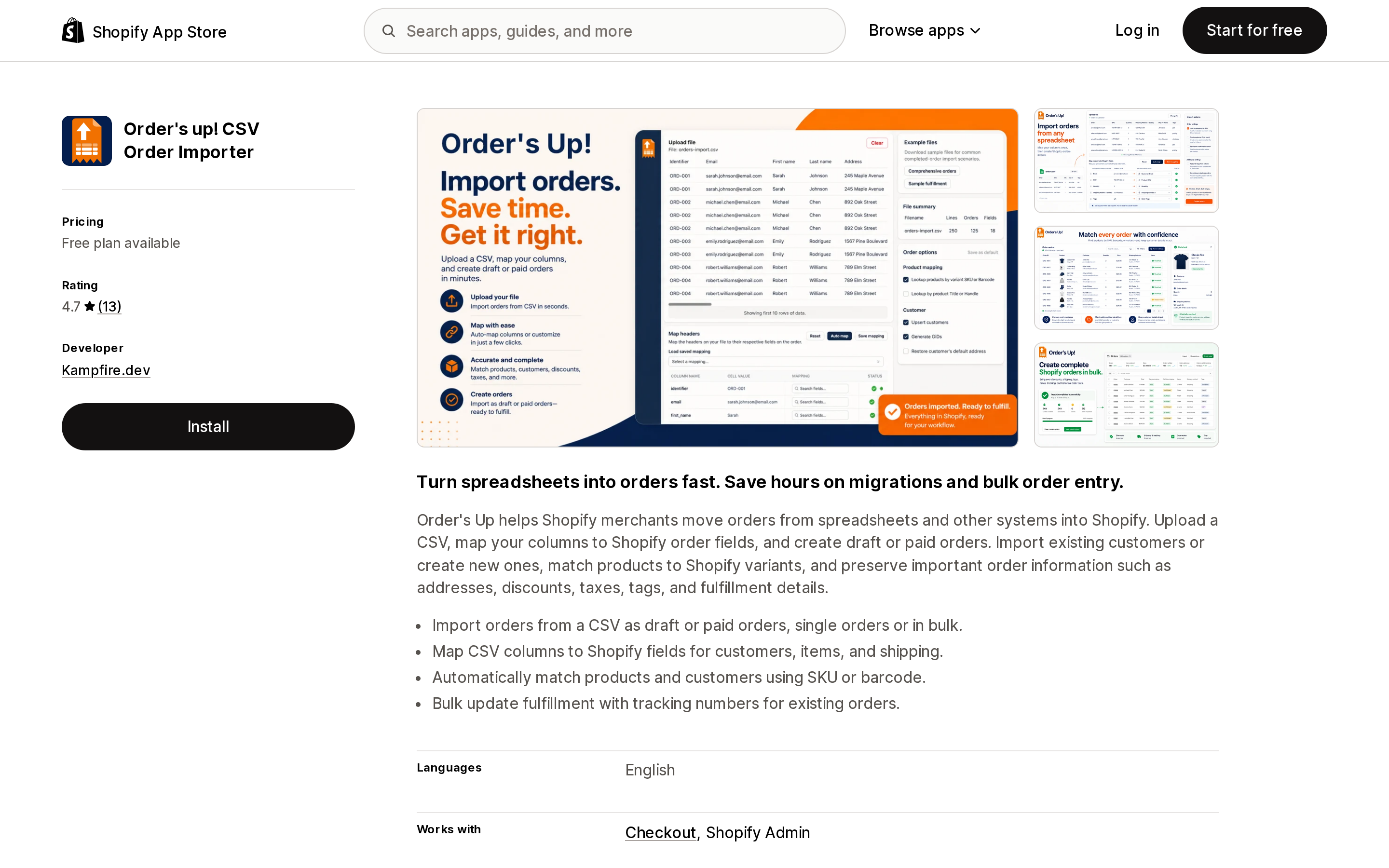
Order's up!, from Kampfire.dev in Ontario, is the cheapest recurring option and the smallest by review count: 4.7 across 13 reviews, launched January 2021.
Pricing. The Free plan allows "5 free imports for each tool" and 15 order imports total. Single Order is $7.99/month (or $76.70/year) and covers CSV upload, custom header mapping, custom line items, custom pricing and discounts, and populating a customer's cart from a file. Bulk Orders is $19.99/month (or $191.90/year) and adds bulk import, a predefined template, the choice to create draft or paid orders, and what the listing calls "the new Pro tool." Neither paid tier states an order cap on the listing.
Features. Map CSV columns to Shopify fields for customers, items, and shipping; match products and customers by SKU or barcode; preserve addresses, discounts, taxes, tags, and fulfillment details; and bulk-update fulfillment with tracking numbers on existing orders. The listing shows "Checkout" under Works with.
Reviews. Twelve of thirteen are five stars. The single one-star review (March 2024) says setup with Wix data took ten hours and that deactivating the subscription was difficult; the developer's reply says no support emails were received and that uninstalling or selecting the free plan ends the subscription. A September 2024 review mentions a bug fixed within an hour of reporting.
Best fit. Small stores with a modest, recurring trickle of external orders where $19.99/month with no per-order metering is cheaper than credits.
Poor fit. Large or one-time migrations where a 13-review track record is thin evidence for a business-critical job, and anyone who needs the order cap on paid tiers stated in writing before committing.
EasyCSV ‑ CSV & XLSX handling
Source: Shopify App Store (EasyCSV ‑ CSV & XLSX handling), retrieved September 7, 2026
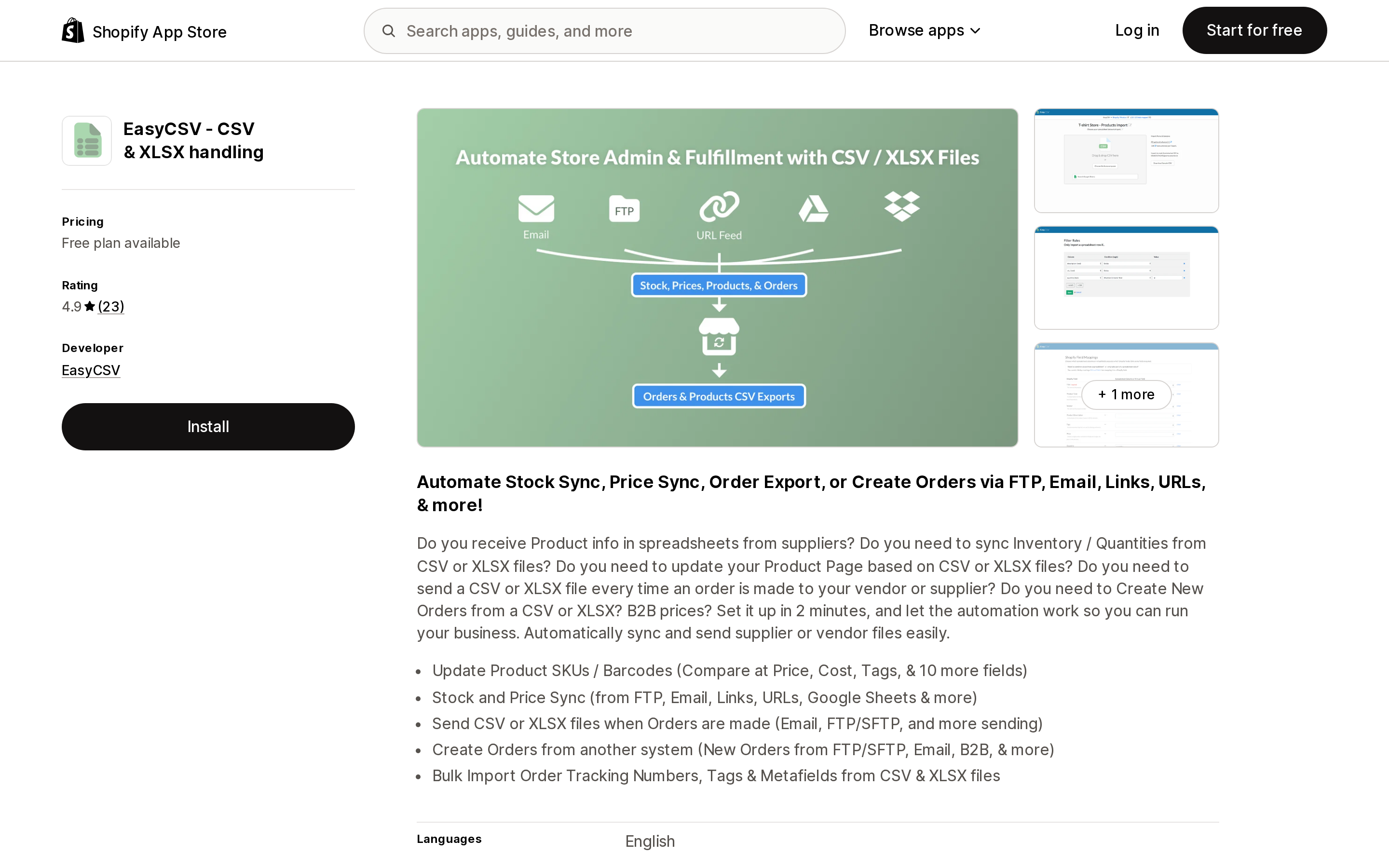
EasyCSV, from Evanston, Illinois, is an automation tool first and an order importer second. Its pitch is unattended ingestion: files arriving by email, FTP/SFTP, a link, or a Google Sheet get turned into orders, inventory updates, or price updates without anyone uploading anything. Zapier is listed under Works with. It is rated 4.9 across 23 reviews.
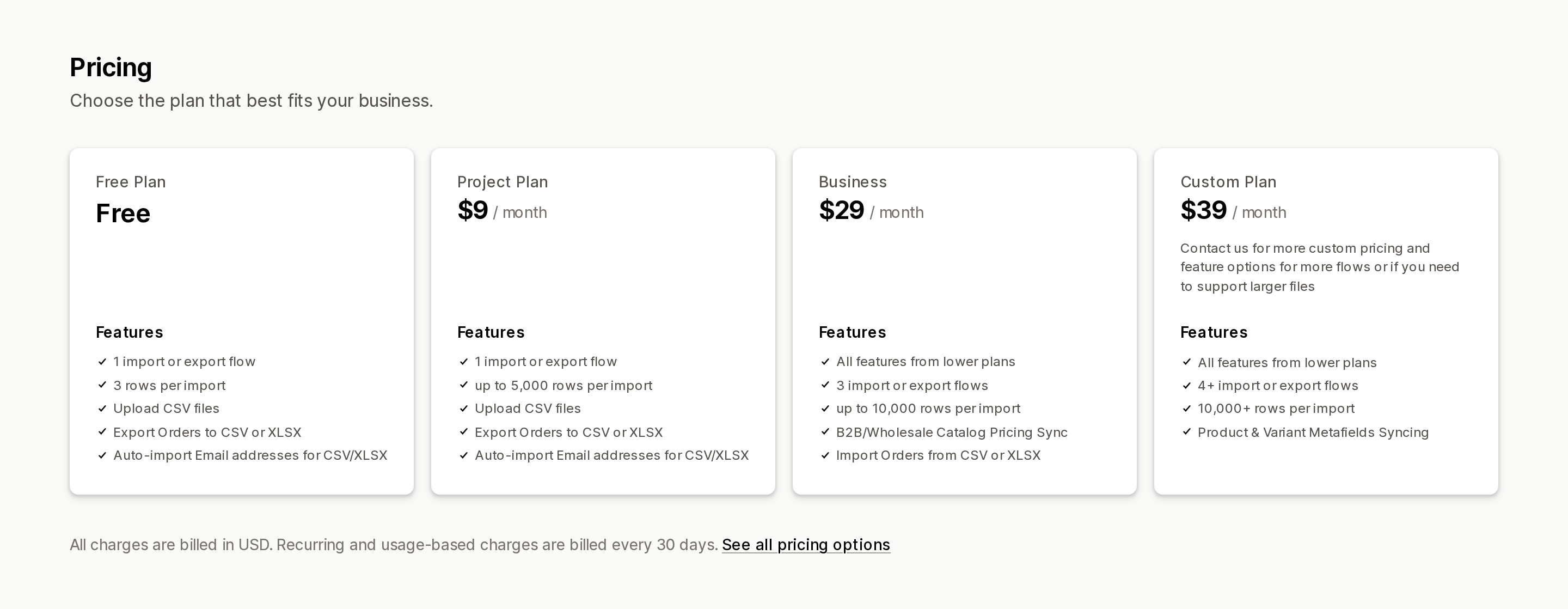
Pricing. This is the one to read carefully. The Free plan allows one flow and 3 rows per import. Project at $9/month allows one flow and up to 5,000 rows, but its feature list does not include order import. Business at $29/month is where "Import Orders from CSV or XLSX" appears, alongside three flows, 10,000 rows per import, and B2B/wholesale catalog pricing sync. Custom at $39/month adds four or more flows, 10,000+ rows, and product and variant metafield syncing.
Source: Shopify App Store (EasyCSV ‑ CSV & XLSX handling), retrieved September 7, 2026
So the effective entry price for order import here is $29/month, not the $9 that the listing's "Free plan available" framing might suggest. "Rows" also isn't "orders": a multi-line order consumes multiple rows.
Reviews. A May 2026 US review says the merchant "had trouble creating orders" and that the developer solved it and sent explanatory videos. An April 2025 Canadian review calls it "excellent for automating drop-shipping in Shopify B2B." The pattern across reviews is hands-on support for setup rather than a self-serve experience.
Best fit. Stores that receive orders from a supplier, 3PL, or B2B partner as files on a schedule and want them created automatically, especially alongside stock and price sync from the same source.
Poor fit. One-time migrations. Paying $29/month for automation you'll use once is the wrong shape, and the 10,000-row ceiling per import means a large history needs splitting.
How to choose
Skip the apps entirely if you have a few dozen orders and no need to preserve order numbers. Creating draft orders by hand in the admin is slower but free and leaves nothing to uninstall.
Use EZ Importer if this is a one-time migration or an occasional burst. Credits never expire, deleted imports refund them, and a 10,000-order history costs $200 once rather than $50 a month you'll forget to cancel. Deactivate staff new-order notifications first, set inventory to not decrement for shipped history, and keep receipts off.
Use Matrixify if you're moving the whole store — products, customers, discounts, metafields, and orders — or you need a scheduled, repeating import from FTP or Google Sheets. Size the plan to your largest single file, and remember the subscription keeps billing after the migration.
Use EasyCSV if the real job is automation: a partner emails a spreadsheet every Monday and you never want to touch it. Budget the Business tier at $29/month because order import isn't listed on any tier below it.
Use Order's up! if you want the lowest flat monthly cost for a small, steady flow of external orders and you're comfortable with a short review history.
Whatever you pick, the API constraints travel with you. One discount code per order. No automatic discounts. Fulfillment dates you can't backdate. Staff inboxes that fill up unless you turn notifications off. Those are Shopify's rules, and the app is only the messenger.
Sources
- Migrate to Shopify — Shopify Help Center, bulk migration options table and staff notification note
- Draft orders and invoices — Shopify Help Center
- orderCreate — GraphQL Admin API reference, 2026-07
- OrderCreateInputsInventoryBehavior — GraphQL Admin API reference
- Orders — Matrixify documentation
- EZ Importer pricing and EZ Importer knowledge base — Highview Apps
- Shopify App Store listings for Shopify Store Migration, Matrixify, EZ Importer ‑ Order Importer, Order's up! CSV Order Importer, and EasyCSV ‑ CSV & XLSX handling, all retrieved September 7, 2026
Shopify added a Bin name column to the inventory CSV on August 25, 2025. It holds one bin per variant per location, it is created only by CSV import, and it prints on Order Printer pick lists. What it does not do is leave Shopify. Shopify staff confirmed on the developer forum in October 2025 and again in January 2026 that there is no public API access to the field, and the developer forum was still reporting the gap in June 2026. That single fact shapes the whole category: EasyScan and iPacky store bins in metafields, Bins-USA and ShelfPilot store them in their own databases, and a free app called Simple Bin Locations copies metafield bins into order notes so packing slips can show them. Shopify's own multi-bin model, with per-bin quantities and an unbinnedQuantity field, exists today only as a feature preview on development stores. Pricing, plan gates, and where each app keeps the bin data, verified on the Shopify App Store, the Shopify Help Center, shopify.dev, and the Shopify community forums on September 18, 2026.