
What you will learn
On this pageContentsCloseOpen
Search for how to hide a sold-out variant on Shopify and nearly every result — including pages updated in 2026 — opens the same way. There is no native option. Use a theme toggle if your theme has one, otherwise install an app.
That answer is now out of date. On May 7, 2026, Shopify made ProductVariant a Publishable, the same interface Product and Collection have always used. The developer changelog is direct about what that buys you:
Variants can be published or unpublished per publication (channel or catalog) in API version 2026-07, giving merchants — and your apps — fine-grained control over where each variant is visible without deleting variants, duplicating products, or hiding them via storefront code.
This is not an API-only feature. It has an admin UI, it has bulk editing, and it has free Shopify Flow actions. Which means the honest question for a US merchant in September 2026 is no longer "which app hides sold-out variants" — it's "what does the native path still not do, and is that gap worth $5 to $29 a month."
Here is what the primary sources say.
Three different things get called "hiding a variant"
Before comparing anything, it's worth separating three mechanisms that produce similar-looking results and behave completely differently.
Theme-level hiding. Most Online Store 2.0 themes have a variant picker setting along the lines of "hide unavailable variants." This runs in the storefront. The variant is still published, still in your product feeds, still returned by search and filtering — it just isn't drawn in the picker. Behavior varies by theme, and several themes only suppress option combinations that were never created rather than combinations that exist but are out of stock.
Catalog-level unpublishing. This is the new native feature. The variant is genuinely unpublished from a publication, so it disappears from that channel's catalog — product page, search results, collection filters, and the channel's product feed.
Product-level hiding. Unpublishing or drafting the whole product. This is what most "hide out of stock" apps did before May 2026, and it's still what you want when every variant is gone.
Most of the confusion in this category comes from articles that treat all three as interchangeable. They aren't, and the difference matters most when the storefront isn't the only channel you sell on.
What variant publishing actually does
The Shopify Help Center page describes the workflow: Products → open a product → Publishing column in the Variants section → Manage publishing, then select or deselect sales channels and catalogs. There's a bulk editor path and a mobile path too, and new variants can be created unpublished so a colorway never leaks before launch.
The visibility rule is a simple AND. From the developer guide:
| Product state | Variant state | Visible to buyers |
|---|---|---|
| Published | Published | Yes |
| Published | Unpublished | No |
| Unpublished | Published | No |
| Unpublished | Unpublished | No |
Variants default to published — this is opt-out, so nothing changed on stores that did nothing. Product-level publishing still takes precedence.
The trap
Here is the sentence that decides whether you need an app, and it's in Shopify's own help documentation:
If every variant of a product is unpublished from a channel or catalog, then the parent product itself is entirely hidden from that channel or catalog until you republish at least one variant.
So a rule that unpublishes each variant as it sells out does not degrade gracefully. It quietly turns into a full product takedown the moment the last size goes. The product page URL stops resolving on that channel, and unless you've built something to catch it, that's a 404 on a URL that may have inbound links and rankings.
That is the specific failure mode the paid apps exist to manage, and it's why "just use Flow" is an incomplete answer rather than a wrong one.
Two other documented limits
Shopify lists both on the same help page:
- You can't set a publishing date for individual product variants. Scheduled publishing exists for products, not variants. A timed drop of one colorway has to be triggered some other way.
- Variants that aren't published to a catalog don't receive that catalog's custom pricing adjustment. If you run B2B or market catalogs with price adjustments, unpublishing is not price-neutral.
Flow does the automation, free, on every plan
The part most write-ups miss: Shopify Flow now has first-party actions for this. The action reference lists both Publish product variant and Unpublish product variant, and the Unpublish page names the triggers it works with — Inventory quantity changed, Product variant added, Variant back in stock, and Variant out of stock — then tells you how to wire it:
This action is most commonly paired with Variant out of stock or Inventory quantity changed. The Variant back in stock trigger is usually paired with Publish product variant instead.
That is a complete, free, two-workflow automation. Flow is a free app on the Basic, Grow, Advanced, and Plus plans, so this isn't a Plus-only capability. The one plan-gated piece relevant here is that Send HTTP Request needs Grow or above, and usage limits scale with your plan's API limits.
One inconsistency worth knowing about: the Product variant out of stock trigger page still lists Unpublish product among its example actions and does not list Unpublish product variant. The action's own page is newer and explicitly names that trigger. Treat the trigger page's list as illustrative rather than exhaustive, and confirm in the Flow editor on your own store before building.
What native still doesn't do
Assume you've built both Flow workflows. Four gaps remain, and they're the entire remaining case for an app.
Backfill. Flow is event-driven. It fires when a variant goes out of stock. Variants that were already sitting at zero when you turned the workflow on are untouched until they move. On a catalog with years of dead variants, native gives you nothing to sweep them.
404 handling. Covered above. Nothing native creates a redirect when the last variant goes and the product disappears. Flow does have a Create redirect URL action, so a determined build is possible — but you're now maintaining three workflows and the delete-redirect-on-restock logic yourself.
Delay windows. Unpublishing the instant stock hits zero is wrong for fast-moving inventory that gets replenished the same afternoon. Native publishing is binary and immediate; there's no "only if it's been out of stock for three days."
Sorting. Pushing sold-out items to the bottom of a collection instead of removing them is a different job entirely, and native offers only the collection condition documented in hiding out of stock products — set Inventory stock is greater than 0 with Match all conditions on an automated collection. That's product-level, collection-only, and breaks if the collection uses "any condition."
The apps, and what they actually charge for
All five below are live listings, checked September 7, 2026. Pricing is USD and taken from each app's own listing page.
Camouflage: Hide Sold Variants
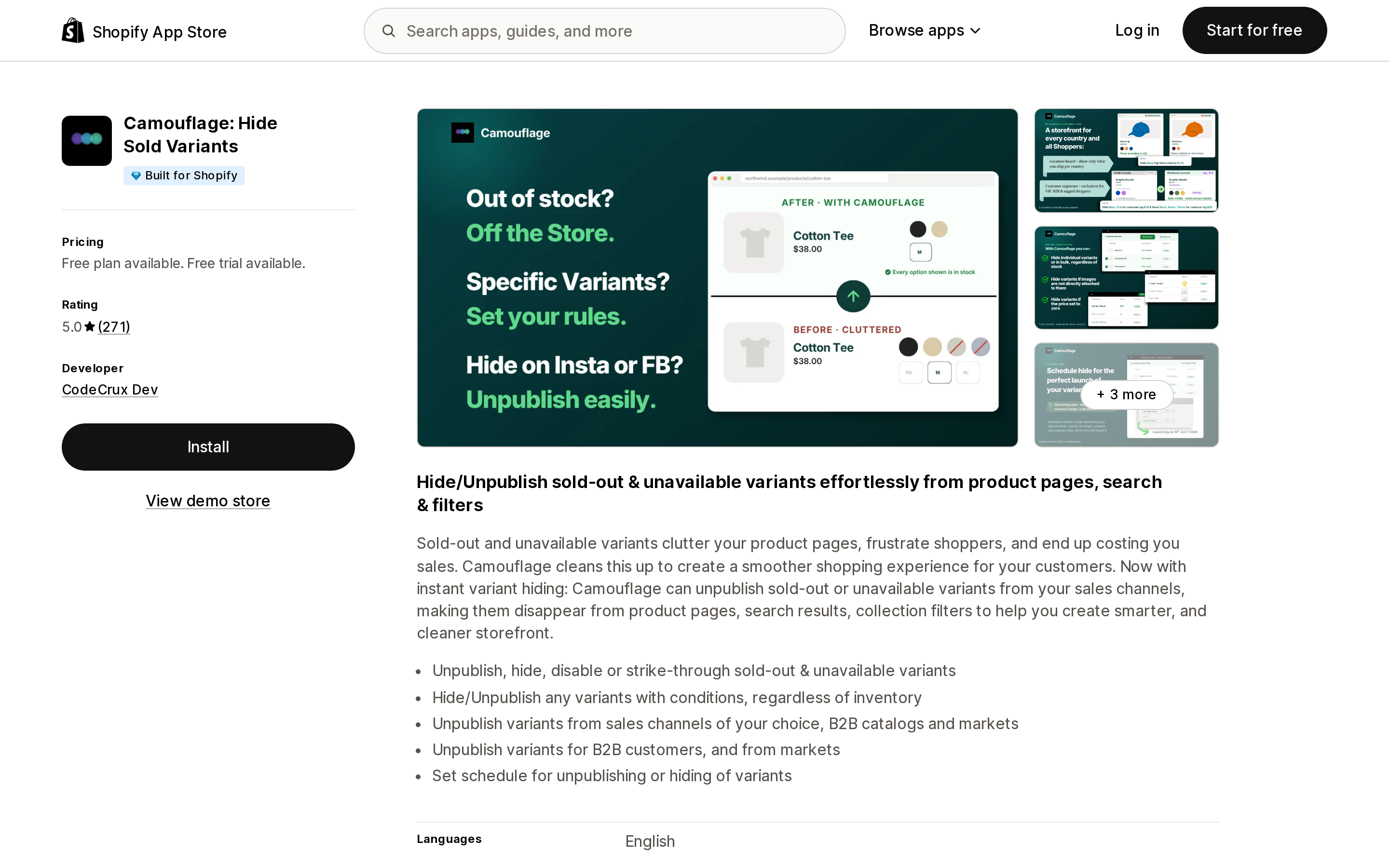
Source: Shopify App Store (Camouflage: Hide Sold Variants), retrieved September 7, 2026
CodeCrux Dev, Built for Shopify, 5.0 from 271 reviews, listed since November 30, 2021. Of the five listings checked, it's the only one written around variant publishing rather than product hiding: "Unpublish variants from sales channels of your choice, B2B catalogs and markets."
Its pricing denominator is unusual and worth looking at directly, because it is not a product count.
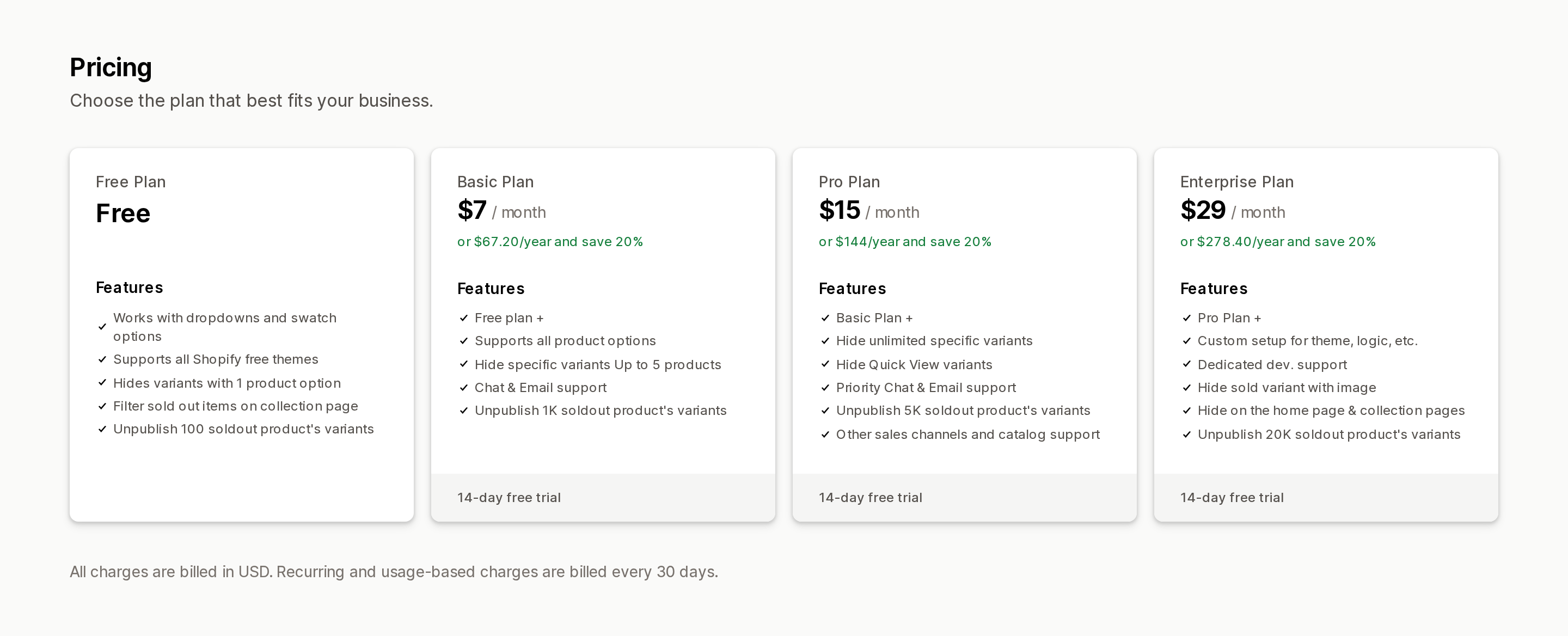
Source: Shopify App Store (Camouflage: Hide Sold Variants), retrieved September 7, 2026
Free covers unpublishing 100 sold-out variants and hiding variants with one product option. Basic at $7/month raises that to 1,000 and adds all product options. Pro at $15/month goes to 5,000 and adds "Other sales channels and catalog support." Enterprise at $29/month goes to 20,000. Paid tiers carry a 14-day free trial.
Two things follow from that structure. First, the variant allowance is the number that runs out, not your catalog size — a 400-product store with deep size runs can exceed the Free tier while a 2,000-product store with single-variant products never does. Second, non-Online-Store channels and catalogs are a Pro-tier feature, which is exactly where variant publishing is most useful.
Camouflage also does something the others don't: hide, unpublish or strike through any variant on conditions unrelated to inventory, on a schedule. The listing states "Hide/Unpublish any variants with conditions, regardless of inventory" and shows country-based and customer-tag-based rules in its screenshots. A July 2026 review from a US merchant describes using it to switch off colors and sizes during a warehouse move while inventory was still on hand.
Nada • Hide Out of Stock
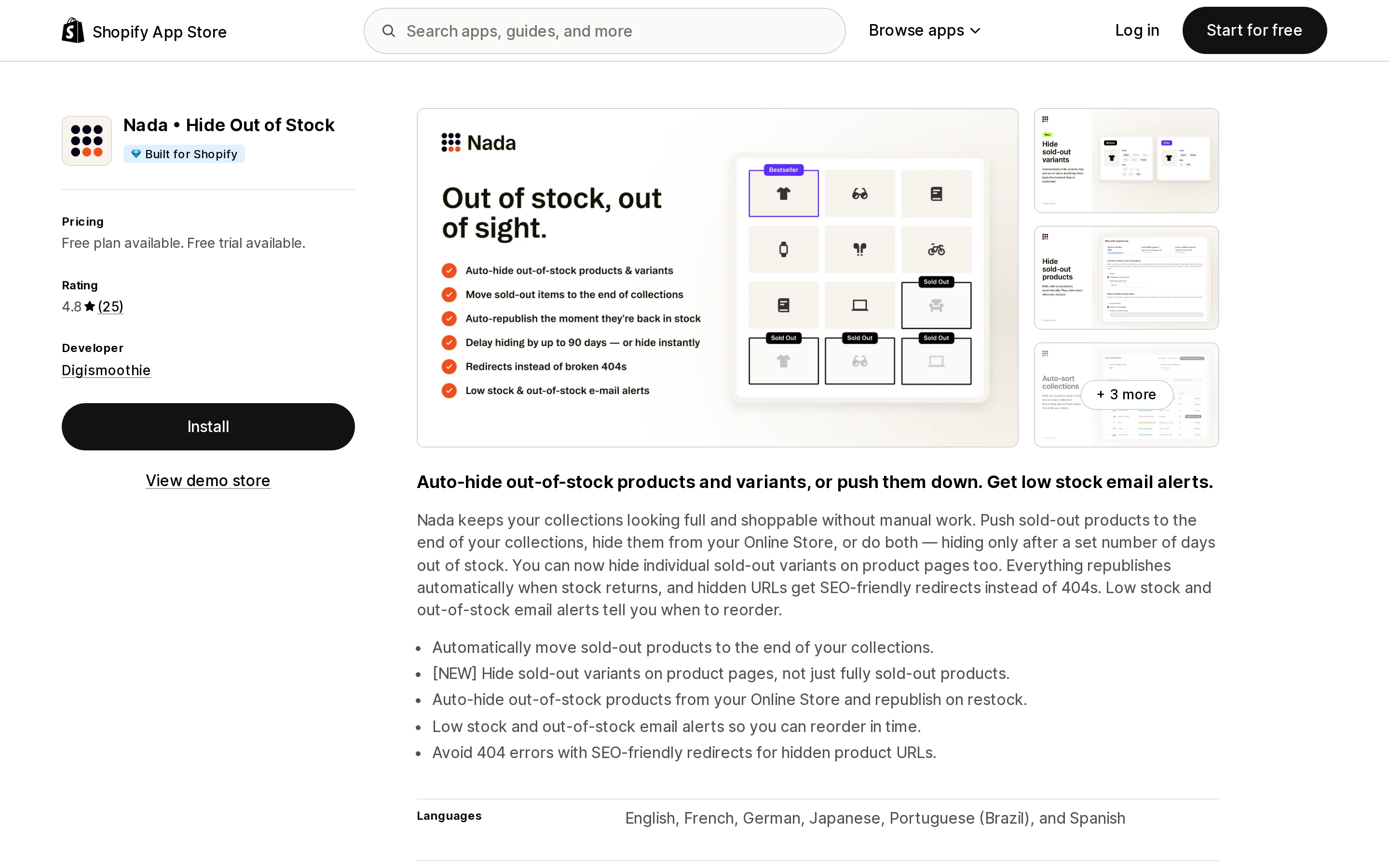
Source: Shopify App Store (Nada • Hide Out of Stock), retrieved September 7, 2026
Digismoothie, Built for Shopify, 4.8 from 25 reviews, listed since February 18, 2021. Variant hiding is flagged [NEW] on the listing; the app's original job was product-level hiding and collection sorting.
Pricing is by catalog size, counting Active or Draft products: $9.99/month up to 100, $14.99/month for 101–1,000, $19.99/month for 1,001–10,000. Free for trial and development stores only, with a 7-day trial and a stated 60-day money-back guarantee.
It covers three of the four native gaps explicitly: hiding only after a set number of days out of stock, SEO-friendly redirects for hidden product URLs, and push-down sorting. A July 2026 review from a UK merchant confirms the multi-variant behavior most stores want — the product stays published as long as at least one variant is in stock. A separate July 2026 review from a US merchant reports auto-sorting getting disabled after manual changes outside the app, which is worth knowing if your merchandising team reorders collections by hand.
MB Push Down Hide Out of Stock
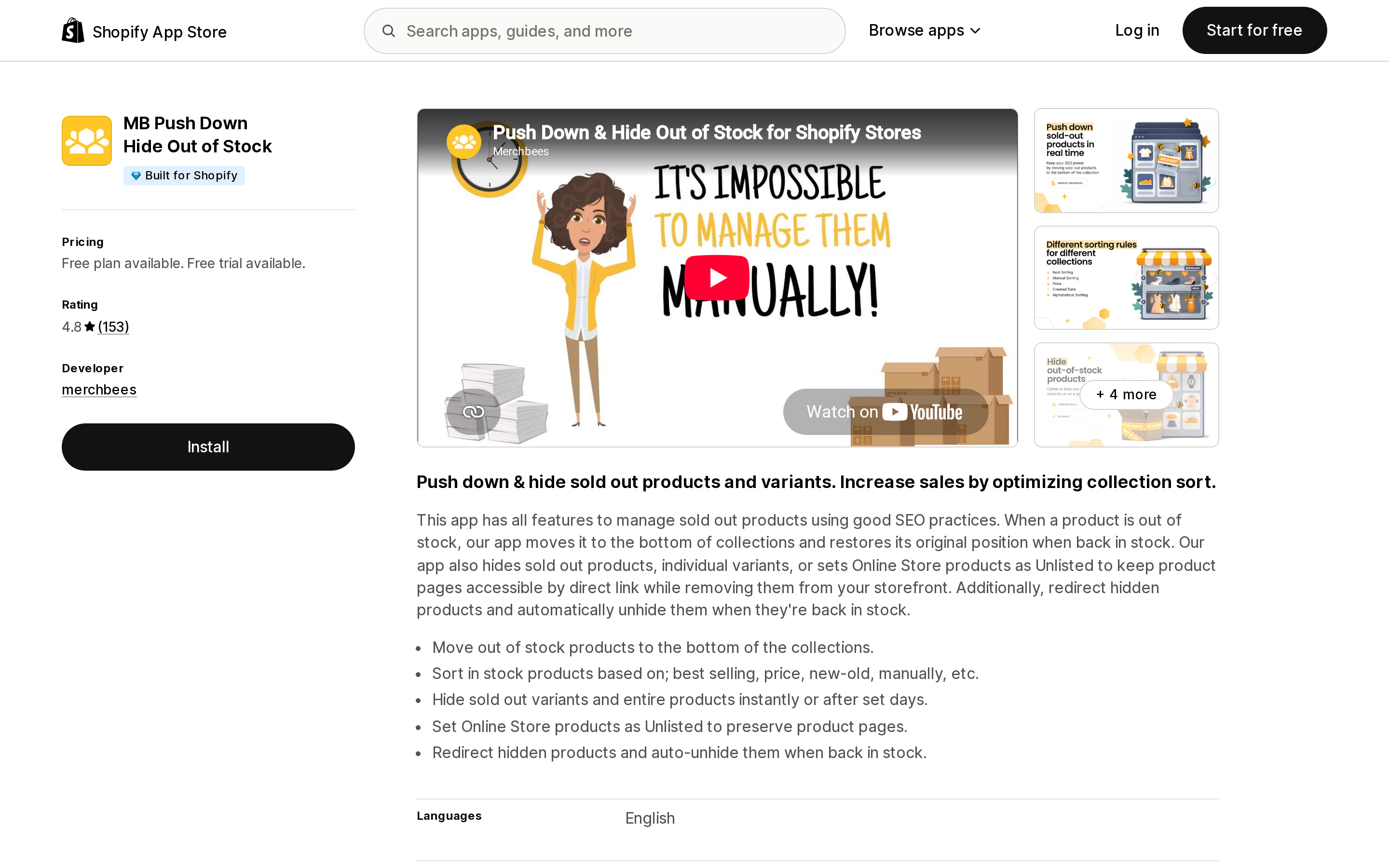
Source: Shopify App Store (MB Push Down Hide Out of Stock), retrieved September 7, 2026
merchbees, Built for Shopify, 4.8 from 153 reviews, listed since December 2, 2020. Priced on two limits at once — products and collections: Free for 50 products and 100 collections, $4.99/month for 500/100, $8.99/month for 5,000/100, $13.99/month for 10,000/300. Trial is 3 days, the shortest of the five.
Its distinguishing feature is using Unlisted rather than unpublished: "Set Online Store products as Unlisted to keep product pages accessible by direct link while removing them from your storefront." For a sold-out product with paid traffic or email links pointing at it, that's a materially different outcome than a 404 or a redirect. It also supports hiding after a set number of days, redirects, and auto-unhide on restock.
The collection cap is the one to watch. If you run more than 100 collections — common on stores with tag-driven or seasonal collections — you're on the $13.99 tier regardless of how few products you have.
StockIQ ‑ Out‑of‑Stock Manager
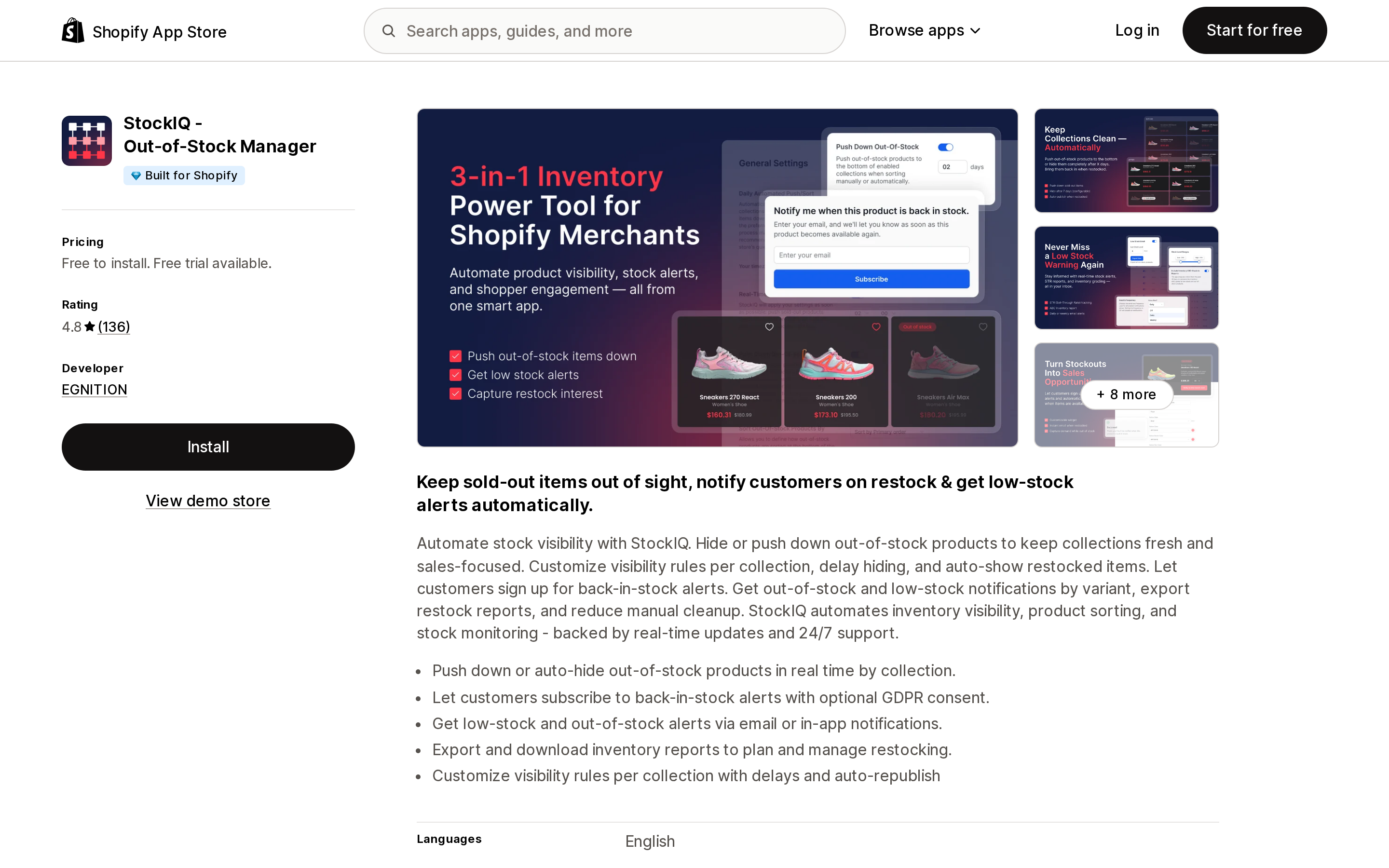
Source: Shopify App Store (StockIQ ‑ Out‑of‑Stock Manager), retrieved September 7, 2026
EGNITION, Built for Shopify, 4.8 from 136 reviews, listed since July 10, 2017 — the oldest of the five. Free to install for up to 49 products and 99 collections, then $5.99/month up to 499, $11.99/month up to 4,999, $16.99/month up to 9,999 products and 300 collections.
Read the plan features before the prices. The Bronze and Silver tiers list "Real-time add-on (paid option)"; Gold and Platinum list "Real-time add-on (included)." Real-time reaction to stock changes — the thing you're buying — is an extra charge on the two cheapest tiers. That makes the effective entry price higher than the $5.99 headline for anyone who needs immediate hiding, and it is the single most important pricing detail in this comparison.
It's also the broadest of the five: back-in-stock alerts for shoppers with optional GDPR consent, low-stock alerts for you, exportable restock reports, per-collection visibility rules, and documented integrations with Klaviyo, Mailchimp, and Omnisend. If you were also going to install a separate back-in-stock app, compare the combined bill.
One limit to be aware of if variants are your actual problem: StockIQ's listing describes its hiding at product level — "Auto unpublish-publish products" in every plan, and "push down or auto-hide out-of-stock products in real time by collection" in the summary. Its variant-level handling that is documented is alerting, not hiding. Variant-level hiding is not stated on the listing.
Hide Out of Stock
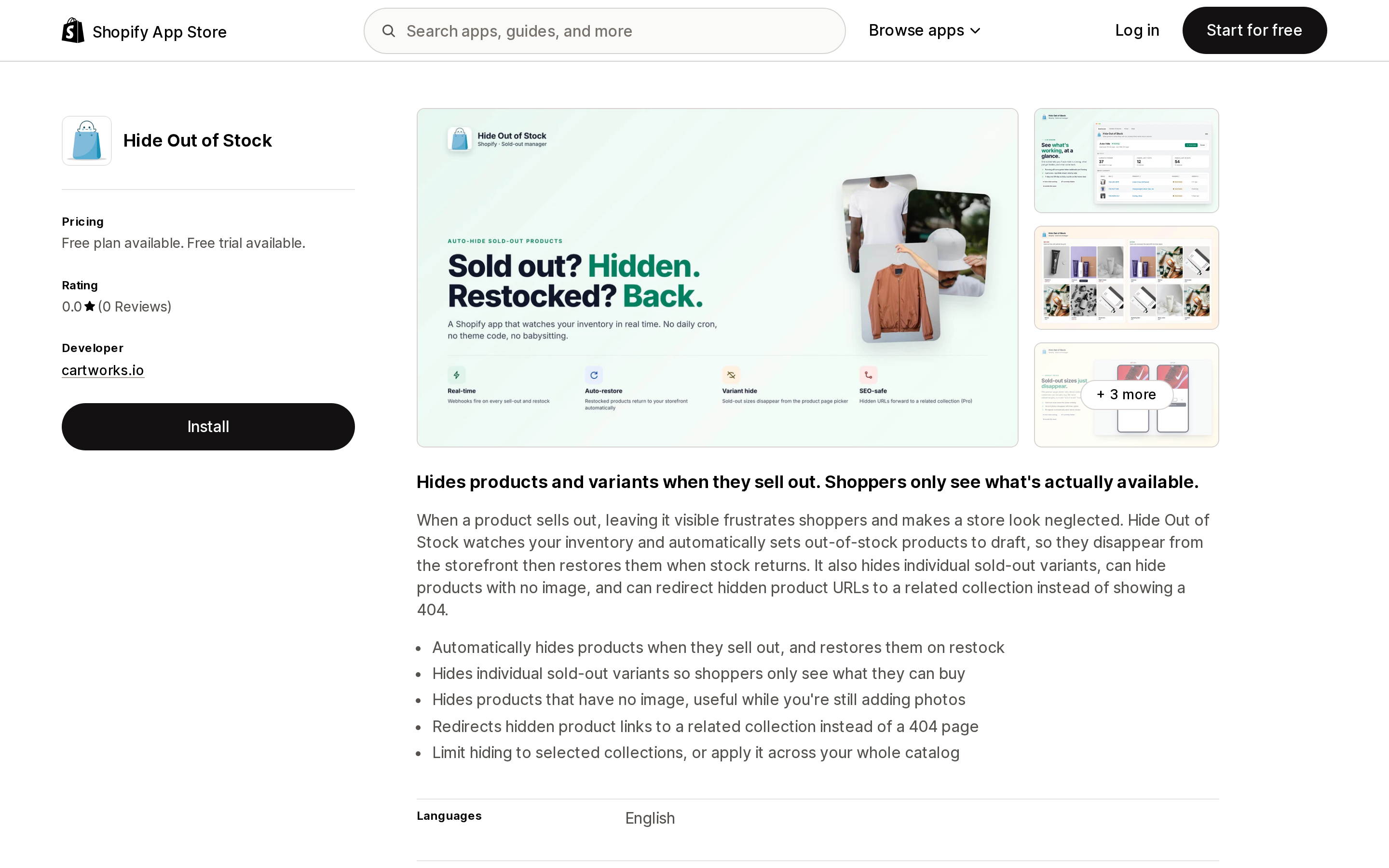
Source: Shopify App Store (Hide Out of Stock), retrieved September 7, 2026
cartworks.io, launched May 18, 2026 — eleven days after variant publishing shipped. Free for up to 100 monitored products, $7.99/month for 1,000, $14.99/month unlimited. No Built for Shopify badge, and 0 reviews at the time of writing, so there is no operating history to judge it on.
Note where the features sit: sold-out variant hiding and redirect-instead-of-404 are both Pro-tier ($14.99) only. Free and Starter are product-level auto-hide. It's the only one of the five that also hides products with no image.
One app that used to appear in this category, VarHide - Hide sold out variants (Xeon Apps), no longer resolves on the App Store — apps.shopify.com/varhide-hide-sold-variants-1 returned 404 on September 7, 2026. It still surfaces in search results and third-party listicles.
Comparison
Denominators differ, so read across the row rather than down the price column.
| Camouflage | Nada | MB Push Down | StockIQ | Hide Out of Stock | |
|---|---|---|---|---|---|
| Billing denominator | Sold-out variants unpublished | Active or draft products | Products and collections | Products and collections | Monitored products |
| Free tier | 100 variants | Trial/dev stores only | 50 products, 100 collections | 49 products, 99 collections | 100 products |
| Entry paid tier | $7/mo (1,000 variants) | $9.99/mo (100 products) | $4.99/mo (500 products) | $5.99/mo (499 products) | $7.99/mo (1,000 products) |
| Top listed tier | $29/mo (20,000 variants) | $19.99/mo (10,000 products) | $13.99/mo (10,000 products) | $16.99/mo (9,999 products) | $14.99/mo (unlimited) |
| Free trial | 14 days | 7 days | 3 days | 7 days | 7 days |
| Built for Shopify | Yes | Yes | Yes | Yes | No |
| Reviews | 5.0 (271) | 4.8 (25) | 4.8 (153) | 4.8 (136) | 0.0 (0) |
| Variant-level hiding | Core feature, all tiers | Yes | Yes | Not stated (product-level) | Pro tier only |
| Non-storefront channels / catalogs | Pro tier and above | Not stated | Not stated | Not stated | Not stated |
| Delay before hiding | Scheduling by date range | Yes, in days | Yes, in days | Yes, per collection | Not stated |
| Redirect instead of 404 | Not stated | Yes | Yes | Yes | Pro tier only |
| Push-down sorting | Collection page filtering only | Yes | Yes | Yes | Not stated |
| Notable catch | Channel/catalog support gated to Pro | Auto-sort can disable after manual edits | 100-collection cap on three of four tiers | Real-time is a paid add-on below Gold | No reviews yet |
Anything marked "not stated" was not found on the app's App Store listing at the time of retrieval. It means unverified, not absent.
How to choose
Do nothing yet if your sold-out variants are already handled by a theme toggle you're happy with and you sell on the Online Store only. Confirm what your theme's toggle actually hides before you conclude this — many suppress non-existent combinations rather than out-of-stock ones.
Use native variant publishing plus two Flow workflows if you have a manageable catalog, you can accept an instant hide with no delay window, and you're willing to either tolerate the last-variant product takedown or build the redirect handling yourself. Cost is zero on every plan. This is the right starting point for most stores that haven't already bought an app, and it's the option the existing SERP does not tell you about.
Add Camouflage if you need variant visibility rules that aren't about inventory at all — regional variants, B2B-only options, customer-tag gating, scheduled availability — or you need this on catalogs and channels beyond the Online Store. Budget the Pro tier for the latter.
Add Nada or MB Push Down if the collection page is your real problem and you want sold-out items pushed down rather than removed, with redirects and a delay window handled for you. Pick between them on shape: Nada bills on products only, MB Push Down caps collections at 100 below its top tier but offers Unlisted status, which preserves the product page for direct traffic.
Add StockIQ if your hiding is product-level and you also need shopper-facing back-in-stock alerts and restock reporting, so one subscription replaces two. Price it at Gold or above unless delayed hiding is genuinely acceptable, because real-time is an add-on below that. If you specifically need sold-out variants hidden, its listing doesn't state that, so verify before you commit.
Wait on Hide Out of Stock unless the Pro feature set matches your need precisely. It's four months old with no reviews, and the features you'd want are on its top tier anyway.
The larger point: this category was reshaped in May 2026 and the search results haven't caught up. Before you pay for anything, open Products → Manage publishing and see how much of your problem Shopify already solves.
Sources
- Publish and unpublish product variants independently from product — Shopify developer changelog, May 7, 2026
- Product and variant publishing — shopify.dev
- Publishing and unpublishing product variants — Shopify Help Center
- Unpublish product variant — Shopify Help Center
- Product variant out of stock — Shopify Help Center
- Hiding out of stock products — Shopify Help Center
- Shopify Flow — Shopify Help Center, plan requirements
- Shopify App Store listings for Camouflage: Hide Sold Variants, Nada • Hide Out of Stock, MB Push Down Hide Out of Stock, StockIQ ‑ Out‑of‑Stock Manager, and Hide Out of Stock, all retrieved September 7, 2026
Hextom: Free Shipping Bar is no longer available on the Shopify App Store. Here's what Shopify's native announcement bar can and can't do, and five real apps that fill the gap in 2026.