
What you will learn
On this pageContentsCloseOpen
You type "email marketing" into the Shopify App Store. It returns 3,880 apps. About twelve fit on screen before you scroll.
What put those twelve in that order?
Not rating. Not review count. And not "apps Shopify judged to be good." At least three separate mechanisms are arranging that one page, and one of them is a slot you can buy at auction.
Part of the search page was auctioned off
Shopify's App Store ads documentation publishes the slot counts.
| Ad type | Desktop placements | Mobile placements |
|---|---|---|
| Search results | 4 | 3 |
| Category and subcategory pages | 4 | 2 |
| Homepage | 4 | 4 |
Pricing is cost-per-click, set by auction: "The actual cost per click is calculated based on a first-price auction model." You pay what you bid. And the auction is not periodic — "Every time a user loads the homepage, loads a category page, or searches for a keyword, Shopify's ad platform runs an auction for the available ad placements."
It is not purely a money contest, though.
Keywords aren't always sold to the highest bidder. Your app's relevance to the search term and merchant is factored in as well. Keywords cost less for highly relevant apps, and their ads rank higher than others for the same auction.
In the worked example Shopify publishes, the highest bidder wins no slot at all because its relevance is too low, while a highly relevant ad takes position 1 for $0.50. The relevance score's inputs are listed too: "your app's click-through rate, search performance, and whether it's available for the merchant to install." The minimum budget is $5.00 per day, and a minimum bid is enforced.
On the merchant side, the Help Center is equally direct: "Any time a developer pays Shopify to display their app to you, it's marked with a label that says Ad." And one line further:
You can't opt out of ads on the Shopify App Store.
There is no toggle; feedback goes to [email protected]. The naming shifts by surface — on the homepage and category pages, shopify.dev says ads are grouped under a section labeled Sponsored apps.
A logged-out browser can't see those slots
On September 16, 2026, we opened the Shopify App Store in a desktop browser with no Shopify login: search results for "email marketing" and "upsell," the Email marketing category page, and the homepage. Across all four, in both en and ja display, we found no element labeled Ad and no occurrence of "Sponsored."
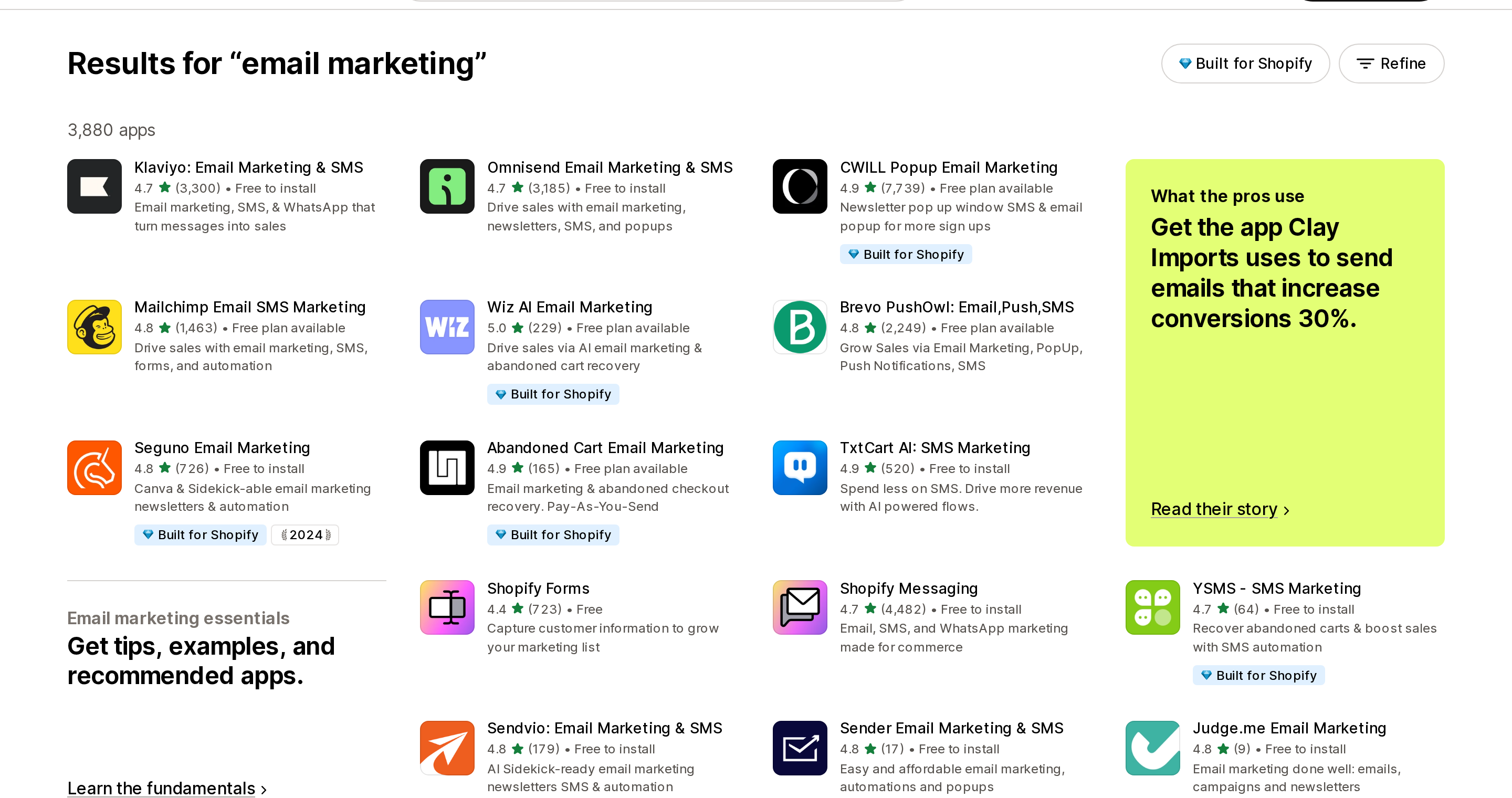
Source: Shopify App Store ("email marketing" search results, en display), retrieved September 16, 2026
Do not read that as "there are no ads." The documentation lists the conditions under which an ad does not appear:
- Not to merchants who already installed it — "Do ads appear for merchants who have already installed the related app? No." (Uninstall and you become eligible again.)
- Not to stores that fail the app's installation requirements
- Not when the visitor is on a VPN
- Not when the App Store is seeing unusual traffic patterns
- And an app whose relevance score is too low can't enter the auction at all
On top of that, merchant plan-based targeting — available only to Built for Shopify developers — is defined as reaching "merchants who are logged in and using the selected Shopify plans." Geotargeting narrows by country.
Our own session illustrates the point. The CWILL listing we opened displayed a "Popular with stores like yours — Based in Japan" block, so Shopify had placed the visit in Japan regardless of the display language we requested. Any ad geotargeted to the United States was never in scope for that request.
So the ad layer is not auditable from an anonymous, logged-out browser. The people seeing ads are logged-in merchants arriving from their admin — the people actually shopping for an app. And which four apps fill those slots depends on where your store is, what plan it's on, and what you already have installed.
Recommendations aren't ads — and aren't a quality ranking either
This is the easiest thing on the page to conflate, so here is Shopify's own wording:
App recommendations aren't advertisements. They're suggestions based on stores that are similar to yours, and are intended to match you with the apps that provide you with the most value. App developers can't pay Shopify to have an app display in recommendations.
The inputs are "your industry, your location, the age of your store, and other attributes." Apps in your admin, Apps you can trust with your business on the admin Home page, Popular with stores like yours on the App Store, and Sidekick's answers all belong to this family.
Does that family produce the same order as search? It does not. On the same day, we opened the Email marketing category page.
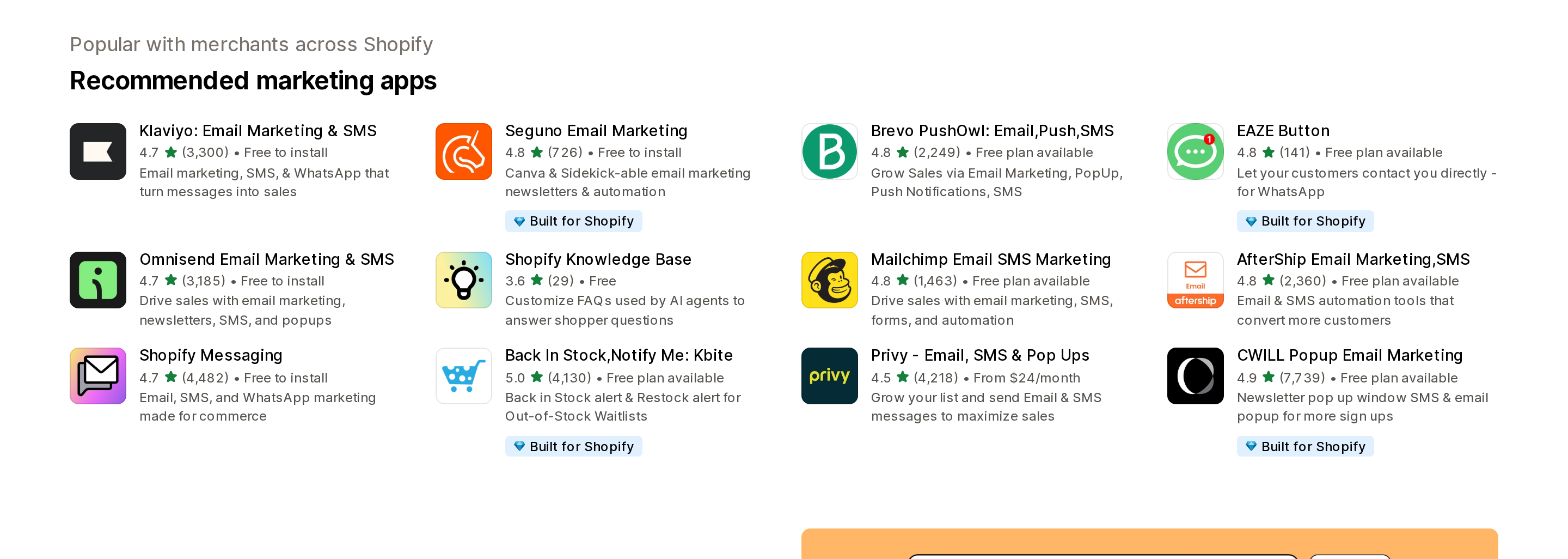
Source: Shopify App Store (Email marketing category, en display), retrieved September 16, 2026
CWILL Popup Email Marketing, third in search, is last here. Privy (4.5, 4,218 reviews) and AfterShip Email Marketing,SMS (4.8, 2,360 reviews) appear here but were not in the en search top twelve. And the list includes Shopify Knowledge Base at 3.6 from 29 reviews — the lowest-rated app on the page.
Same category, same minute, two Shopify-generated orderings that don't agree. Neither is broken. They answer different questions.
The organic order isn't sorted by rating either
For the non-ad remainder, Shopify does not publish how position is decided. Since it isn't published, the only honest claim is what the order is not.
Here are the top twelve for "email marketing," in displayed order.
| # | App | Rating | Reviews | Built for Shopify |
|---|---|---|---|---|
| 1 | Klaviyo: Email Marketing & SMS | 4.7 | 3,300 | No |
| 2 | Omnisend Email Marketing & SMS | 4.7 | 3,185 | No |
| 3 | CWILL Popup Email Marketing | 4.9 | 7,739 | Yes |
| 4 | Mailchimp Email SMS Marketing | 4.8 | 1,463 | No |
| 5 | Wiz AI Email Marketing | 5.0 | 229 | Yes |
| 6 | Brevo PushOwl: Email,Push,SMS | 4.8 | 2,249 | No |
| 7 | Seguno Email Marketing | 4.8 | 726 | Yes |
| 8 | Abandoned Cart Email Marketing | 4.9 | 165 | Yes |
| 9 | TxtCart AI: SMS Marketing | 4.9 | 520 | No |
| 10 | Shopify Forms | 4.4 | 723 | No |
| 11 | Shopify Messaging | 4.7 | 4,482 | No |
| 12 | YSMS ‑ SMS Marketing | 4.7 | 64 | Yes |
Source: Shopify App Store ("email marketing" search results, en display), retrieved September 16, 2026
CWILL Popup Email Marketing, which has more reviews than anything else on the page at 7,739, is third. Wiz AI Email Marketing, the only 5.0, is fifth. YSMS, with 64 reviews, placed twelfth out of 3,880. Shopify Forms, the lowest-rated app in the set at 4.4, is tenth.
Not rating order. Not review-count order. Not badge order.
The numbers in that table have their own reading rules, incidentally. Per the Help Center, an overall rating is not a plain mean but a "weighted average that prioritizes the most timely and relevant reviews" — we covered that in App Store review counts are a live number, not a record.
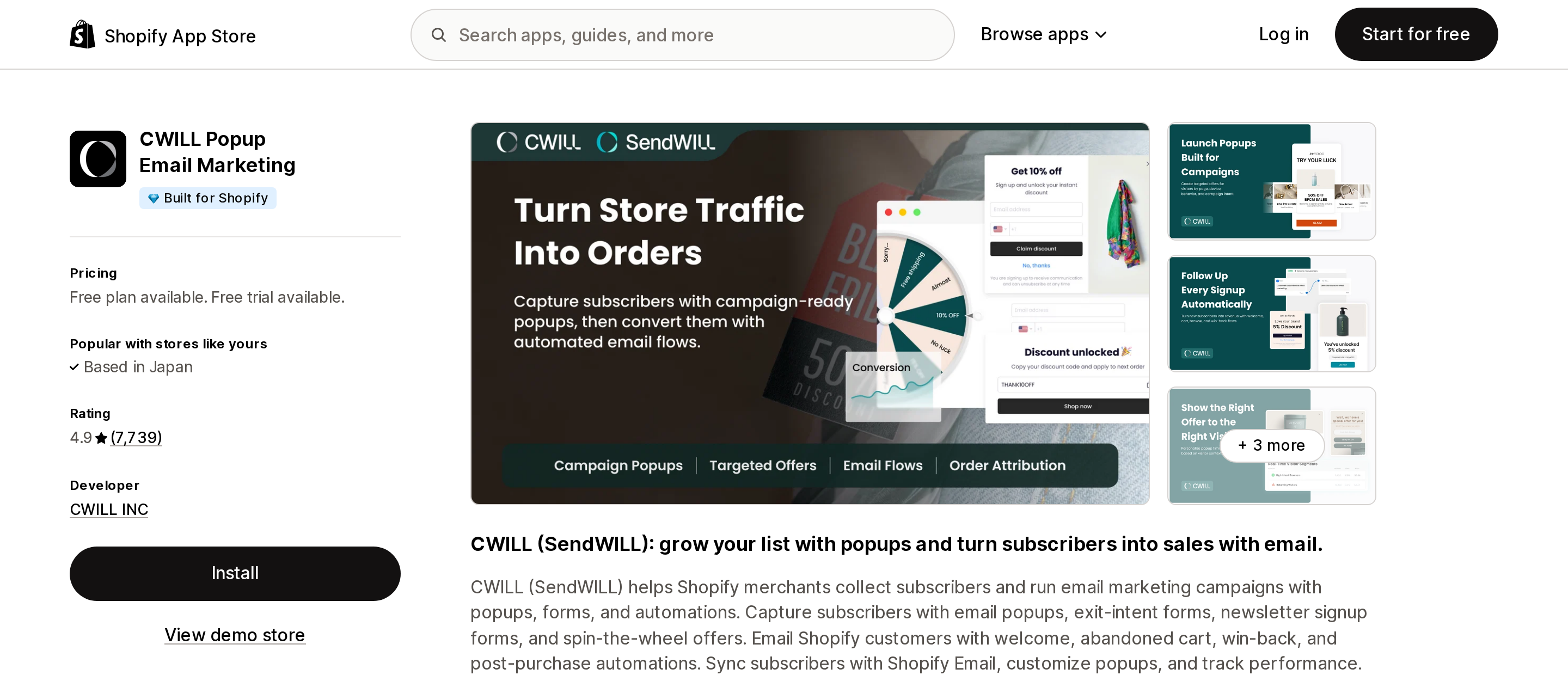
Source: Shopify App Store (CWILL Popup Email Marketing), retrieved September 16, 2026
Switch the display language and the order changes from position four
We re-ran the same query changing only the locale parameter. Both return 3,880 apps. The top three match. Position four is where they split.
| # | en display | ja display |
|---|---|---|
| 1–3 | Klaviyo / Omnisend / CWILL Popup | Same |
| 4 | Mailchimp Email SMS Marketing | Wiz AI Email Marketing |
| 5 | Wiz AI Email Marketing | Seguno Email Marketing |
| 6 | Brevo PushOwl | Abandoned Cart Email Marketing |
| 7 | Seguno Email Marketing | Mailchimp Email SMS Marketing |
| 8 | Abandoned Cart Email Marketing | Brevo PushOwl |
| 9 | TxtCart AI: SMS Marketing | Sender Email Marketing & SMS |
| 10 | Shopify Forms | Judge.me Email Marketing |
| 11 | Shopify Messaging | TxtCart AI: SMS Marketing |
| 12 | YSMS ‑ SMS Marketing | AfterShip Email Marketing,SMS |
Source: Shopify App Store ("email marketing" search results), retrieved September 16, 2026. Each locale was fetched twice in the same session and returned the same order both times. App names are given as they appear in the en listing.
Same query, same total, a different twelve. Shopify Forms and Shopify Messaging hold positions 10 and 11 in en and don't make the ja top twelve at all; ja instead surfaces Sender Email Marketing & SMS (17 reviews) and Judge.me Email Marketing (9 reviews).
Listing names move too. Abandoned Cart Email Marketing is titled "Email Marketing Abandoned Cart" in ja display, and TxtCart AI: SMS Marketing appears as "TxtCart: SMSマーケティング&AI." Neither listing URL changes.
The practical version: when a colleague says "this one was at the top when I searched," their page and your page were not necessarily the same page.
Some apps never appear in search at all
One more reason not to read a results page as a picture of the App Store.
Per App listing visibility on shopify.dev, a developer can set a listing to limited visibility. It remains installable from its listing URL, but it does not appear in:
- Category pages
- Shopify App Store search results
- Third-party search engine results
So an app someone sent you by URL can be perfectly alive and still be unfindable by search. The listing URL is the anchor here — the point we made in app names change, listing slugs don't. For telling a limited-visibility listing apart from a dead one, see the three states an app's listing lands in when it goes away.
Built for Shopify is the one signal with published criteria
Exactly one thing on that page has publicly stated requirements. The Help Center names three areas:
- Performance: "Apps cannot decrease your storefront's speed by more than 10 performance points."
- Design: consistent behavior inside your admin
- Integration: use of Shopify's latest technology standards
And it can be lost: "If an app stops meeting these requirements, then it loses the Built for Shopify status." Certifications are reviewed annually. Search and category pages carry a filter that shows badged apps only.
It is a quality certification, not proof of a feature and not a guarantee of fit for your store. We went through what the badge does and doesn't cover in what the Built for Shopify badge actually certifies. As the table above shows, badge status and position don't line up.
How to read a results page
- Don't read the first row as "number one." Up to four desktop slots are ads. When you're logged in, those four are auction outcomes matched to your store's attributes.
- Look for the "Ad" label and the "Sponsored apps" heading. The first is per-listing, the second is a section heading on the homepage and category pages. There is no way to turn either off.
- Treat "Recommended" and "Popular with…" as a third thing. Not paid, not quality-ranked — Shopify's inference from stores like yours.
- Don't use position as a quality signal. It tracks neither rating nor review count, and changing display language alone reshuffles it from position four.
- Shortlist with the Built for Shopify filter. It's the only filter on the page whose criteria are published.
- Track candidates by URL. Search order moves.
apps.shopify.com/...doesn't.
None of this is concealed. Shopify publishes the ad slots, the auction, the targeting, and the exclusions. It just publishes them in developer documentation, which is not where a merchant shopping for an app is reading.
Sources
- About Shopify App Store ads, shopify.dev — placement counts, CPC, first-price auction, relevance, and the note that Shopify doesn't advertise its own apps
- Create ads in the Shopify App Store, shopify.dev — when auctions run, relevance score, device targeting, geotargeting, merchant plan-based targeting, keyword match types
- Ads FAQ, shopify.dev — $5.00/day minimum budget, suppression for installed merchants, incompatible stores, and VPNs
- Finding and choosing apps, Shopify Help Center — the Ad label, no opt-out, recommendations are not ads, Built for Shopify criteria, installation requirements
- App listing visibility, shopify.dev — limited-visibility listings are excluded from search, categories, and external search engines
- Shopify App Store search results, category pages, and listings in en and ja display, retrieved September 16, 2026
Shopify added a Bin name column to the inventory CSV on August 25, 2025. It holds one bin per variant per location, it is created only by CSV import, and it prints on Order Printer pick lists. What it does not do is leave Shopify. Shopify staff confirmed on the developer forum in October 2025 and again in January 2026 that there is no public API access to the field, and the developer forum was still reporting the gap in June 2026. That single fact shapes the whole category: EasyScan and iPacky store bins in metafields, Bins-USA and ShelfPilot store them in their own databases, and a free app called Simple Bin Locations copies metafield bins into order notes so packing slips can show them. Shopify's own multi-bin model, with per-bin quantities and an unbinnedQuantity field, exists today only as a feature preview on development stores. Pricing, plan gates, and where each app keeps the bin data, verified on the Shopify App Store, the Shopify Help Center, shopify.dev, and the Shopify community forums on September 18, 2026.